Checking a colleague's work
Find any colleague's goals, active tasks and recent activity without pinging them on Slack.
Good fit if you need to see what a teammate is working on to coordinate or cover for them, without interrupting them.
Whether you're coordinating on a shared goal, covering for someone on leave, or just want context before you ask for something, the People section gives you a respectful, self-serve way to see where a colleague stands.
- Open People and click the colleague's name.Their profile gathers current goals, active tasks, recent check-ins and their place in the org chart.
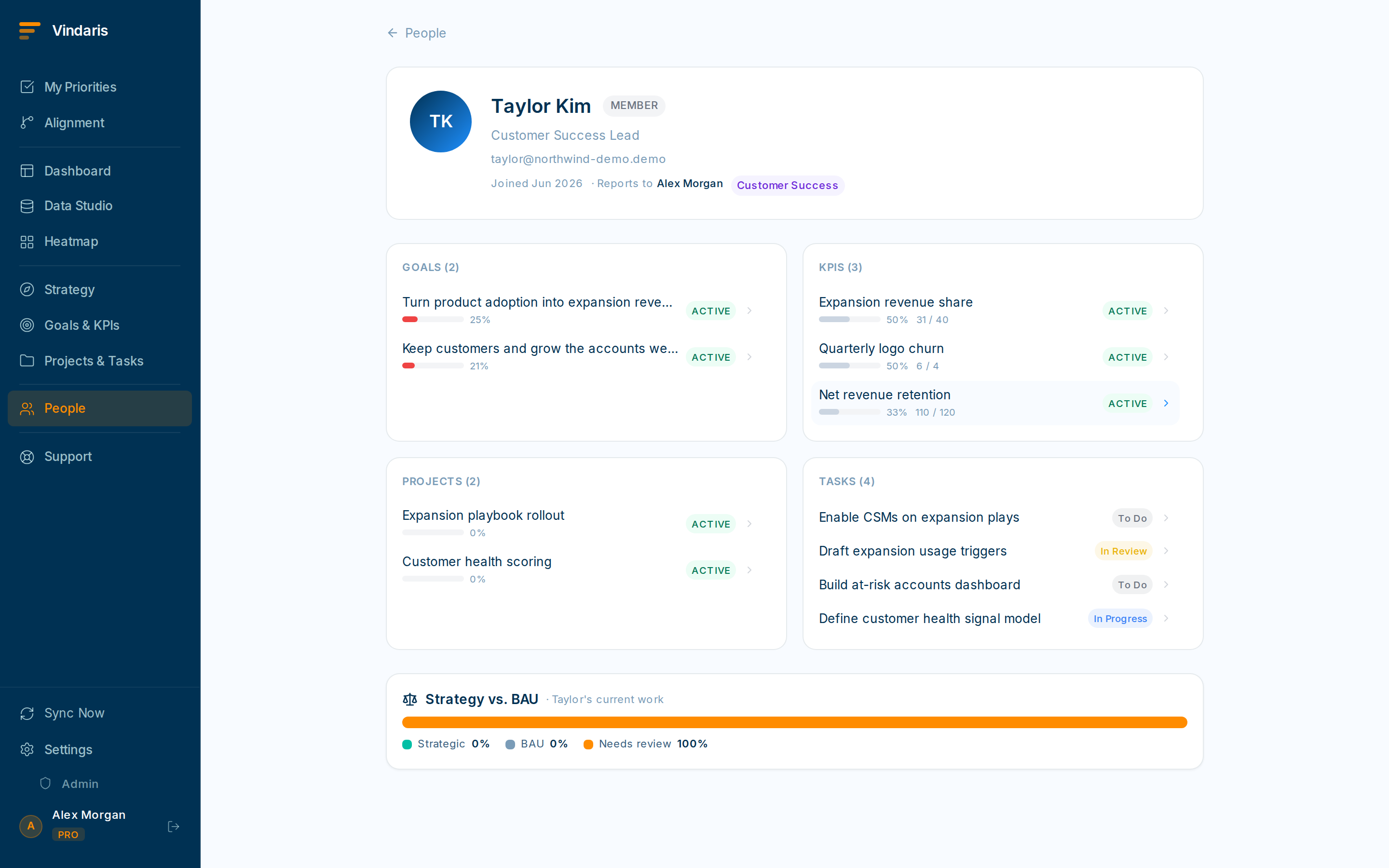
Goals, active tasks and recent activity in one place. - Read their recent check-ins for the latest narrative.Faster and kinder than "hey, quick status?" You arrive already informed.
- Open a shared goal or project to see how your work connects.Useful before a handoff or when you're picking up a blocked thread.
- Use global search if you only remember the task, not the person.Search a task title and jump to it, then see who owns it.
Visibility follows your role and the reporting lines. Managers see their reports' work by design, to enable roll-ups and coaching. Vindaris enforces strict tenant isolation and permission rules underneath, so you only ever see what your access allows. Checking a colleague's work is transparency within bounds, not surveillance.
Filter their open tasks to overdue and due-this-week to find what genuinely needs a hand. Reassign the few that can't wait and leave the rest. Most things can hold until they're back.
When teams reach for this
Every person has a profile that gathers the goals they own, their active tasks and their recent activity in one place. What you can see is governed by your permissions, so the profile shows the work you are allowed to see and nothing more.
Who it helps
Vindaris fits the manager coordinating across reports, the team lead covering for someone out of office, and the peer who needs to unblock a dependency. It suits scale-ups and mid-market companies, roughly 30 to 500 people and multi-team, where work crosses people often enough that pinging someone for a status is a daily tax.
Why it helps
As teams grow, the fastest way to learn where something stands is usually to interrupt the person doing it, which costs both of you focus. A colleague's profile shows their goals, active tasks and recent activity within what your permissions allow, so you coordinate from the current picture and save the interruption for when it matters.
In practice
- Coordinate without the status ping. Open a colleague's profile to see their active tasks and recent activity, so you can time a handoff or spot a dependency before it bites, without pulling them out of focus. The picture is current, so you are not working from a status they gave you last week.ExampleBefore committing a launch date, a PM checks the engineer's profile, sees the API task is still in progress, and sets a realistic date instead of guessing.
- Cover for someone out of office. When a teammate is away, their profile shows what they own and what is due, so you can pick up the urgent items and let the rest wait. You step in on the specific tasks that need a hand rather than asking around for what might be on fire.ExampleA team lead covering a week of leave opens the profile, finds two tasks due that week, handles one and reschedules the other, and leaves the rest untouched.
- Respect the permission boundary by default. Visibility follows your permission groups, so a profile shows only the work you are entitled to see and sensitive goals stay out of view. You get the coordination you need without opening everyone's work to everyone.ExampleA peer in another department sees a colleague's shared project tasks but not the confidential strategy goals, because the permission groups scope it that way.
Vindaris maps your strategy, goals and KPIs down to every project and task, and the Work Graph flags execution risk wherever effort has drifted from the goal, with task-level context down to the Slack thread.
Put this into practice
Vindaris keeps strategy, goals, projects and tasks in one place, and the Work Graph flags execution risk before it costs you. Start free, no credit card.
Sign Up for Free