Keep your team on the work that matters, and see where the time really goes.
You want a clear list for everyone and an honest split between strategic work and business as usual. Vindaris gives your team one ranked view and keeps project management clean, even when tasks live across different tools.
A team lead's week, made concrete.
The team does not lose the plot in the offsite. It loses it in ordinary weeks. Vindaris keeps each one pointed at what matters.
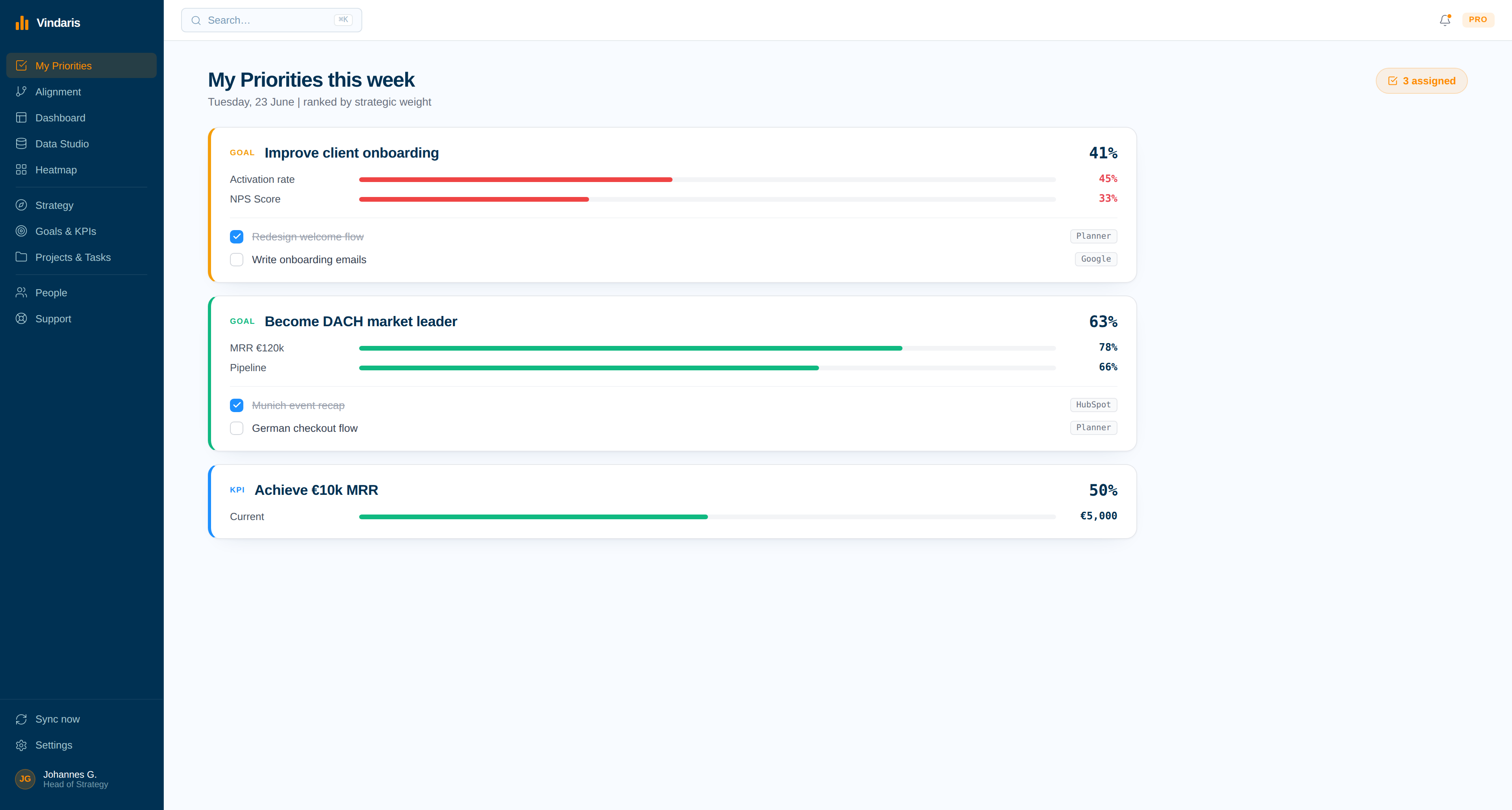
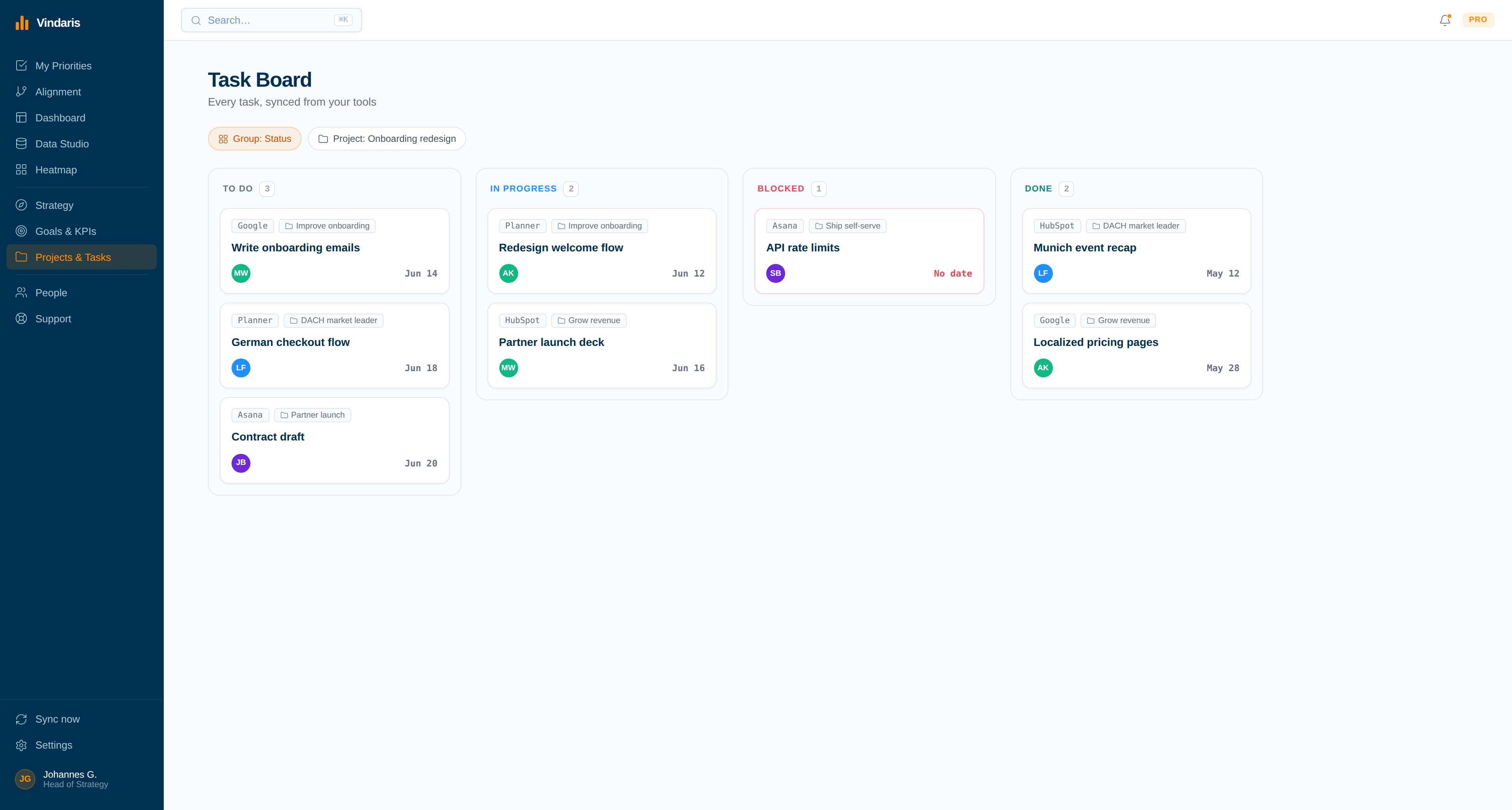
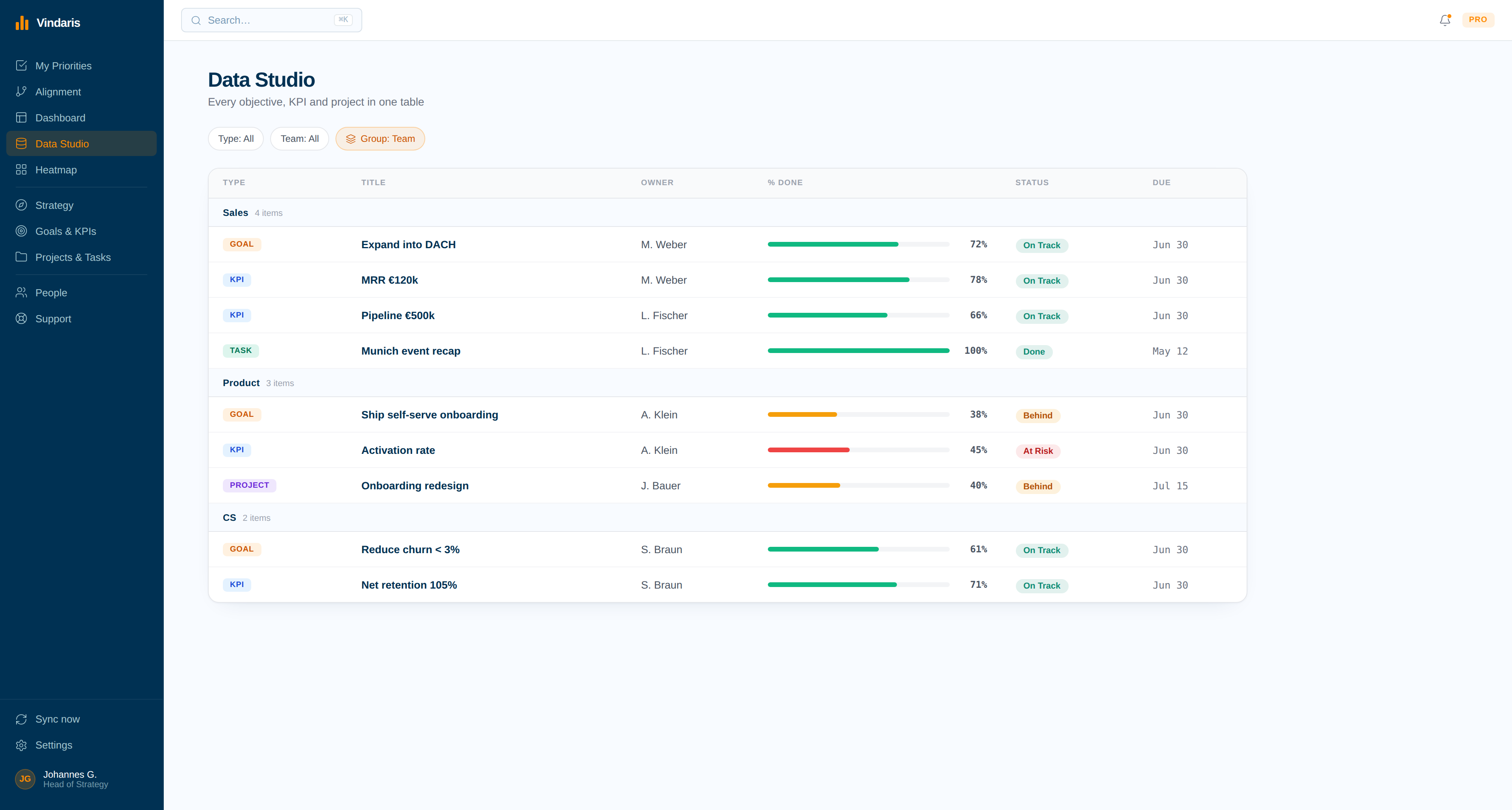
Your team's work and its impact, in one clear view.
Leading a team means knowing what everyone is on, whether it matters, and whether anything is falling through the cracks between tools. Vindaris pulls all of it into one view without pulling your team out of the tools they already use.
Know what each person is working on and where the hours land, so you can lead with the real picture instead of a guess.
See how much of the team's time goes to strategic work and how much to business as usual, so you can rebalance before the strategic work gets squeezed out.
Every person has a clear list of the items in front of them. No one is guessing what matters most or what they are meant to own.
Run clean project management even when the work sits across different tools, so nothing falls into the gap between systems.
Sync keeps Vindaris the source of truth without degrading your other systems. The team keeps their tools and you keep one honest view.
See each person's work and impact on a dashboard, and get an AI summary for each initiative without writing it yourself.
Five days of leading from a clear picture.
A Team Lead's week is spent keeping the team focused and unblocked. Here is how that runs when the picture is always current.
Check the team's priorities
You open the week seeing exactly what each person owns and what matters most. Everyone has a clear list, so the Monday sync is short and the day starts with focus.
Rebalance strategic versus BAU
The view shows one engineer fully absorbed by BAU while strategic work waits. You shift the load before the important work gets squeezed out for another week.
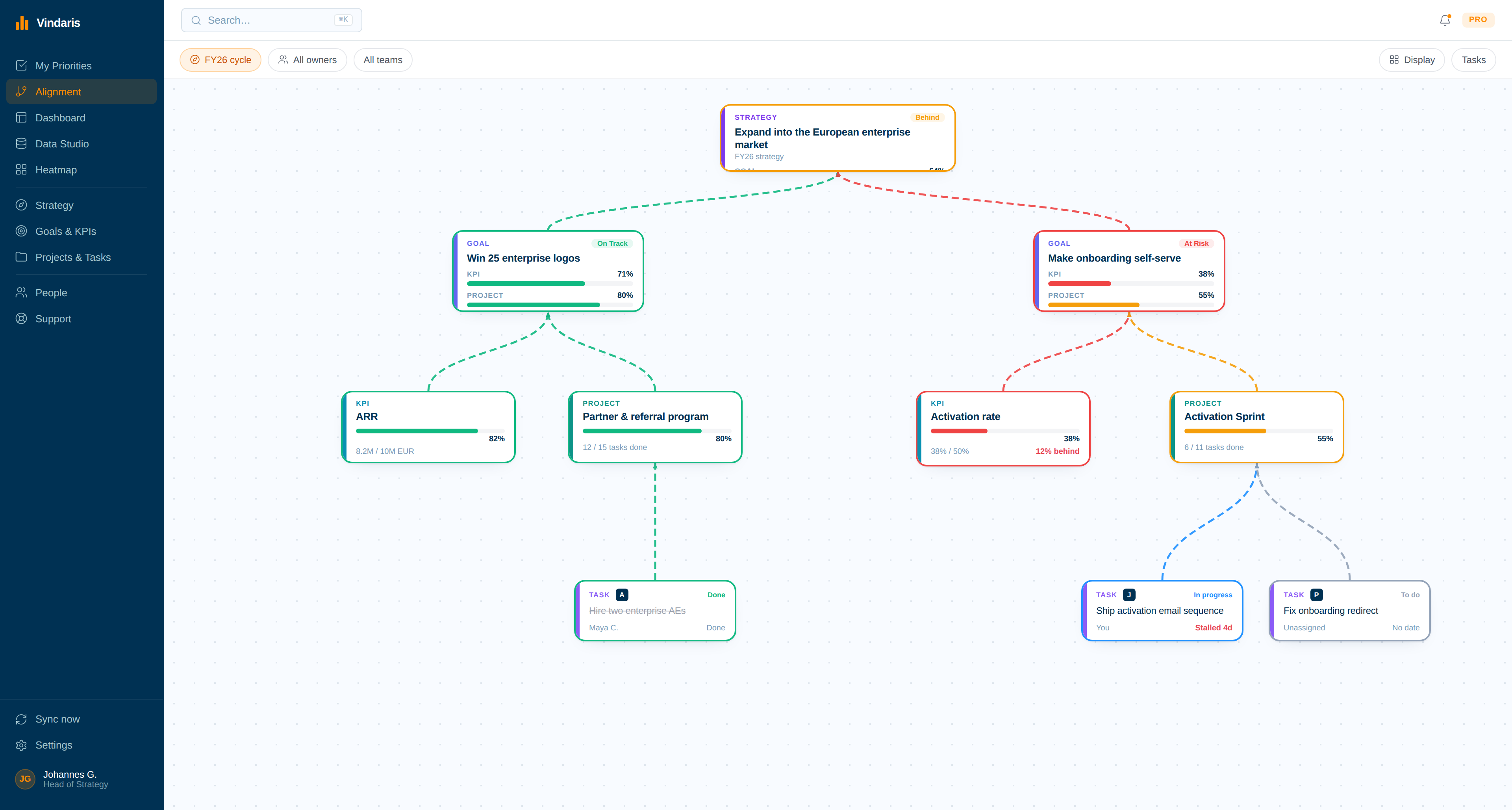
Manage work across tools
Tasks live in two different systems, but Vindaris shows them in one place with bidirectional sync. You manage the project cleanly without anyone leaving the tools they prefer.
Unblock from the dashboard
A dashboard shows one workstream stalling. You see whose work it is waiting on, clear the blocker, and keep the initiative moving.
Read the per-initiative summary
An AI summary for each initiative tells you what moved and what is at risk. You close the week with a clear read on your team's work and its impact.
Lead the team, not the tools.
A Team Lead is supposed to know what the team is doing, but the work is scattered. Tasks sit in different tools, strategic work and BAU blur together, and the only way to see the whole picture is to ask everyone and assemble it yourself. Meanwhile the important work quietly loses to whatever is loudest, and you find out a strategic item stalled only when it is already late.
Vindaris pulls the team's work into one view without pulling the team out of their tools. You see where time goes and how much is strategic versus BAU, everyone gets a clear list of what they own, and bidirectional sync keeps Vindaris the source of truth while the team keeps working where they prefer. Dashboards show real work and impact, and an AI summary per initiative means you lead from a current picture instead of a reconstructed one.
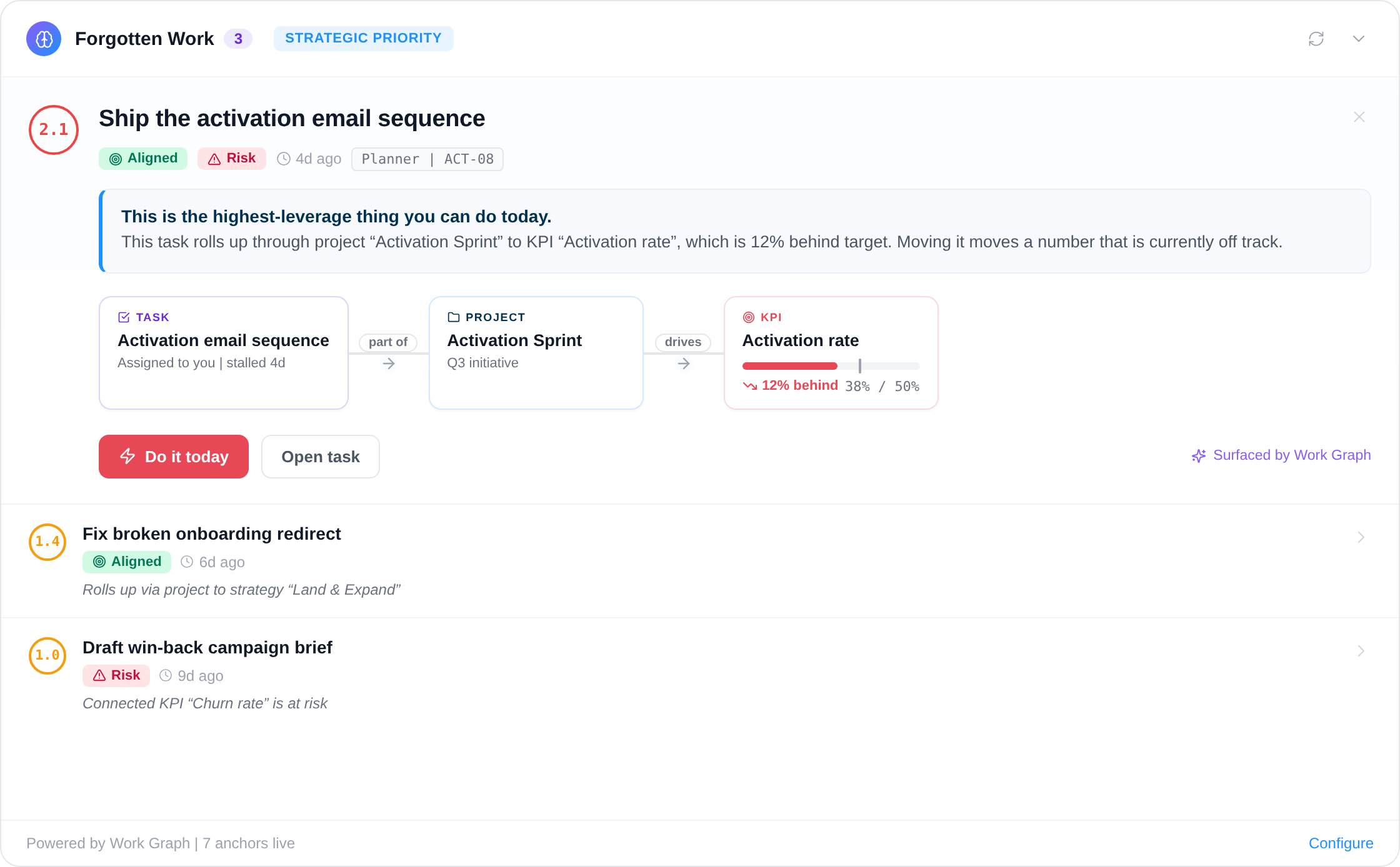
Know a task is slipping before it drags the goal down.
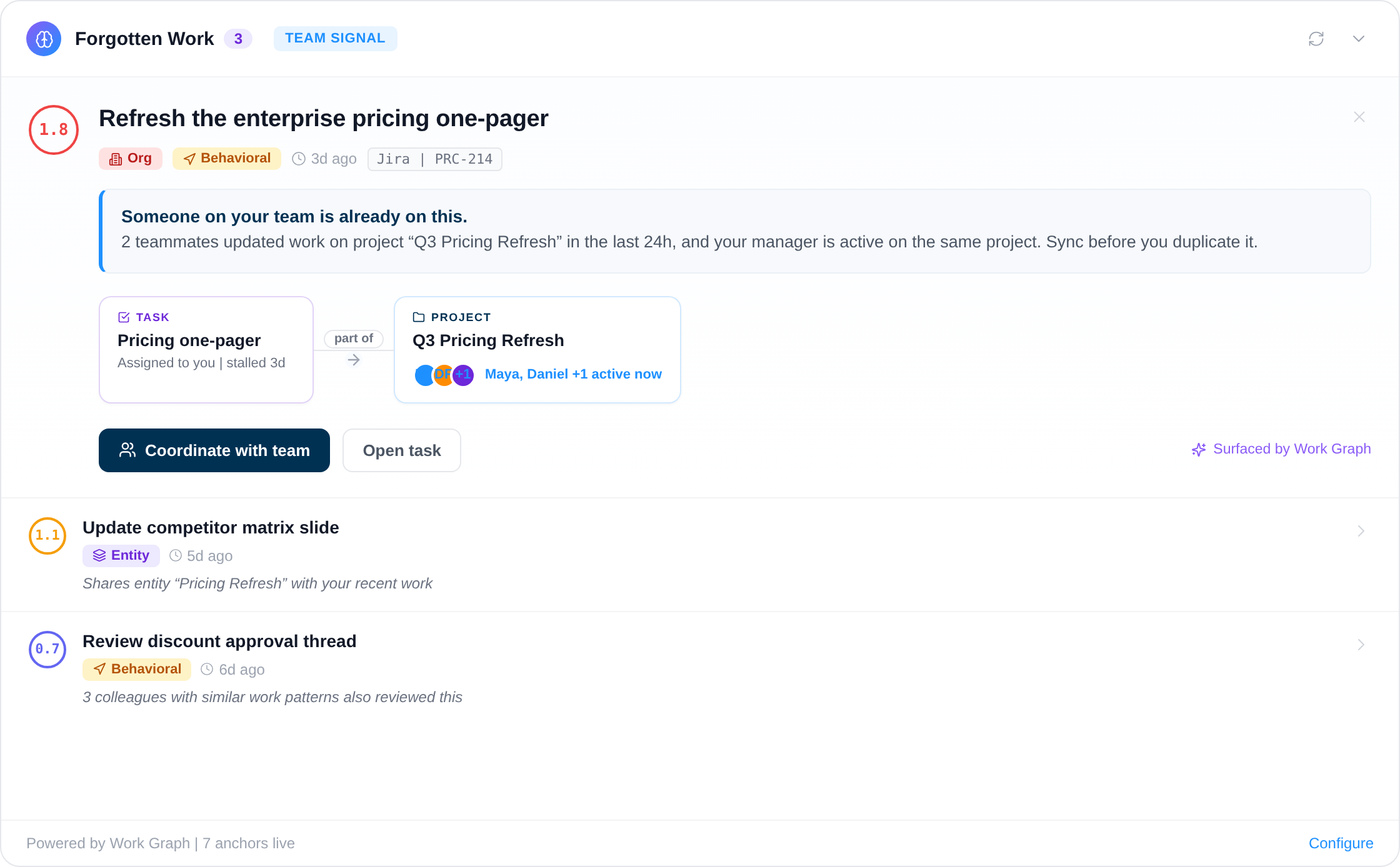
The Work Graph watches the work under your team's goals and routines. When a blocking task sits untouched, a check-in lapses, or the week's focus drifts off plan, you get the alert with the cause attached, in time to move someone before the number moves.
Free forever, including two integrations
Start free with full team and strategy management. Add two integrations to sync tasks. Pay only when you add more than 4 people, need more integrations, or more AI summaries.
Best for individual contributors, small teams or startups. No credit card required.
- All features (incl. Alignment Canvas, My Priorities, Heatmap, Data Studio & Task Board)
- Set up 2 integrations of your choice
- Invite up to 4 additional members
- 5 ad-hoc AI risk summaries per month
Best for teams, small agencies, or departmental and team management.
- All in Free
- All integrations, unlimited sync
- Unlimited AI risk summaries & alignment suggestions
- Up to 10 users within one organization
Best for multiple teams, exec teams, or full-org deployments.
- All in Connect
- Unlimited users within one organization
- Direct human support email, 24h response time
- Human-led onboarding support
Free resources for this topic
A template you can download, a playbook to run, and the thinking behind both. No email required.
More on protecting the work that matters.
Two reads on why strategic work quietly loses at the team level, and how to see the loss in time to prevent it.
Strategy does not fail in the boardroom. It fails in the gap between a team lead's intentions on Monday and where the week actually went by Friday.
Every strategy has a money budget. Almost none have a bandwidth budget, which is why the third priority always loses to the urgent thing in the inbox.
Common questions, answered
How does a Team Lead use Vindaris?
Can a Team Lead see how much time is strategic versus BAU?
Does Vindaris replace the team's existing tools?
Does each team member get a clear list of their work?
Give your team one clear picture of the work.
Connect your first tool in 90 seconds. Free forever for goal management.
Run your week on VindarisNo credit card | No migration | No minimum contract
