See what is slipping across every team, before anyone has to ask.
You are the connective tissue of execution. Vindaris gives you the alerts, the dashboards, and the routing to keep leadership priorities moving across every function, without living in a dozen tools.
The week a Chief of Staff actually runs on Vindaris.
You do not open a status tool five times a day. You catch what is slipping and route it. Here is what each moment looks like.
The connective tissue of execution, in one place.
Your job is to see the whole board and keep it moving. Vindaris surfaces the work that is drifting, shows you where effort is being spent without return, and gives you the levers to fix it without a round of meetings.
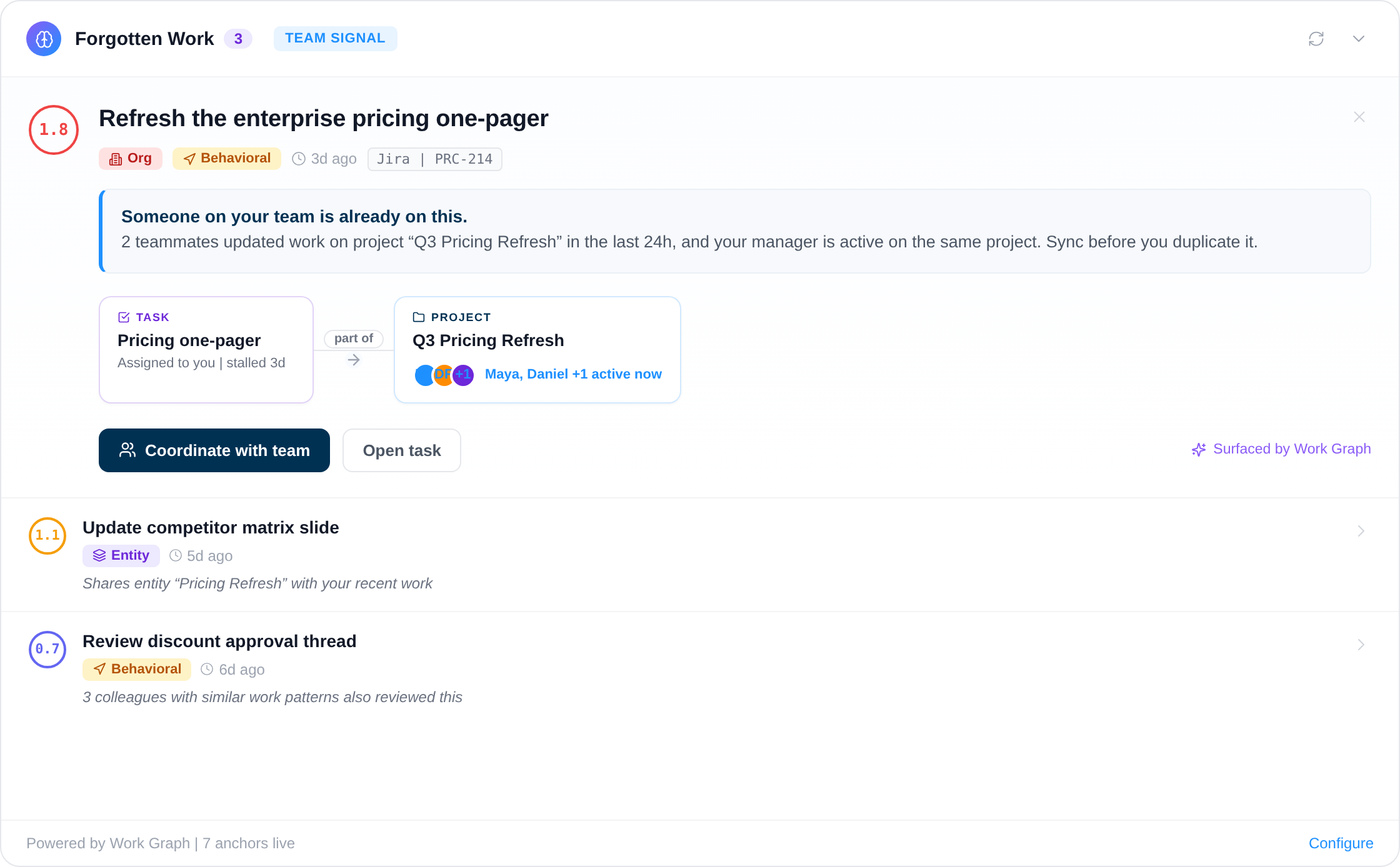
Get alerted the moment work stalls or a deadline starts to drift, while there is still room to intervene rather than report a miss.
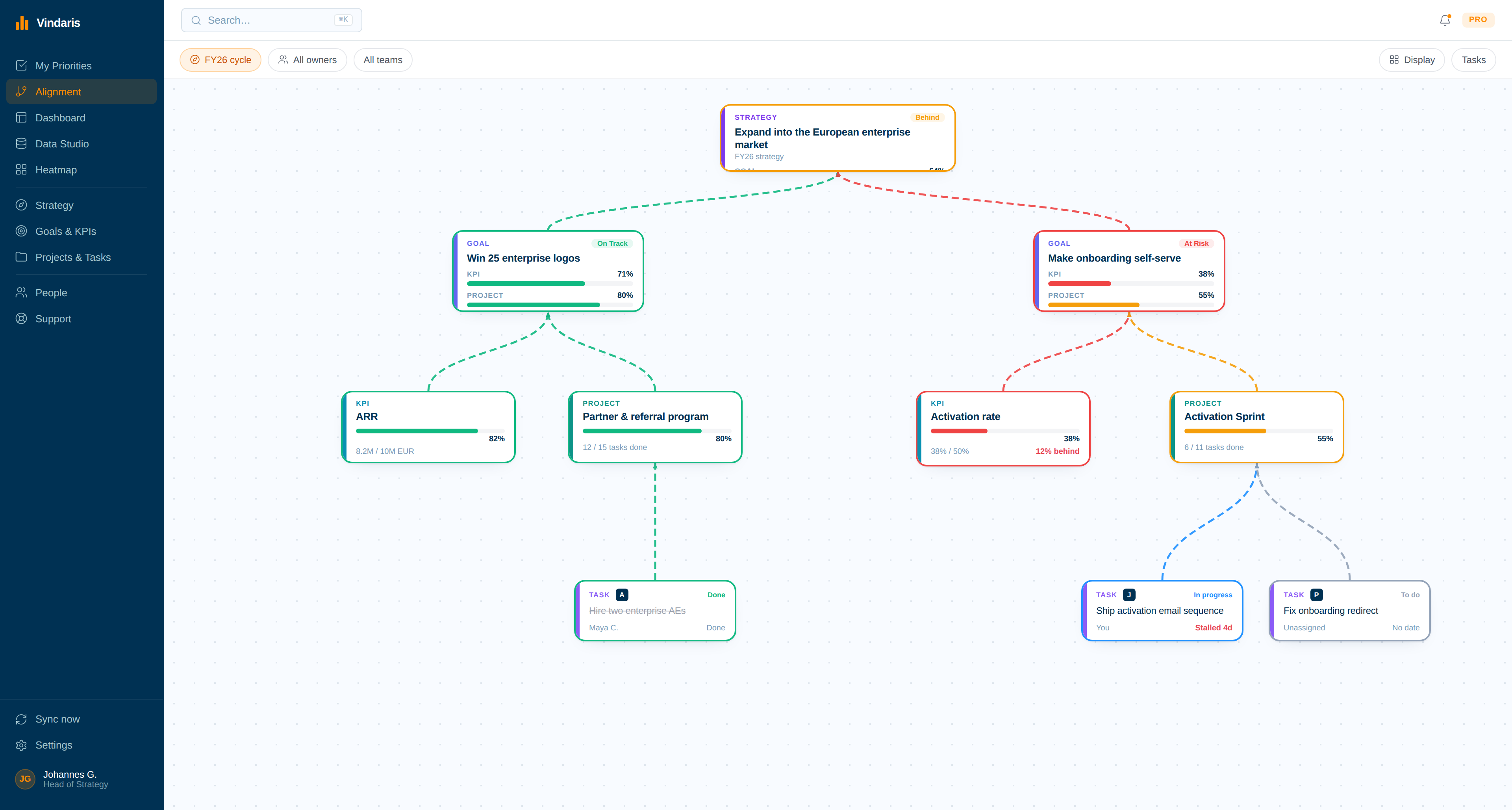
The Work Graph flags team items that have come loose from any goal, so effort that is running with no strategic purpose attached gets caught early.
Build a dashboard for a team, a function, or a leader in minutes, and keep it current automatically rather than rebuilding a deck every week.
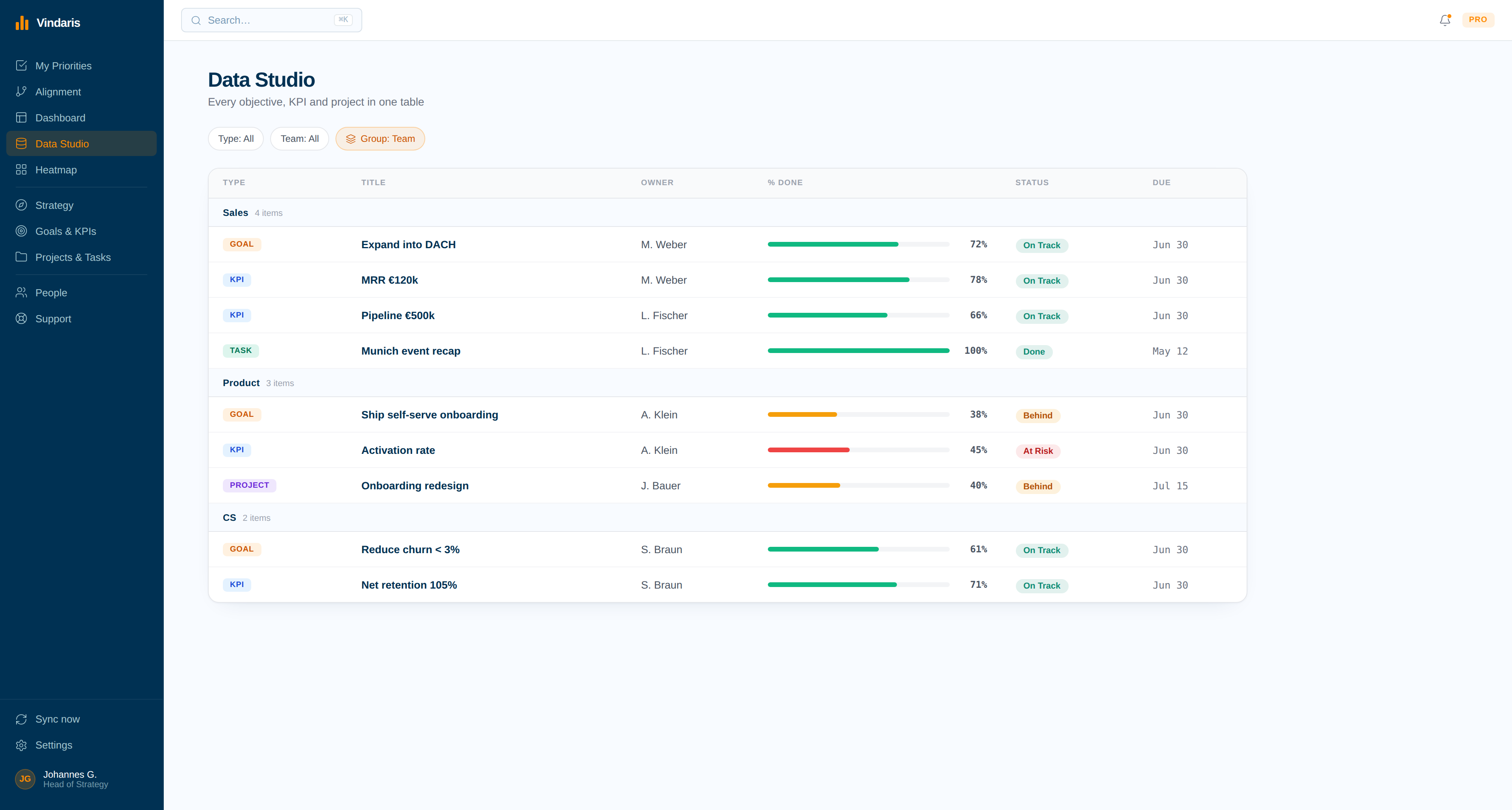
See where you invest work but see no return. Data Studio puts effort next to outcome so the gaps are obvious instead of buried.
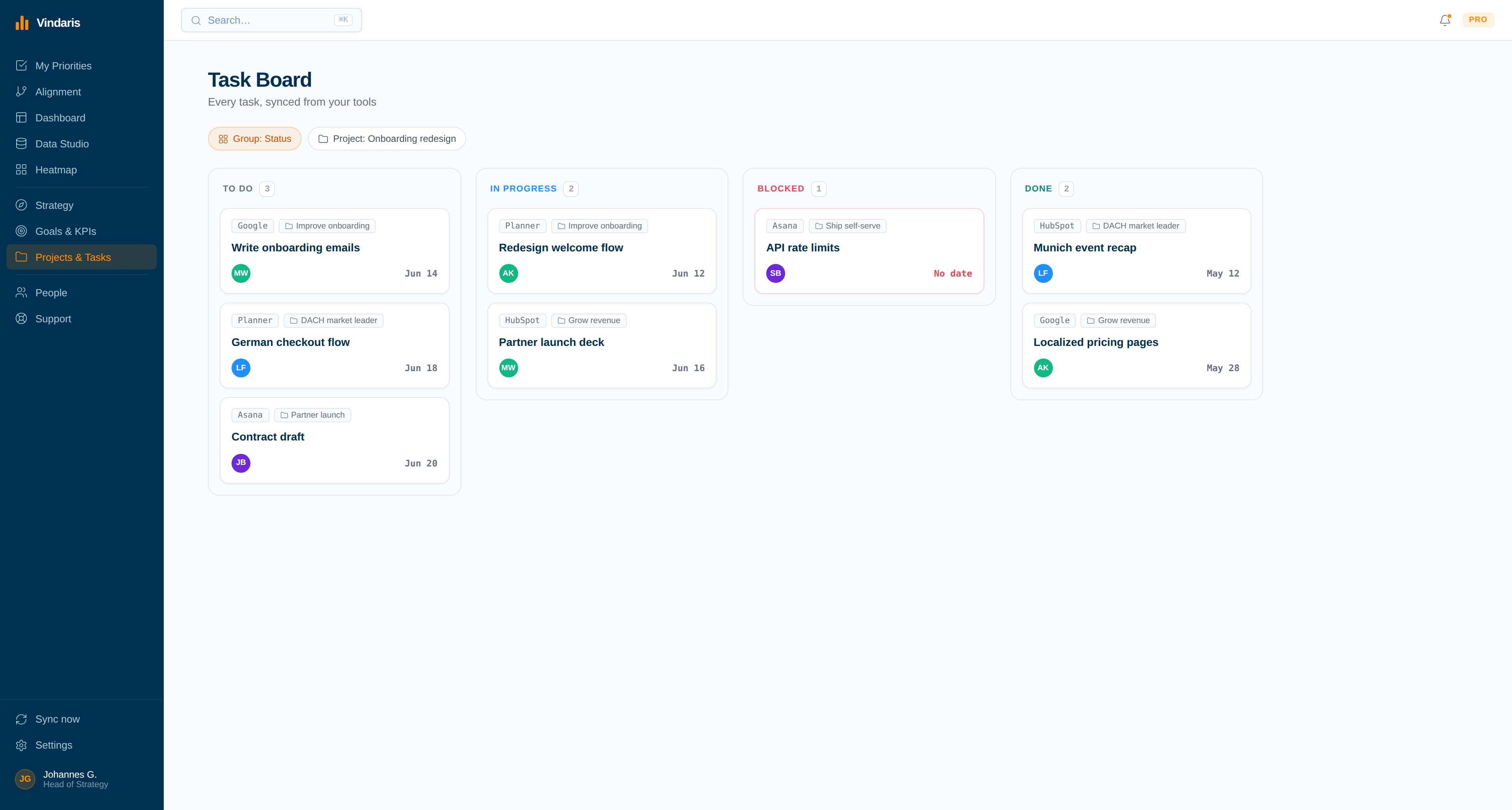
See exactly who owes what and follow up from one place, instead of reconstructing the picture from Slack threads and half-remembered commitments.
Spin up recurring work from a template, duplicate a workstream, and route tasks to the right owner automatically, so the busywork of coordination runs itself.
Five days of keeping the board moving.
A Chief of Staff lives in the gaps between teams. This is a week spent closing them before they open.
Triage the Work Graph alerts
Start with the alerts that fired over the weekend. Two workstreams have slipped and one team's items have come loose from their goal. You know the week's priorities before anyone walks in.
Reconnect the loose work
You route the disconnected items back to the goal they belong under and reassign one to a clearer owner. Effort that was running without purpose is now pointed at the strategy.
Build the dashboard leadership asked for
A leader wants a view on a cross-functional bet. You assemble it in Data Studio from live data and share it, instead of pulling numbers into a slide by hand.
Expose an effort gap
A Data Studio report shows a team pouring hours into a workstream with no movement on the outcome. You flag it for the next leadership sync with the evidence already attached.
Route next week's work
You duplicate the recurring planning tasks, route them to owners automatically, and follow up on the two items still outstanding. The week closes with nothing dangling.
See what is slipping before it lands on the leadership team.
A Chief of Staff runs on early signal, and most stacks give none. Work slips quietly in tools you do not live in. Team items drift away from the goals they were meant to serve. Effort gets poured into workstreams that return nothing, and you only find out when a leader asks why a number has not moved. Reconstructing the picture means a round of Slack messages and a hand-built deck every week.
Vindaris gives you the signal directly. Work Graph alerts surface slipping work and disconnected items the moment they appear, Data Studio turns live data into the dashboards and reports leadership asks for, and built-in routing lets you reassign, duplicate, and follow up without manual handoffs. You spend the week steering the board instead of rebuilding the picture of it.
The signal reaches you before you have to chase it.
The Work Graph watches the work under every goal and routine. When a workstream stalls, a team item comes loose, or effort pours in without moving the outcome, you get the alert with the reason attached, in time to route it before it becomes a leadership conversation.
Free forever, including two integrations
Start free with full goal and strategy management. Add two integrations to sync tasks. Pay only when you add more than 4 people, need more integrations, or more AI summaries.
Best for individual contributors, small teams or startups. No credit card required.
- All features (incl. Alignment Canvas, My Priorities, Heatmap, Data Studio & Task Board)
- Set up 2 integrations of your choice
- Invite up to 4 additional members
- 5 ad-hoc AI risk summaries per month
Best for teams, small agencies, or departmental and team management.
- All in Free
- All integrations, unlimited sync
- Unlimited AI risk summaries & alignment suggestions
- Up to 10 users within one organization
Best for multiple teams, exec teams, or full-org deployments.
- All in Connect
- Unlimited users within one organization
- Direct human support email, 24h response time
- Human-led onboarding support
Free resources for this topic
A template you can download, a playbook to run, and the thinking behind both. No email required.
More on running cadence without being the system.
Two reads on the operating layer a Chief of Staff is usually forced to be, and the one that should exist instead.
Most Chiefs of Staff are the system, rebuilding the view from six tools every Sunday night. Here is the stack that closes the gap, and what to build while you wait.
When the link between goals and work is live, the quarterly review writes itself from the data instead of from a deck assembled the night before.
Common questions, answered
How does a Chief of Staff use Vindaris?
What are effort gaps and how does Vindaris surface them?
Can Vindaris route and duplicate tasks automatically?
Does Vindaris work across teams that use different tools?
What should chief of staff tools do that a task tracker cannot?
Catch the slip before it reaches the leadership team.
Connect your first tool in 90 seconds. Free forever for goal management.
Run your week on VindarisNo credit card | No migration | No minimum contract
