Run EOS with Rocks connected to the work that moves them.
Vindaris links your Rocks, Scorecard measures and to-dos to the tasks your team already works on, so Level 10 prep writes itself and a slipping Rock surfaces weeks before the quarterly.





What is EOS software?
EOS software supports the Entrepreneurial Operating System: quarterly Rocks, the weekly Scorecard, the Issues list, and the Level 10 meeting that ties them together. Most products in the category model the meeting well. Fewer model what happens to a Rock in the six days between meetings.
Does Vindaris replace an EOS implementer?
No, and it is not trying to. An implementer teaches the method, runs the first quarters, and holds the leadership team to it. Vindaris is the tooling underneath, and it models Rocks, Scorecard measures, Issues and the L10 cadence as the method describes them rather than approximating them with OKR objects.
How is a Rock different from an OKR?
A Rock is a single priority for one quarter with one accountable owner, which EOS enforces deliberately. An OKR is an objective with measurable key results and often several contributors. Rocks are stricter about ownership and looser about measurement; the two coexist fine in one workspace.
What happens when we outgrow EOS?
In a single-framework tool, outgrowing the method means changing product. In Vindaris the framework is a syntax choice, so a product team can adopt OKRs and an acquired division can keep OGSM while the leadership team still runs Rocks, with no migration and no second subscription.
Can the L10 read live data?
Yes, and this is the part most EOS tooling leaves out. When Rocks connect to the tasks delivering them, the on-track round becomes a review of what the Work Graph already flagged rather than a round of self-assessment, and the Issues list fills with things worth discussing.
 Click thru live demo
Pre-built workspace. No signup.
Click thru live demo
Pre-built workspace. No signup.
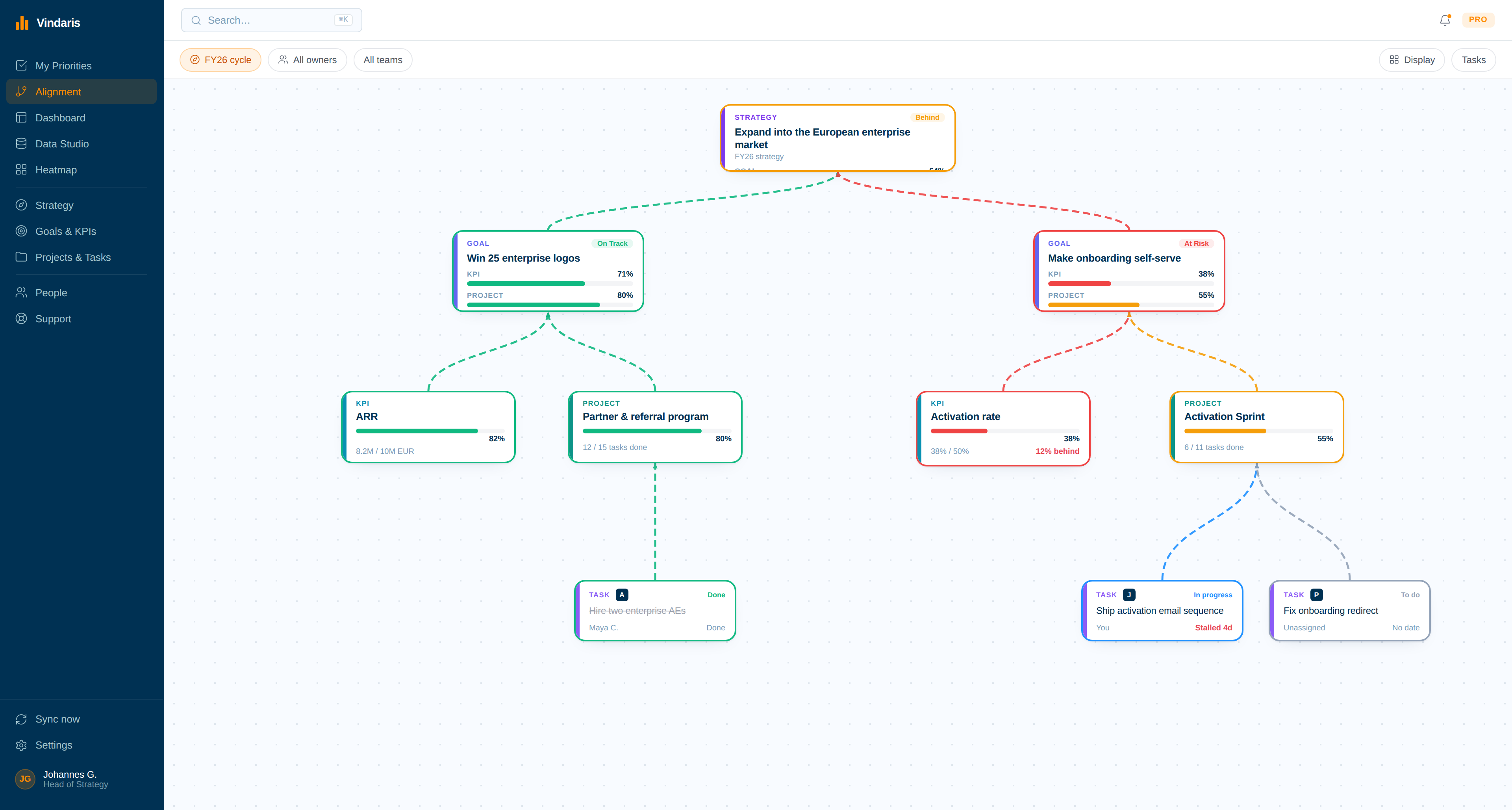
Your V/TO on one board: company goals at the top, quarterly Rocks beneath them, and the to-dos and synced tasks that actually move each Rock. Click through the live workspace, no signup.
Templates an implementer would recognise.
EOS is a weekly method, and its tooling is usually a weekly meeting. The moments that decide a quarter sit either side of the L10.
One connected system, from the V/TO down to a single to-do.
Rocks and the work delivering them do not live in separate tools that someone reconciles before the Level 10. In Vindaris they share one model, so the on-track call is a reading rather than a judgement.
One seat, one Rock, one answer
EOS is stricter about ownership than any other framework, and Vindaris enforces it structurally: a Rock has exactly one accountable owner, contributors are named separately, and the Accountability Chart maps onto the goal graph rather than sitting beside it.
Rocks and to-dos in one graph
Company goals, quarterly Rocks, Scorecard measures and to-dos connect on an open canvas. Rename every level to match the language your leadership team already uses in the room.
The L10 reads, it does not collect
Scorecard numbers and Rock status arrive already current, so the weekly meeting spends its time on Issues rather than on a round of self-reported percentages.
Set up your V/TO structure
Define your Vision, 3-Year Picture, 1-Year Plan and quarterly Rocks on the Alignment Canvas. The EOS hierarchy maps straight across, from the 10-Year Target down to an individual to-do.
- Every level keeps its EOS name, so the room recognises the board.
- One Rock can serve two company goals without duplicating it.
Give every seat one list before the L10
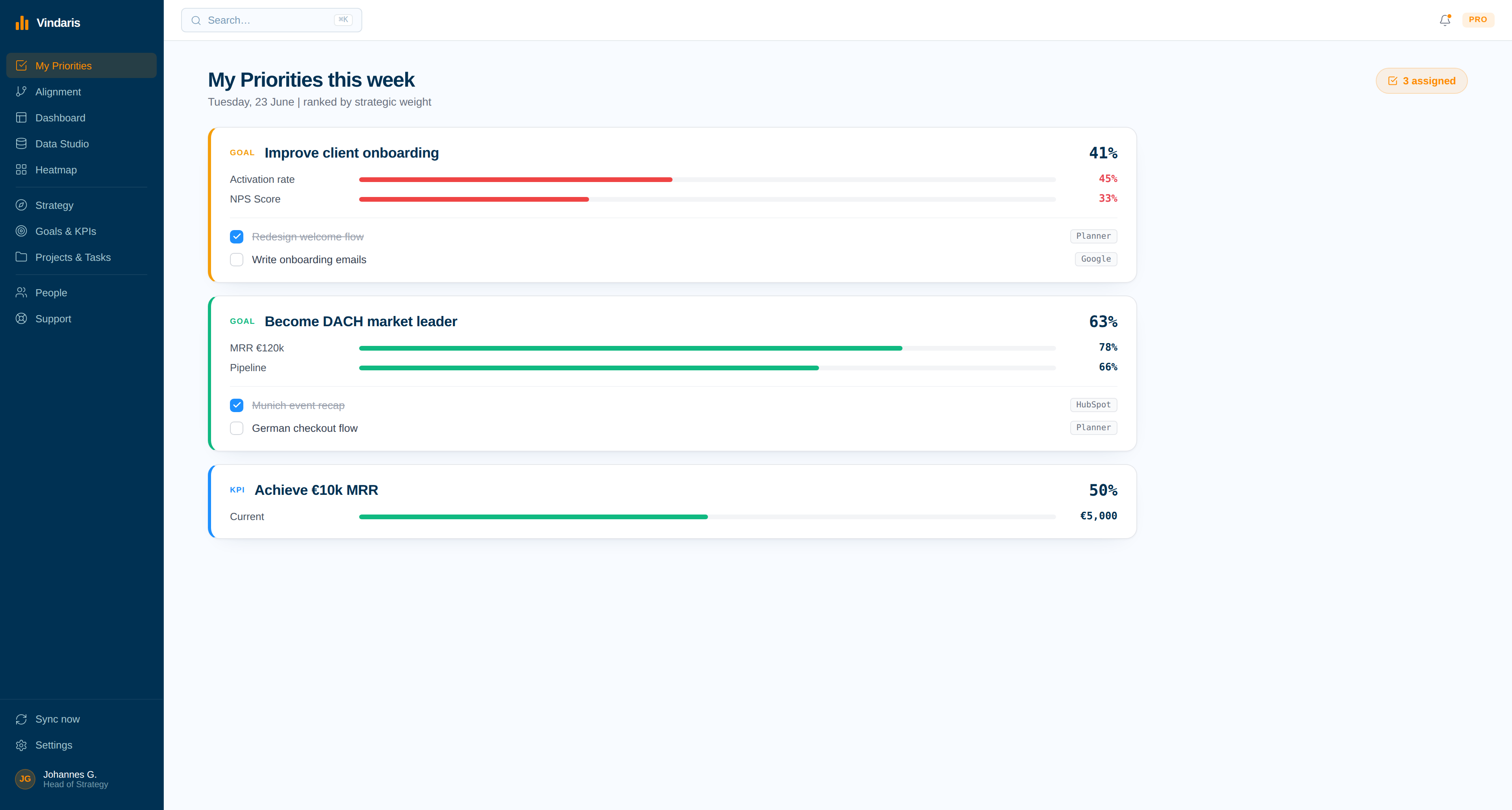
Each person opens a single ranked list of the to-dos and Rocks they are accountable for, ordered by what they affect upstream. The segue stops being a memory test and the to-do list stops being rebuilt from scratch each week.
- Ranked by the Rock it moves, not by who asked most recently.
- Carried-over to-dos surface with their age, which is the number EOS cares about.
See the Scorecard as a quarter, not a row of weeks
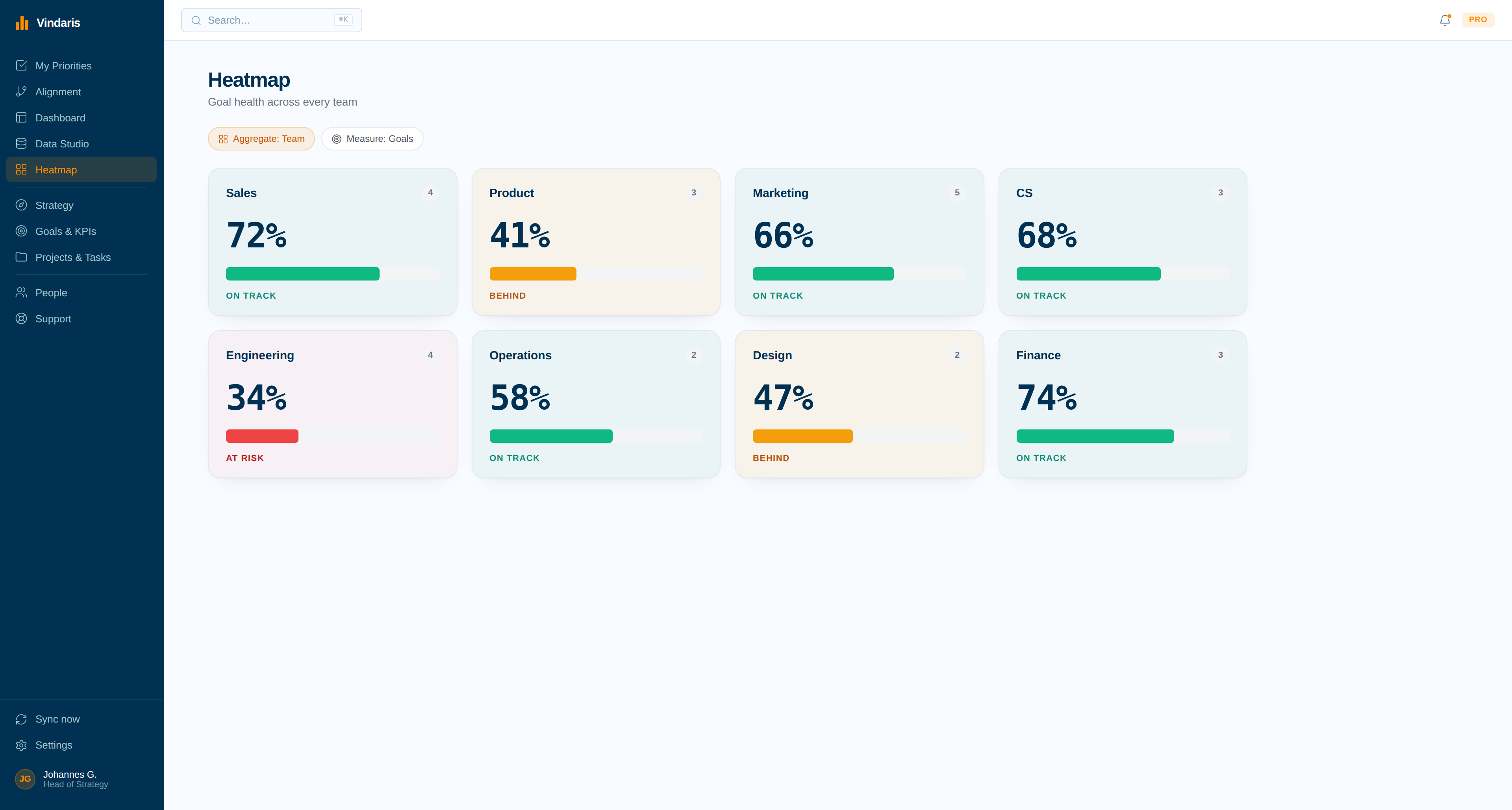
The Heatmap shades every Rock and measure by progress against plan, so a number that has been off for three weeks looks different from one that missed once. Click any tile to drill into the work underneath it.
- A tile changes colour before the trend is obvious in the weekly row.
- Drill from a red measure straight into the stalled to-dos behind it.
Catch two seats solving the same problem
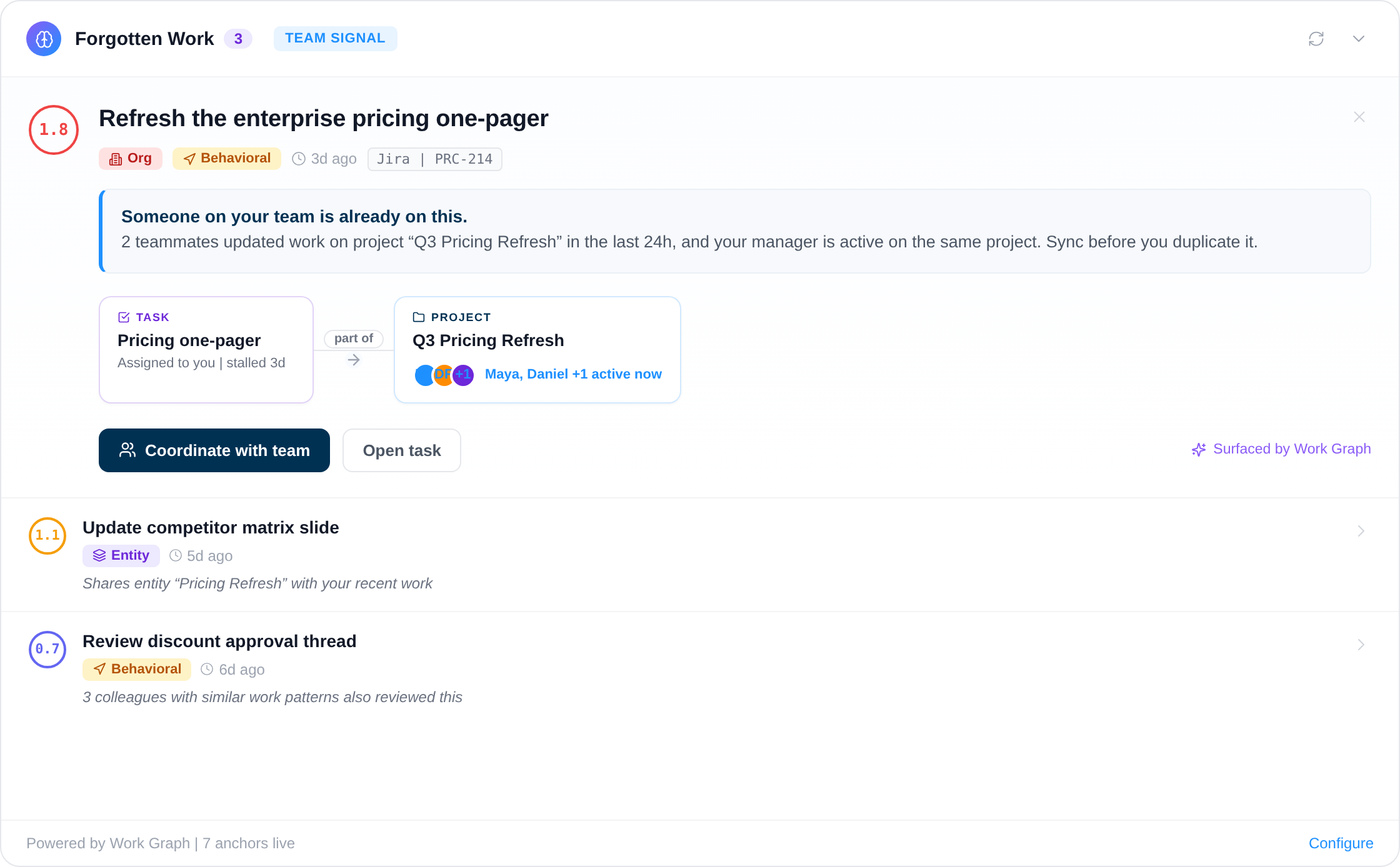
The Work Graph reads what people are actually working on and flags when two seats have quietly picked up the same problem, which is the failure the Accountability Chart is meant to prevent and rarely catches on its own.
- Surfaced from task activity, not from someone noticing in the L10.
- Names both seats and the shared project, so the Issue writes itself.
Type the V/TO as the room said it.
The Vision and the quarter's Rocks usually exist as sentences before they exist as a structure. Write them out, tag each Rock and to-do with @, and the board builds itself around the seats that own them.
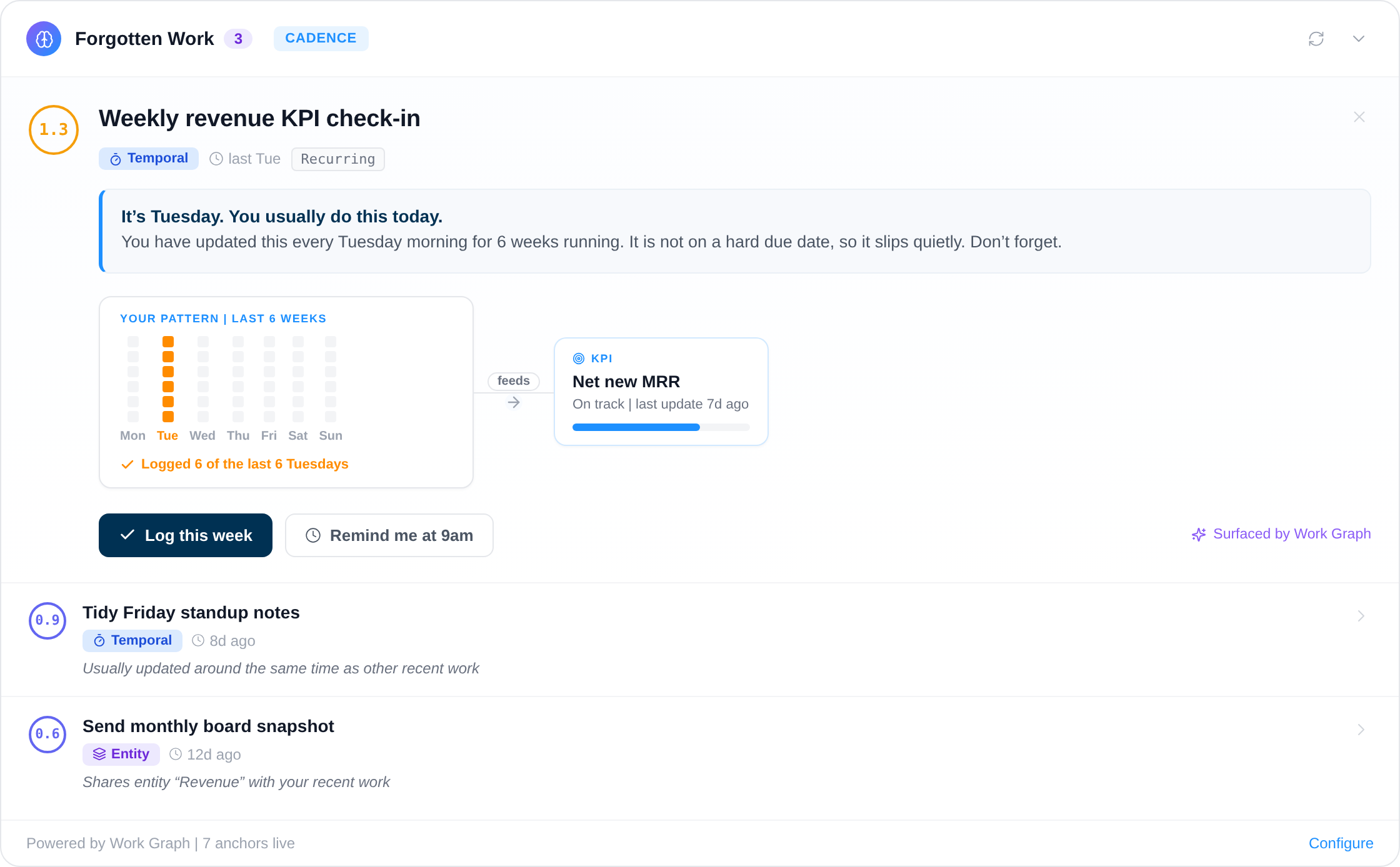
Four of the twelve alerts, in EOS terms.
The Work Graph reads the edges between your Rocks and the to-dos beneath them. These four are the ones that turn an L10 Issues list from a memory exercise into a reading.
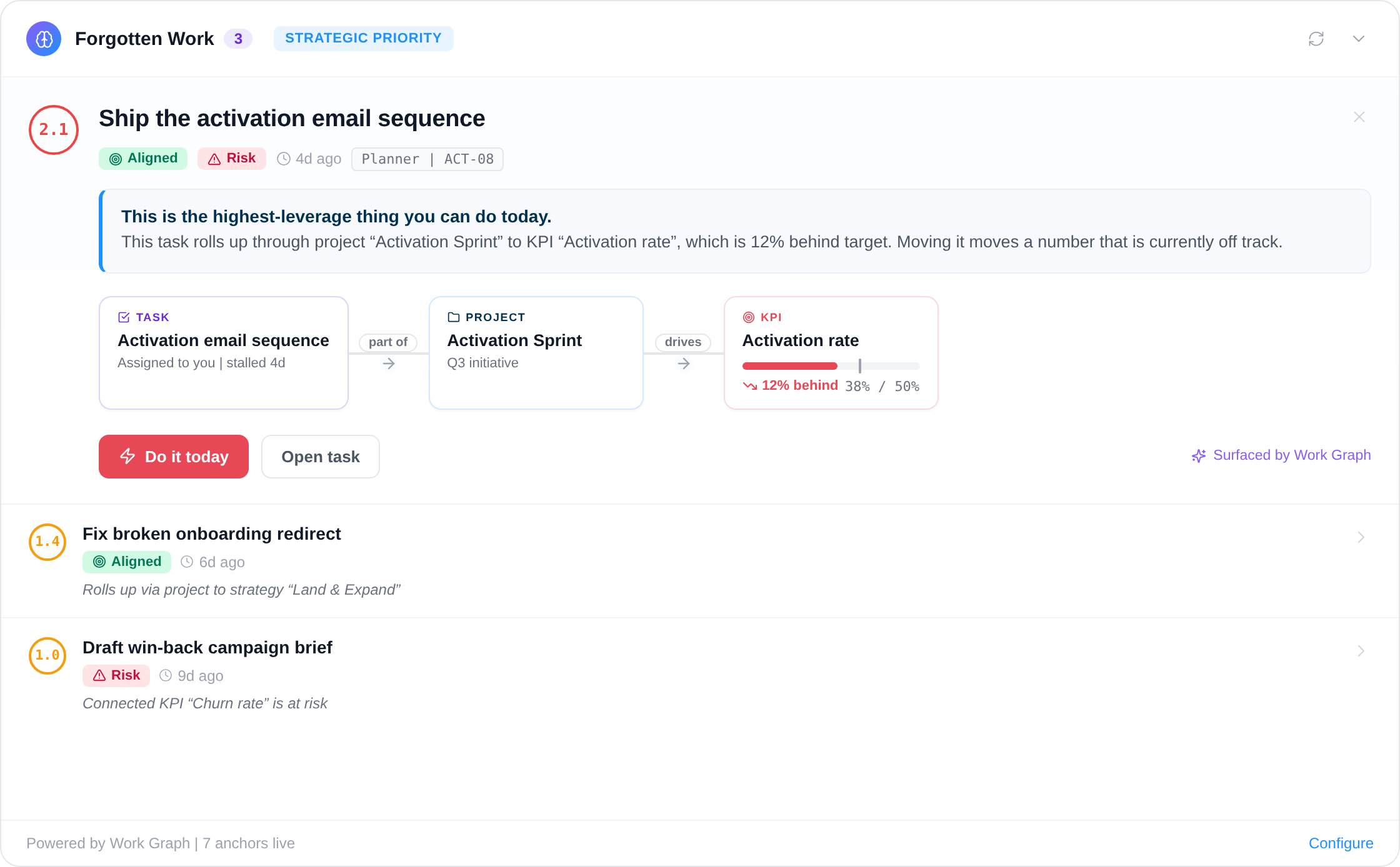
Twelve deterministic and AI-driven alerts watching for slipping work, broken routines and misaligned focus.
Your framework, your language, your data in Europe.
Vindaris runs EOS as the method describes it, and does not quietly push you toward OKRs the moment a team outside the leadership group wants a different syntax.
Runs EOS without locking you into it
Vindaris ships without a prescribed methodology, so the Rocks, Scorecard and Issues stay named the way EOS names them. One workspace can hold Rocks for the leadership team alongside OKRs for the product organization, which matters the moment a company grows past pure EOS.
Free forever, including two integrations.
Free covers a full EOS implementation for a leadership team of five: Rocks, Scorecard, Issues and to-dos, with two integrations. Pay when the seats or the connected tools grow past that.
Best for individual contributors, small teams or startups. No credit card required.
- All views: Canvas, My Priorities, Heatmap, Data Studio and Task Board
- Two integrations of your choice
- Up to four additional members
- Five ad-hoc AI risk summaries per month
Best for teams, small agencies, or departmental and team management.
- Everything in Free
- All integrations, unlimited sync
- Unlimited AI risk summaries and alignment suggestions
- Up to ten users in one organization
Best for multiple teams, exec teams, Chiefs of Staff or full-org deployments.
- Everything in Connect
- Unlimited users in one organization
- Direct human support, 24h response
- Human-led onboarding
Templates an implementer would recognise.
Real PowerPoint files and browser tools that run without an account. Built to work alongside an implementer rather than to replace one.
Common questions, answered
What is EOS software?
EOS software helps leadership teams run the Entrepreneurial Operating System by tracking Rocks, Scorecards, Issues, and To-Dos. Vindaris connects each of these EOS components to the tasks your team works on every day, giving you a live view of Traction.
How do EOS Rocks connect to daily tasks?
In Vindaris, each Rock links to the projects and tasks driving it in tools like Jira, Microsoft Planner, or Google Tasks. Rock progress updates automatically from task completion, so your leadership team sees real status rather than self-reported updates.
Can I track EOS Rocks and project execution in the same software?
Yes. In Vindaris each Rock lives in the same system as the projects and tasks that deliver it. Vindaris analyzes the work activity in Jira, Microsoft Planner, or Google Tasks and rolls it up to the Rock, so leadership sees EOS Traction and project execution in one place, updated as the work moves.
Can Vindaris replace EOS One?
Vindaris covers the same EOS components - Rocks, Scorecards, Issues, and To-Dos - but adds a layer most EOS tools lack: traceability to actual work. Goals and tasks live in one system, hosted in Germany and GDPR compliant.
Does Vindaris support the EOS Scorecard?
Yes. You can build your EOS Scorecard with measurables that track against real data sources. Vindaris supports KPIs alongside Rocks and Issues, so your weekly Scorecard reflects actual business performance rather than manually entered numbers.
Which EOS software keeps the V/TO connected to Rocks?
Vindaris holds the whole V/TO on the Alignment Canvas: the 10-Year Target, 3-Year Picture and 1-Year Plan sit above the quarterly Rocks, and each Rock links down to the to-dos and synced tasks moving it. Rewrite a Rock and the plan above it stays attached, so the V/TO and the quarter never drift apart between Level 10s.
Know which Rocks will slip before the next Level 10.
Connect your first tool in 90 seconds. Free forever for EOS management.
Start tracking Rocks freeNo credit card | No migration | No minimum contract
