Creating a new strategy
Turn a strategic theme into a living anchor that goals, projects and tasks can hang off.
Good fit if leadership has agreed a direction and you want it to anchor everything the team does.
A strategy in Vindaris is the most durable object you create. It is the "why" that survives reorganisations and quarter boundaries. You will typically have a small number (three to six is healthy), and almost everything else connects up to one of them.
Create the strategy
- Open Strategy from the sidebar and click "New strategy" above the strategy list.
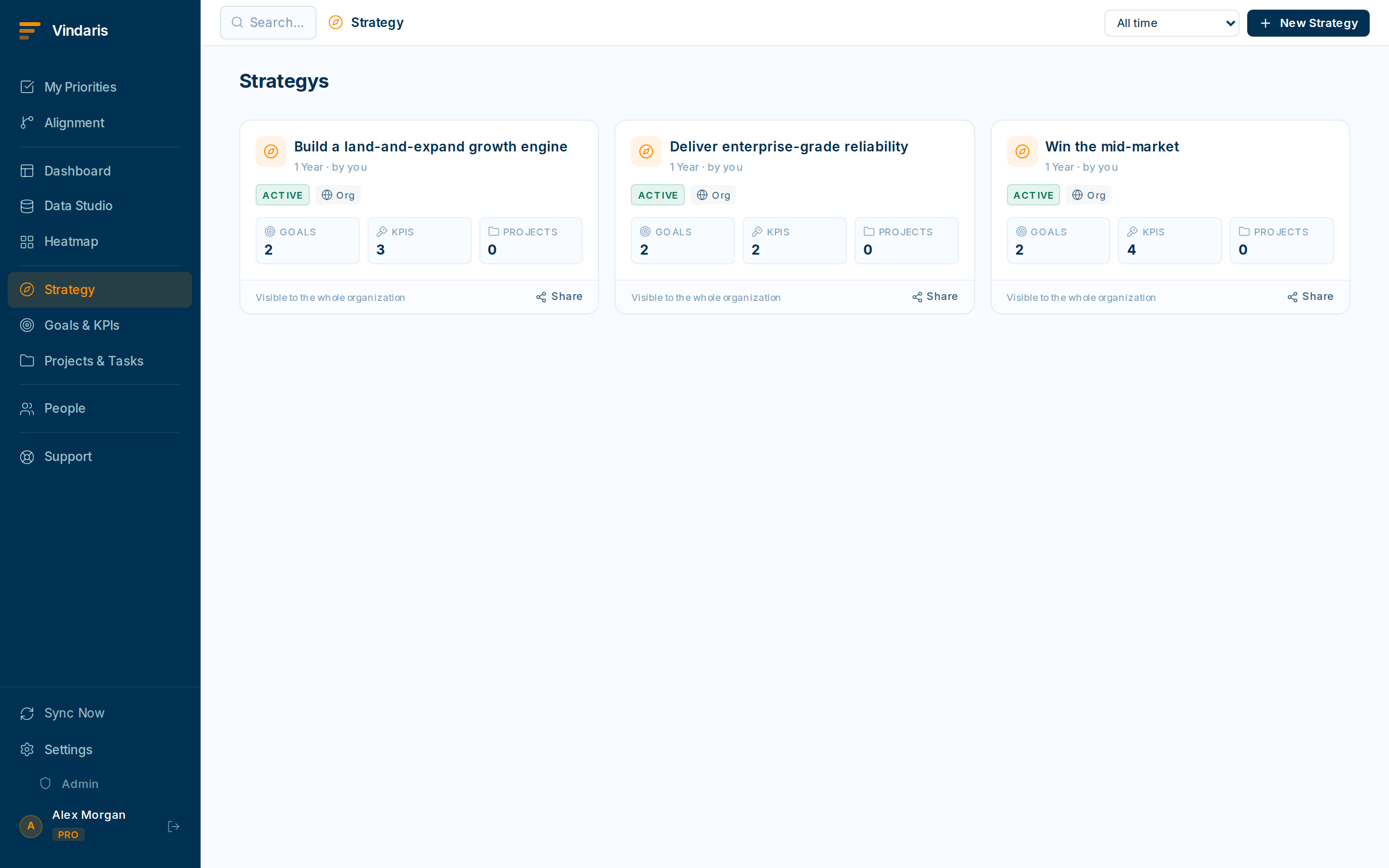
Each strategy is a card you can open to see what hangs off it. - Give it a sharp, outcome-flavoured name.Prefer "Win the mid-market" over "Sales". A good strategy name reads like a bet you are making.
- Write a short description of the bet and what success looks like.This is the context the AI briefings and your team will read. Two or three sentences is plenty.
- Assign an owner, usually an exec or function lead, and save.The owner is accountable for the strategy's goals staying accurate.
A strategy that everything connects to provides focus only if there are few of them. Twenty "strategies" is just a task list with a fancy name. Keeping the count low forces the prioritization conversation up front, which is the whole point.
Hang goals off it
A strategy is proven by its goals. Once the strategy exists, create goals (next article) and link each to this strategy. In the Alignment view you will see the strategy at the top of a tree with its goals, and their projects and tasks, cascading below.
- Open Alignment from the sidebar to see the full strategic cascade.Each strategy appears as a root node with its goals, projects and tasks branching out beneath it.
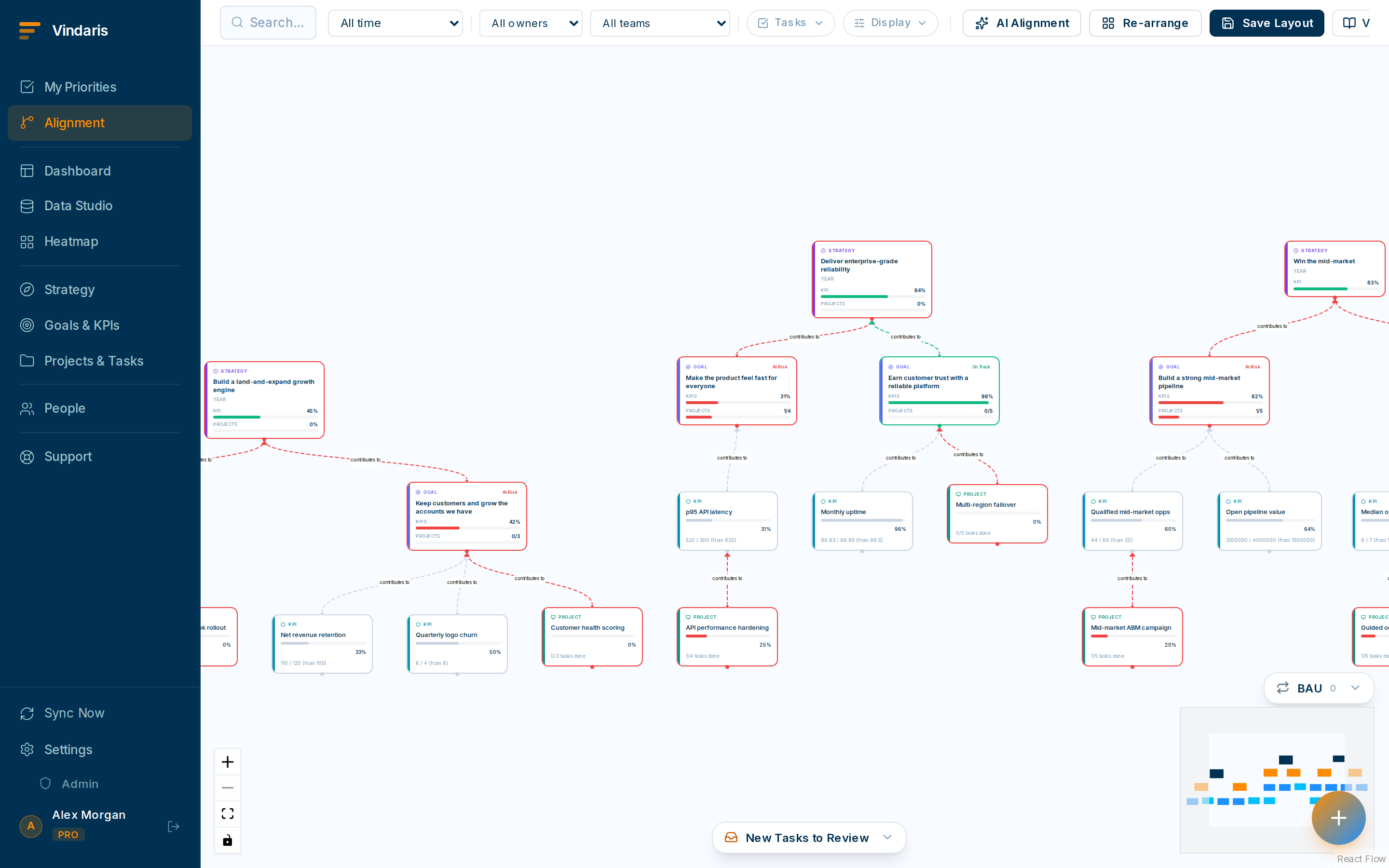
The Alignment view: every piece of work and the strategy it serves.
Strategies are meant to be stable. Re-examine them at quarter boundaries or major market shifts. The fast-moving stuff (progress, risk) belongs to goals and key results underneath.
When teams reach for this
A strategy is the top layer of the map: a theme that goals, projects and tasks hang off. Keeping only a few strategies means every goal traces to a clear priority, which is what lets the Work Graph flag effort that no longer supports one.
Who it helps
Vindaris fits the CEO, founder or Chief of Staff who owns company direction, and the strategy-ops or PMO lead who keeps it current. It suits scale-ups and mid-market companies, roughly 30 to 500 people, where a handful of strategic themes have to steer many teams' goals.
Why it helps
At that size direction set in an offsite deck stops steering anything the moment teams start work, because nothing connects the theme to the goals beneath it. A strategy in Vindaris stays the anchor all quarter, so you can tell which goals actually serve it and which have drifted.
In practice
- Give goals one clear thing to serve. Each strategy becomes the parent that goals attach to, so a goal without a strategy stands out and a strategy with no moving goals does too. The structure makes misalignment visible.ExampleA founder creates the strategy 'Win the mid-market' and hangs the quarter's revenue and onboarding goals off it, so a goal that serves neither is easy to spot.
- Keep strategies few so they stay meaningful. A short list of strategies keeps each one a real priority rather than a label on everything, so the map stays legible as goals multiply. Fewer anchors make it clearer where a team has wandered.ExampleA Chief of Staff holds the company to three strategies for the year, so when a new project appears, 'which strategy does this serve?' has an answer or the project does not belong.
- Review strategies on the quarter, not the week. Strategies are meant to be stable, so you revisit them each quarter while goals and tasks move underneath, which keeps the direction steady enough to measure drift against. A direction that changes weekly cannot anchor anything.ExampleAn exec team reviews its strategies at the QBR and leaves them largely intact, while the goals beneath them reset for the new quarter.
Vindaris maps your strategy, goals and KPIs down to every project and task, and the Work Graph flags execution risk wherever effort has drifted from the goal, with task-level context down to the Slack thread.
Put this into practice
Vindaris keeps strategy, goals, projects and tasks in one place, and the Work Graph flags execution risk before it costs you. Start free, no credit card.
Sign Up for Free