Exporting or erasing your data
Download a portable export of your data, manage your consents, and request erasure, all from the Privacy tab.
Good fit if you want a copy of the personal data Vindaris holds about you, or to exercise your right to be forgotten.
Your data is yours. Vindaris gives you direct, self-serve control over the personal data it holds (a portable export, your consent choices, and the right to be erased) under the GDPR, without having to email anyone.
- Open Settings → Privacy & Data.This is where consents, export and erasure all live.
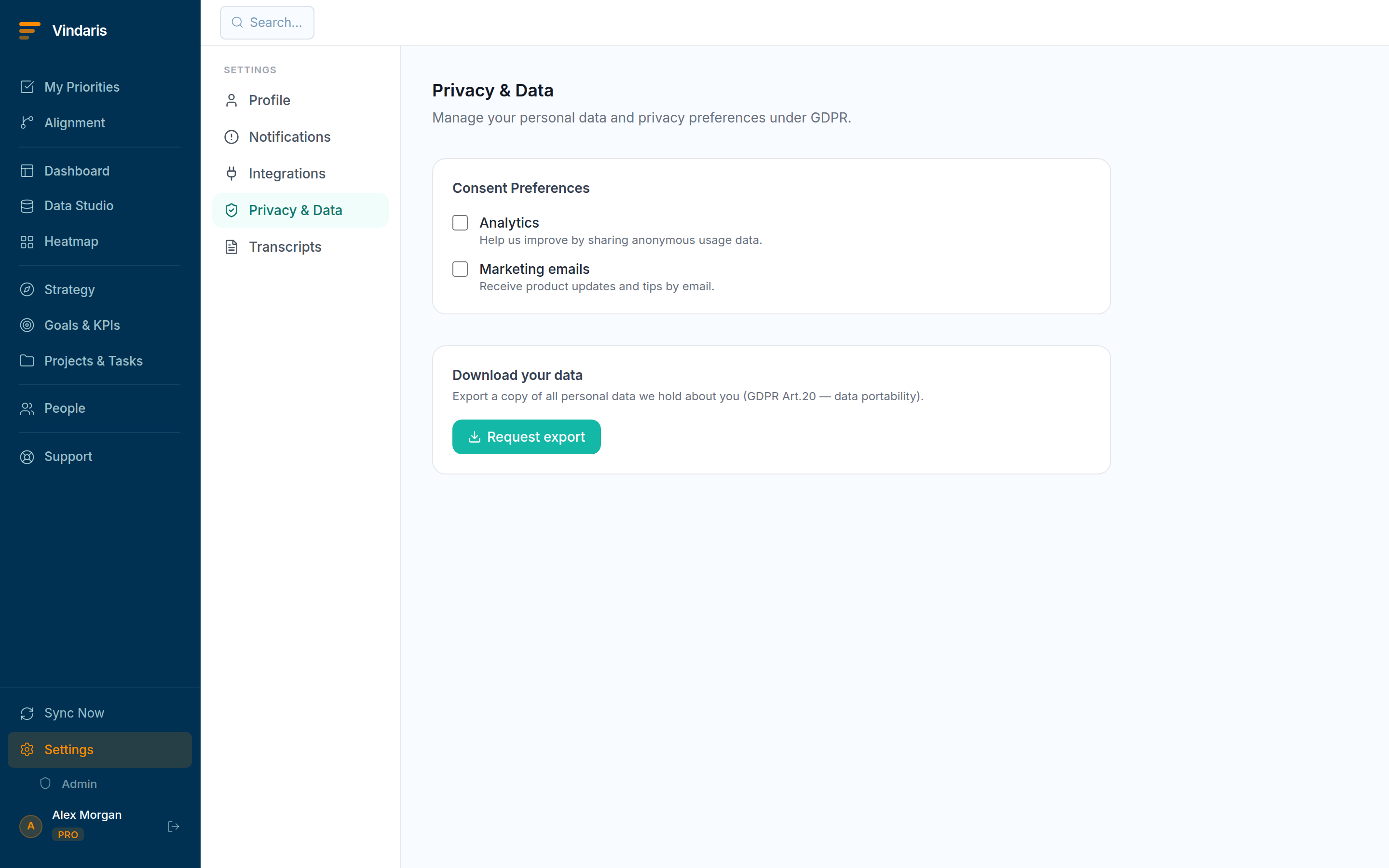
Settings → Privacy & Data: consents, export and erasure. - Click "Request export" under "Download your data".Vindaris assembles a copy of your personal data (your tasks, goals, notifications and memberships) and gives you a "Download now" link (GDPR Art. 20, portability).
- Adjust your consents.Toggle "Analytics" (anonymous usage data) and "Marketing emails" on or off; changes save immediately.
- Request erasure if you want to be forgotten.Erasure anonymizes your personal record. Shared org data is retained where the law requires (Art. 17(3)(e)), but your identity is removed and you can no longer sign in.
A task you created or a comment in a shared thread is not only your data: deleting it outright would tear holes in other people's records and the org's audit trail, which the law also protects. Anonymization threads that needle: your identity is severed from the data so you are genuinely "forgotten", while the shared work history stays intact and lawful.
Administrators can see all export and erasure requests and configure data-retention policies under Admin → Data & GDPR, so the organization can answer a data-subject request and prove its retention rules.
When teams reach for this
From the Privacy tab you download a portable export of your data, manage your consents, and request erasure. Erasure is anonymization rather than a hard delete, so the records the law requires stay intact while your personal data is removed.
Who it helps
Vindaris fits any user exercising their data rights, and the admin handling org-wide requests and retention. It suits scale-ups and mid-market companies, roughly 30 to 500 people, operating under GDPR with data hosted in Germany.
Why it helps
At that size people have a legal right to their data and to erasure, and the company has to honor both without a support ticket. The Privacy tab lets you export a portable copy, manage consents and request erasure yourself, so the rights are self-service.
In practice
- Get a portable copy of your data. The export gives you your personal data in a portable format, so you can take it with you or review what is held. The right of access is a download rather than a request someone has to fulfill by hand.ExampleA departing employee exports their data from the Privacy tab before their account is closed.
- Exercise the right to be forgotten. Requesting erasure removes your personal data, and because it is anonymization rather than a hard delete, the records the law requires still stand without identifying you. The right is honored without breaking the audit trail the business must keep.ExampleA former contractor requests erasure, and their personal details are removed while the anonymized task history the company must retain remains.
- Let admins handle org-wide requests and retention. Admins manage org-wide data requests and set retention, so the company meets its obligations centrally rather than case by case. The controls sit with the people accountable for compliance, with data hosted in Germany under GDPR.ExampleAn admin processes a departed user's erasure org-wide and confirms retention is set to the company's policy.
Vindaris maps your strategy, goals and KPIs down to every project and task, and the Work Graph flags execution risk wherever effort has drifted from the goal, with task-level context down to the Slack thread.
Put this into practice
Vindaris keeps strategy, goals, projects and tasks in one place, and the Work Graph flags execution risk before it costs you. Start free, no credit card.
Sign Up for Free