Capturing and comparing snapshots
Save a snapshot of any page, share it with people or your whole org, and compare it side by side with the live view.
Good fit if you want to freeze how a dashboard or board looked today so you can prove what changed by next week.
Live views show the present, never the past: current to the moment, but they keep no record of it. A snapshot freezes a page (its data and a visual capture) at a moment in time, so you can come back later and see exactly what moved.
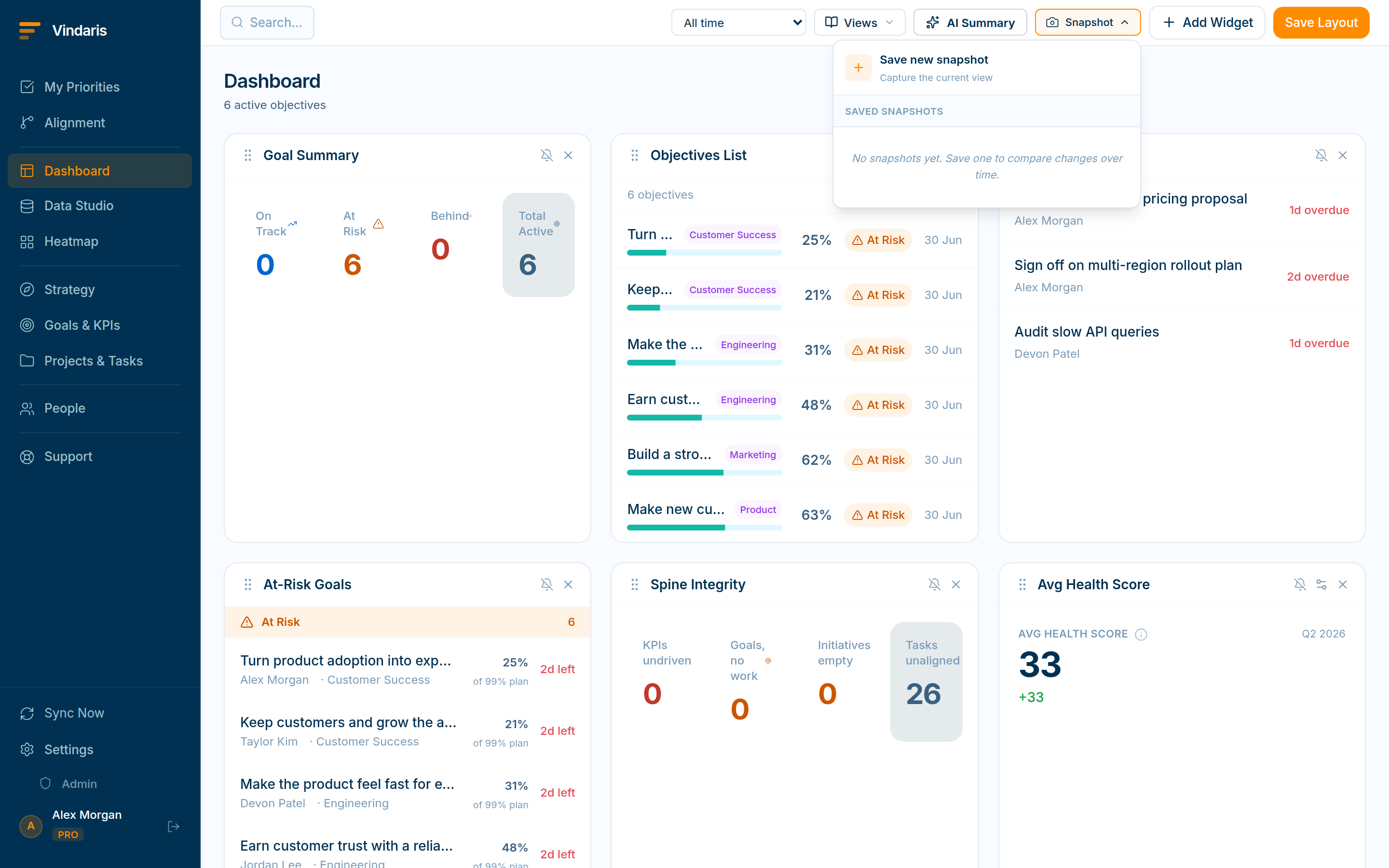
- On a page like the Dashboard or Heatmap, click the "Snapshot" toolbar button and choose "Save new snapshot".Name it (the date and time are pre-filled) and save. The snapshot is tied to the page you took it on.
Compare a saved snapshot against "Now": changes are marked. - Click a saved snapshot to compare it with "Now".The two render side by side and Vindaris marks the regions that changed in orange, with a count of differences.
- Share a snapshot you own.Choose "Everyone in the organization" or "Only specific people and teams", handy for sending a frozen status to a stakeholder who does not need a live login.
A screenshot is a dead image you have to file and describe. A snapshot keeps the page's data and visual together inside Vindaris, where it can be diffed against the live view and shared with real access controls. "Here is what changed since our last review" becomes a side-by-side with the deltas highlighted, instead of two PNGs and a paragraph of explanation.
When teams reach for this
A snapshot saves the exact state of a dashboard or board at a point in time, and you can share it or compare it side by side with the live view. Because a snapshot is data rather than an image, the comparison shows precisely what moved.
Who it helps
Vindaris fits the Chief of Staff, PM and team leads who report on change over time, and anyone sharing a point-in-time view. It suits scale-ups and mid-market companies, roughly 30 to 500 people, that review progress on a weekly or monthly cadence.
Why it helps
At that size proving what changed means remembering what the dashboard said last week, which no one does. A snapshot freezes any page as a saved state you can compare against the live view, so the delta is a fact rather than a memory.
In practice
- Prove what changed since last week. Comparing a snapshot with the live view shows exactly which goals, KPIs or tasks moved and by how much, so progress is a measured delta. The review talks about real change rather than impressions.ExampleA lead snapshots the dashboard Monday, and at the next review compares it to show two goals recovered and one slipped.
- Share a frozen view, not a moving target. A snapshot can be shared with a person or the whole org, so everyone discusses the same point-in-time picture even as the live data moves on. The conversation stays anchored to one agreed state.ExampleThe COO shares a quarter-end snapshot with the board, so everyone reviews the same numbers regardless of when they open it.
- Keep a record a screenshot cannot give you. Because a snapshot is saved state rather than a picture, you can compare it, filter it and drill into it later. The record stays useful instead of being flat.ExampleMonths later a Chief of Staff opens an old snapshot and drills into a goal to see what its KPIs were at the time.
Vindaris maps your strategy, goals and KPIs down to every project and task, and the Work Graph flags execution risk wherever effort has drifted from the goal, with task-level context down to the Slack thread.
Put this into practice
Vindaris keeps strategy, goals, projects and tasks in one place, and the Work Graph flags execution risk before it costs you. Start free, no credit card.
Sign Up for Free