Aligning work with AI suggestions
Review the AI's proposed links in the alignment inbox, accept the good ones, and drag the rest onto the canvas.
Good fit if new tasks keep landing with no link to a goal and you want help connecting them to the strategy.
Work is only as visible as its links. A task connected to a goal that proves a strategy shows up in roll-ups and briefings; an unlinked task is invisible to everyone above the person doing it. The Alignment view, and the AI behind it, exists to close that gap fast.
- Open Alignment from the sidebar.The canvas shows your strategy, goals, KPIs, projects and tasks as a connected graph. The "New Tasks to Review" tray along the bottom holds every active task that is not yet connected to anything, with a live count of how many are left to triage.
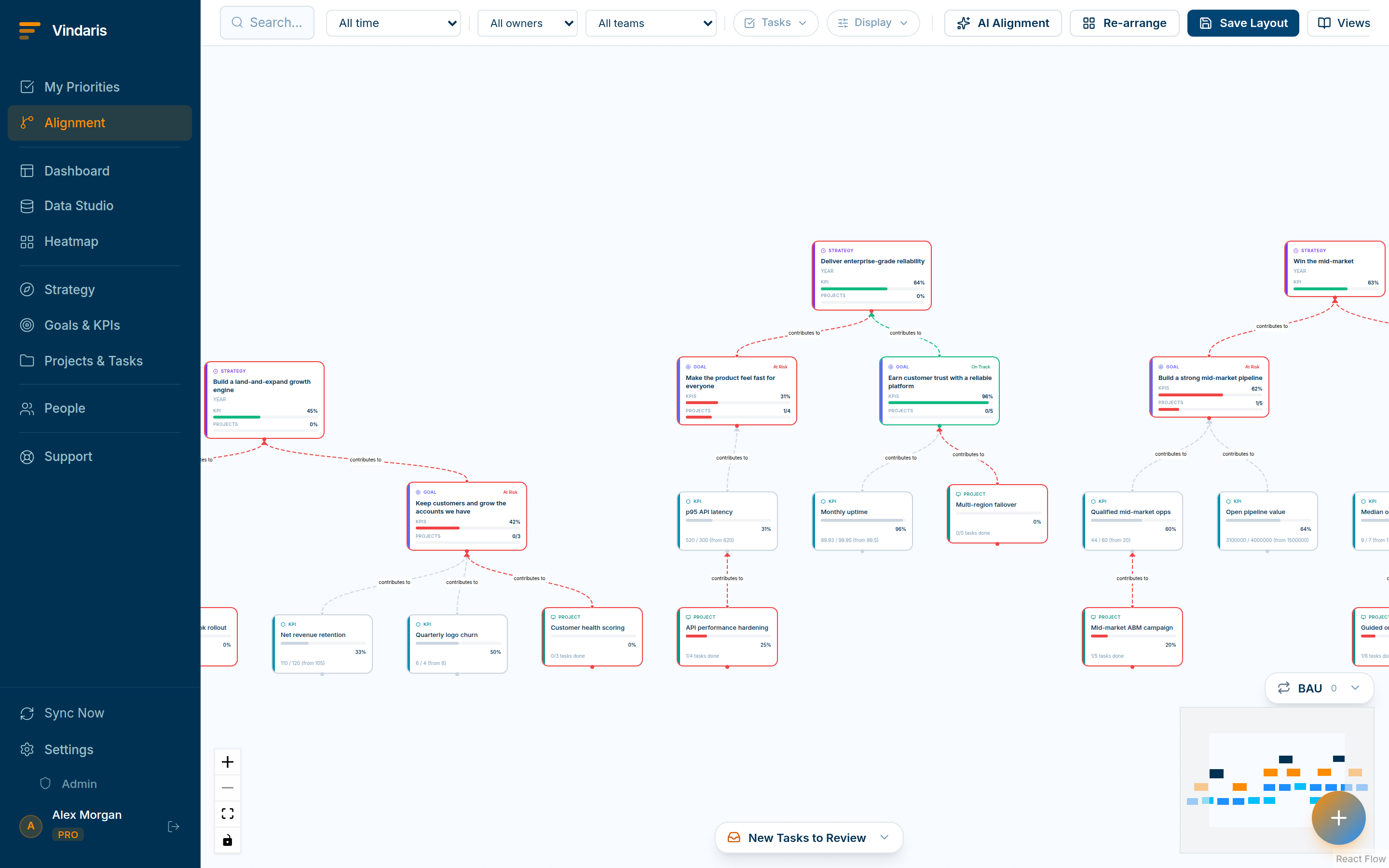
Unaligned tasks with AI-proposed targets, ranked by confidence. - Click "AI Alignment" in the toolbar to generate proposed links.The AI analyzes each unconnected task and proposes a target, ranked by confidence, so the most obvious links come first.
- Accept a suggestion to create the link, or pick a different target.Accepting turns the proposal into a real "contributes to" edge, and the alternative proposals for that task are retired.
- For anything the AI missed, drag the task chip onto the right goal, project or strategy node.Drop targets glow with a "Drop to connect" hint while you drag. Drag a task into the BAU box instead to mark it run-the-business rather than strategic.
A wrong link is worse than no link: it sends a task's effort to the wrong goal and quietly distorts every roll-up that depends on it. So the model proposes and ranks, but a human confirms. You get the speed of automation on the obvious cases and keep judgement on the ambiguous ones, which is exactly where alignment mistakes are expensive.
Admins can adjust the suggestion confidence threshold and how long work may sit unaligned before it is flagged, in Admin → Work Graph. Raise the threshold for fewer, surer suggestions; lower it to catch more.
When teams reach for this
The alignment inbox lists tasks that have no goal yet, each with a goal the AI suggests for it. You accept the good suggestions in a click, and drag the rest onto the canvas to place them yourself.
Who it helps
Vindaris fits the PMO or strategy-ops lead who keeps work mapped to goals, the manager whose team creates tasks faster than they can be linked, and the admin tuning how the mapping runs. It suits scale-ups and mid-market companies, roughly 30 to 500 people and multi-team, where unlinked work piles up faster than anyone can connect it by hand.
Why it helps
At that size tasks are created all day and most never get linked to the goal they serve, so the map goes stale and the roll-ups undercount the real effort. The alignment inbox proposes a goal for each unconnected task, so you keep the map current by confirming suggestions instead of linking everything by hand.
In practice
- Clear the backlog of unlinked work. The AI analyzes each unconnected task and proposes the goal it most likely serves, so you confirm a batch of links in minutes rather than mapping each one from scratch. The map catches up to the work without a manual linking project.ExampleAfter a busy sprint, 40 new tasks sit unlinked. The inbox proposes a goal for each, and the lead accepts 32 and hand-places the other 8.
- Keep the final call with a person. The AI only suggests and never auto-links, so a wrong guess never quietly reshapes your map. You accept what is right and drag the rest onto the canvas, so the map reflects decisions rather than guesses.ExampleA task the AI linked to the wrong goal is caught in the inbox, and the owner drags it to the correct one before it ever affects a roll-up.
- Tune how eager the suggestions are. An admin sets how aggressively the AI proposes links, so a team drowning in unlinked work can turn it up and a tightly run one can keep it conservative. The suggestion rate matches how much help the team actually wants.ExampleAn admin dials suggestions up for a fast-moving product team and leaves them conservative for a small ops team, so each inbox stays useful.
Vindaris maps your strategy, goals and KPIs down to every project and task, and the Work Graph flags execution risk wherever effort has drifted from the goal, with task-level context down to the Slack thread.
Put this into practice
Vindaris keeps strategy, goals, projects and tasks in one place, and the Work Graph flags execution risk before it costs you. Start free, no credit card.
Sign Up for Free