Classifying BAU vs. strategic work
Classify each task as Strategic, BAU, Unclassified or Ignored, organize BAU into categories, and feed the allocation view.
Good fit if you suspect the team is drowning in run-the-business work and want to see how much effort actually reaches the strategy.
Not all work is strategic, and pretending otherwise hides the truth. Vindaris asks each task one question: is this advancing the strategy, or keeping the business running? That single classification powers the whole Strategy-vs-BAU allocation picture.
- Classify a task with its work-type control.The options are Strategic, BAU, Unclassified and Ignored. BAU can carry a sub-category (Support, Maintenance, Admin…). New tasks start Unclassified until triaged.
- Triage the backlog on the Alignment canvas.The "New Tasks to Review" tray collects unclassified work; drag a task into the BAU box to mark it run-the-business, or onto a goal to make it strategic.
- As an admin, manage the BAU categories.In Admin → Strategy vs BAU, the BAU category manager lets you add named, color-coded sub-types that then appear on tasks and in routing rules.
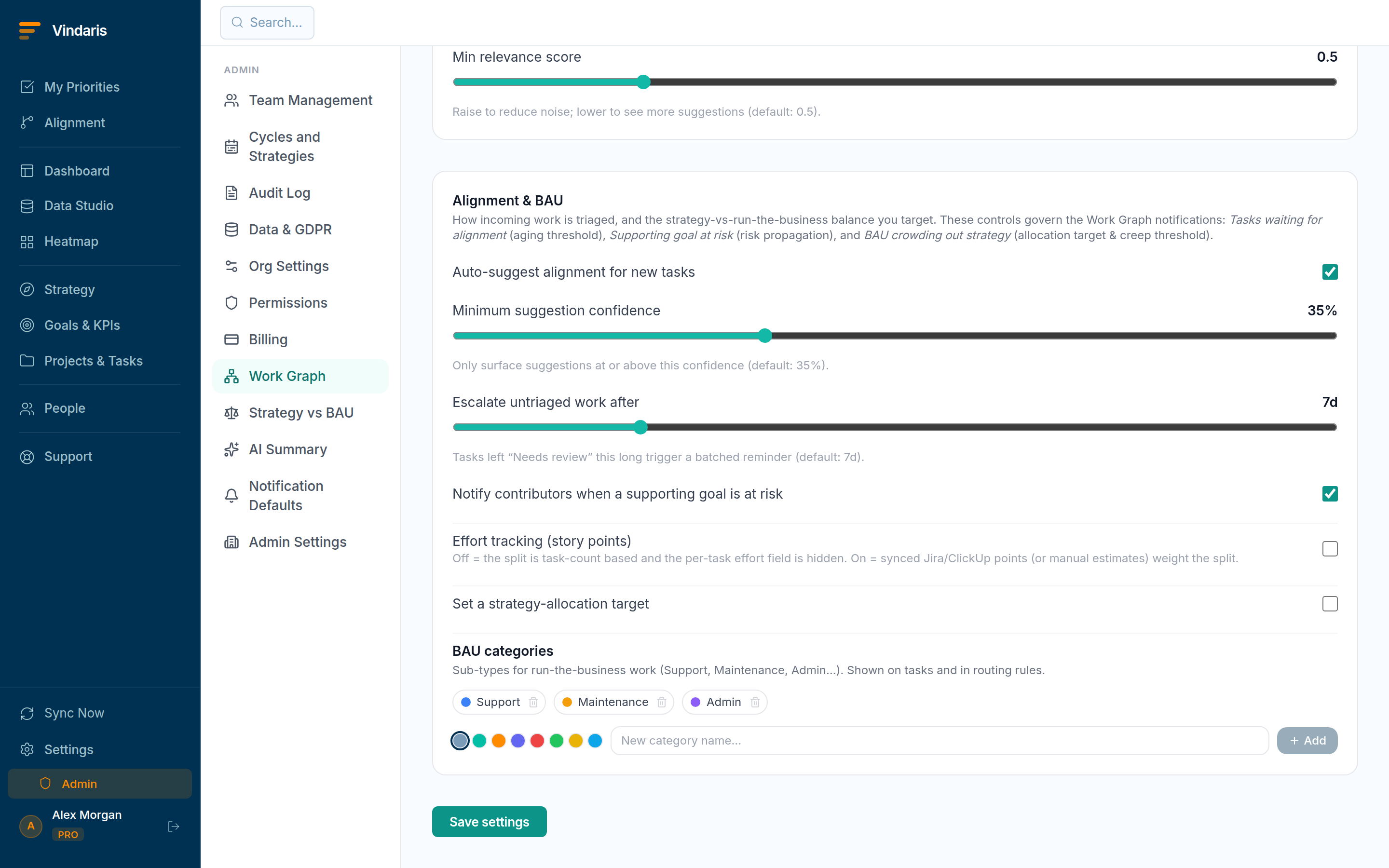
BAU categories: named sub-types for run-the-business work.
You cannot manage a ratio you do not measure. Without this one tag, "we spend too much time firefighting" stays an anecdote; with it, the allocation view turns it into a number you can set a target against and watch over time. The categories on BAU then tell you which kind of firefighting, so the conversation moves from "we're busy" to "Support is eating 30% of capacity; let's fix the top three causes".
When alignment suggestions are on, new tasks get a proposed classification automatically, so most of the triage is confirming rather than deciding. Keep Unclassified near zero and the allocation numbers stay trustworthy.
When teams reach for this
Every task can be classified as Strategic, BAU, Unclassified or Ignored, and BAU can be organized into categories. The classification feeds the Strategy-vs-BAU allocation view, and the AI can pre-sort tasks so the triage stays tidy as new work arrives.
Who it helps
Vindaris fits the COO, Chief of Staff or PMO lead who owns how the team spends its time, and the team lead keeping their own board tidy. It suits scale-ups and mid-market companies, roughly 30 to 500 people, where run-the-business work quietly crowds out the strategic work no one protected.
Why it helps
As a company scales, keeping-the-lights-on work expands to fill the week, so strategic initiatives slip without anyone deciding to drop them. Classifying each task as strategic or BAU feeds an allocation view that shows the split, so leaders can see effort drifting to run-the-business and correct it.
In practice
- See how much effort reaches the strategy. Classifying tasks feeds an allocation view that splits effort into strategic and run-the-business, so the share going to each is a number you can watch over time. A rising BAU share is the early sign that strategic work is being crowded out.ExampleA COO sees strategic effort drop from 40 to 28 percent over two months as an incident backlog grows, and rebalances before the quarter's initiatives stall.
- Keep the triage tidy without hand-sorting. The AI can pre-sort incoming tasks into strategic, BAU or unclassified, so you confirm rather than classify from scratch. BAU organizes into categories, so the run-the-business half stays legible instead of one pile.ExampleNew support tasks arrive pre-tagged BAU under a 'customer incidents' category, and the team lead only reviews the handful the AI left unclassified.
- Give the allocation view something to measure. The Strategy-vs-BAU dashboard and alerts draw on these classifications, so an untidy triage shows up as a large unclassified slice. Keeping tasks classified is what makes the allocation trend trustworthy.ExampleAn unclassified slice above a fifth of the board prompts the PMO to run a quick sort, so the next allocation report is based on tagged work.
Vindaris maps your strategy, goals and KPIs down to every project and task, and the Work Graph flags execution risk wherever effort has drifted from the goal, with task-level context down to the Slack thread.
Put this into practice
Vindaris keeps strategy, goals, projects and tasks in one place, and the Work Graph flags execution risk before it costs you. Start free, no credit card.
Sign Up for Free