Creating goals and key results
Write goals people rally around and key results that make progress undeniable.
Good fit if your team sets OKRs each quarter but loses the thread between the planning offsite and the next check-in.
Goals describe an outcome you want; key results are the numbers that prove you got there. The discipline of separating the two is what keeps a goal from quietly becoming a to-do list.
Create the goal
- Open Goals & KPIs, click "+ New" below the menu bar and choose Goal.The same "+ New" menu creates a Goal, KPI, Project or Task.
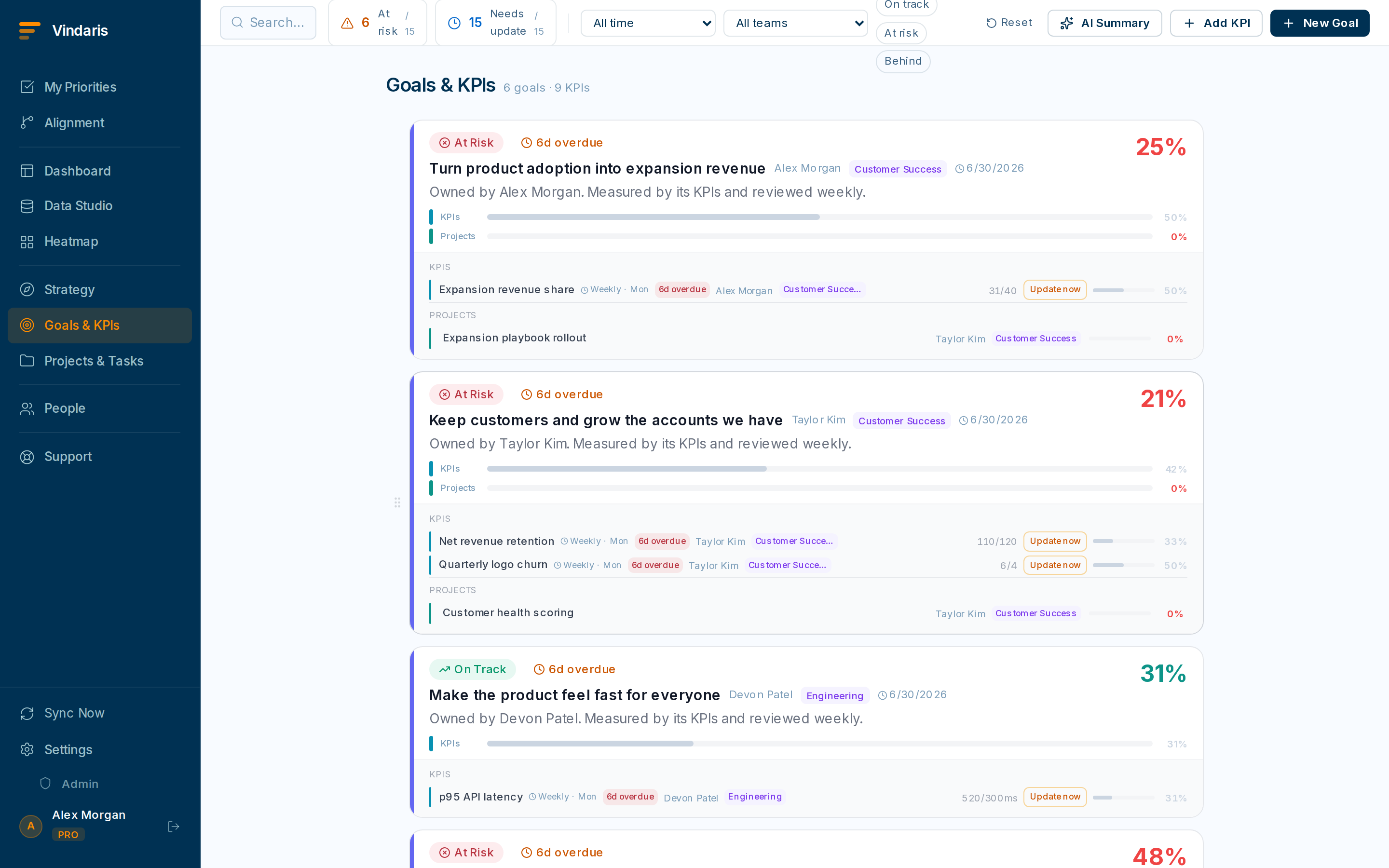
Goals show a progress bar and a health color. - Write the goal as an outcome, not an activity.Good: "New customers are productive within 7 days." Weak: "Improve onboarding." The first tells you when you are done.
- Set the owner, timeframe (start and target date), and link it to a strategy.The timeframe matters: Vindaris stops nagging about a goal once its timeframe ends, and uses the dates to judge whether progress is on pace.
Add key results
Inside the goal, add the two-to-four numbers that, if they all move, mean the goal is achieved.
- Click "Add key result" inside the goal.Each KR is a metric with a start value, a current value and a target value.
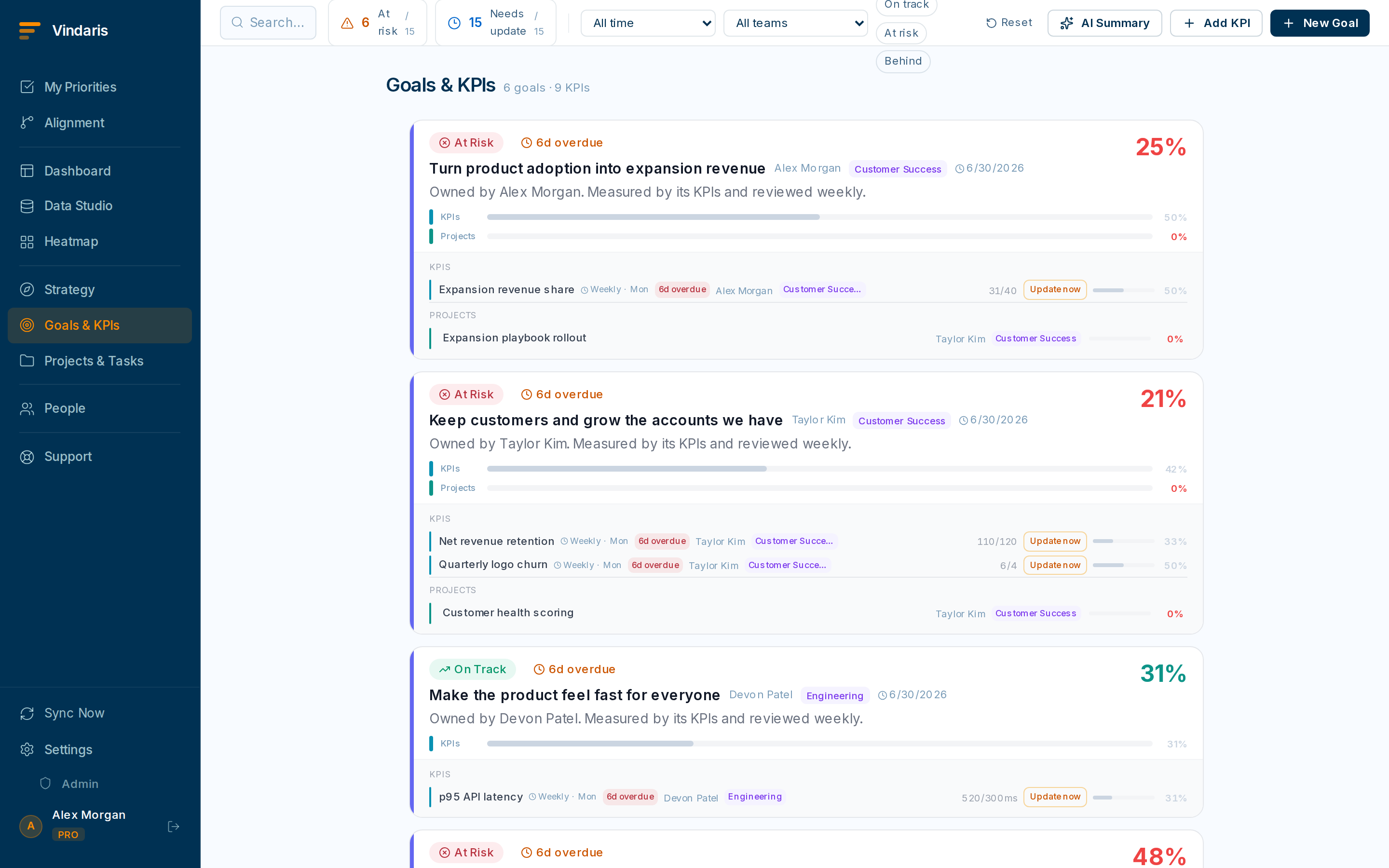
The goal detail view: everything about one goal in one place. - Enter the start, current and target values.Vindaris computes percent-complete automatically as current moves from start toward target. You never maintain a percentage by hand.
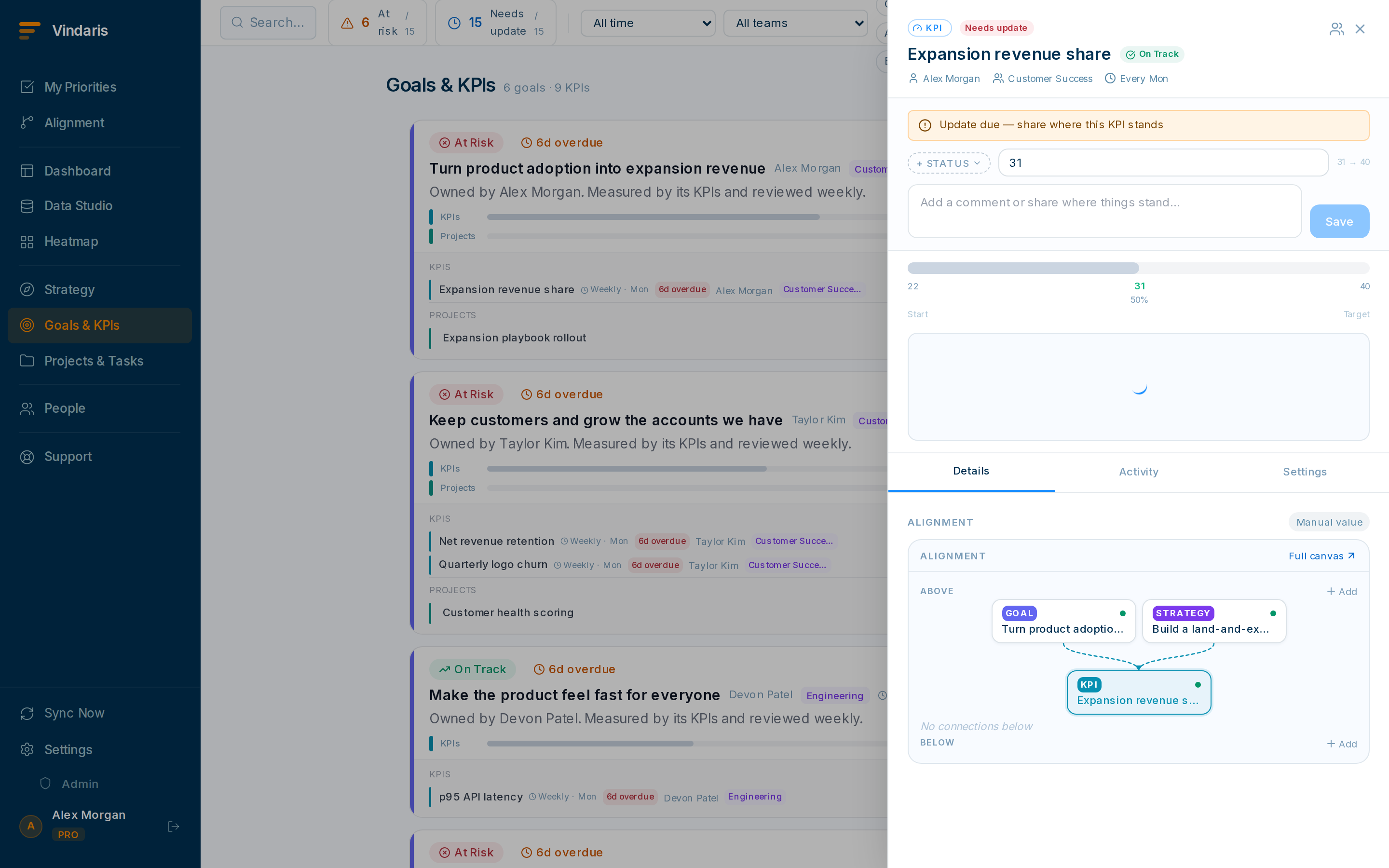
Progress is derived from start → current → target. No manual percentages. - Repeat for each key result, then save.Resist the urge to add ten. Two to four sharp metrics beat a wall of vanity numbers.
A slider measures optimism; a key result measures reality. By tying progress to a real metric moving from a start value to a target, Vindaris can tell you when a goal is at risk, even when the owner feels good about it. That grounding in a measured number is what the risk views rely on.
Keep it current with check-ins
- Open the goal and post a check-in to update KR values and leave a short note.Check-ins are how stakeholders stay informed without a status meeting.
- Do it on a rhythm: weekly is common.Stale goals turn yellow then red in the health coloring, which is exactly the signal you want.
A department goal can contain team goals, which can contain individual goals. This hierarchy is what produces clean roll-ups in the Alignment view and on manager dashboards. Link child goals to their parent as you create them.
When teams reach for this
Goals and key results sit at the top of the Work Graph. Every project and task you create under a goal rolls its progress up to the key result, so the number moves when the work moves.
Who it helps
Vindaris fits teams running OKRs or KPIs, the PMO or strategy-ops leader who owns the cadence, and the CEO or founder who sets the company objectives above them. It lands best in scale-ups and mid-market companies, roughly 30 to 500 people across several teams, where objectives are set centrally but each team tracks its own progress.
Why it helps
At that size a gap opens between the planning offsite and the next review, because no one can see every team's progress by hand. Vindaris derives each key result from the projects and tasks under it, so a stalled goal surfaces on its own and the PMO spends the quarter steering rather than chasing updates.
In practice
- Run OKRs through the whole cycle. You set objectives and key results on this screen, and Vindaris then tracks the projects and tasks under each one and derives progress from the live key-result values, so the cycle keeps scoring itself between check-ins. When a key result stops moving, the goal surfaces on its own.ExampleA product team sets "Cut onboarding time to under 10 minutes" with a key result falling from 22 to 10. The week it stalls at 18, the goal flags before the monthly OKR review.
- Keep company and team goals connected as the work moves. Nest team goals under company objectives, and a change in a team's work carries up to the objective it supports with no manual cascade to re-point each quarter. You can see where a team has quietly diverged from the objective above it.ExampleMarketing's "Launch in France" goal nests under the company objective "Enter two EU markets." When the launch date slips in the team's tasks, the company objective shows the drag without anyone re-entering a status.
- Make progress defensible, not self-reported. A key result is a start, a current and a target value, and progress is derived from them, so "how do we know we are at 60 percent" has an answer in the data. Check-ins add a dated note on why a number moved, and that history carries into the QBR.ExampleIn a board review, "pipeline up to €1.2M against a €2M target" points to the dated check-ins that moved it, so the number holds up when someone asks how it was reached.
Vindaris maps your strategy, goals and KPIs down to every project and task, and the Work Graph flags execution risk wherever effort has drifted from the goal, with task-level context down to the Slack thread.
Put this into practice
Vindaris keeps strategy, goals, projects and tasks in one place, and the Work Graph flags execution risk before it costs you. Start free, no credit card.
Sign Up for Free