A Data Studio view for an exec review
Compose an executive-grade view that leads with outcomes and risk, ready to project in the room.
Good fit if you are presenting to leadership and need a high-altitude, credible view of outcomes rather than task minutiae.
An exec review lives or dies on altitude. Leadership wants outcomes, trajectory and risk (strategy and goal level), not a parade of tasks. Data Studio lets you compose exactly that and project it live, so any "drill into that" question has an instant answer.
Build it
- In Data Studio, start a Goals view grouped by strategy.This mirrors how leadership thinks: each strategic bet, and the goals proving it.
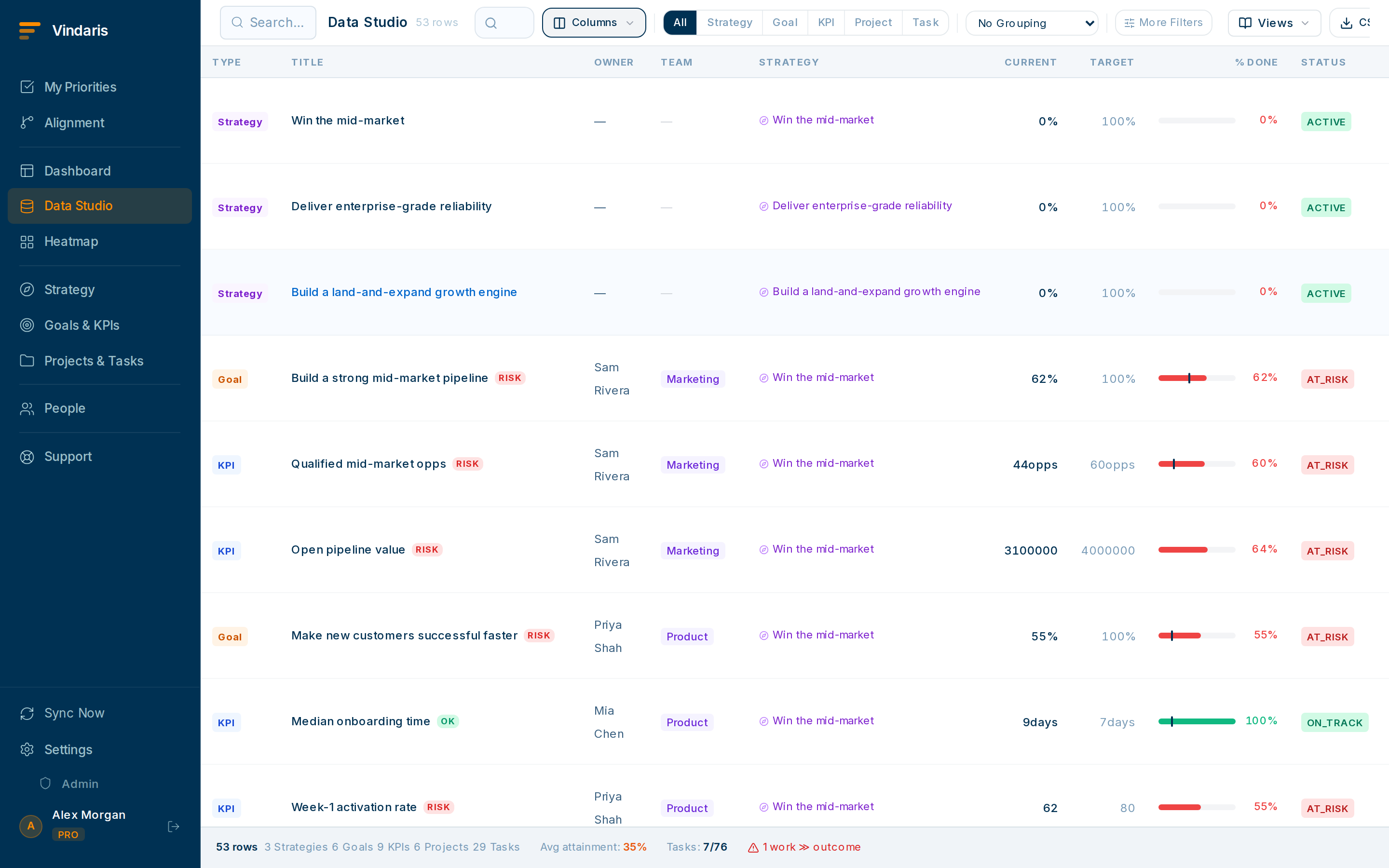
Strategy-level grouping, outcomes and health only. - Show only outcome columns: percent complete, health, owner, target date.Hide task counts and operational detail. If a number needs a story, lean on the goal's latest check-in.
- Sort or filter to put at-risk goals first.Lead with the full picture, reds included. Execs trust the deck that opens with what is at risk.
- If your plan includes the AI scorecard narrative, generate it and read it as your opening.It produces a concise executive status paragraph from the underlying goal data (a strong, neutral framing to start from).
- Save the view as "Exec review: [quarter]".Re-open it next quarter; the structure is reusable even as the numbers change.
The classic failure mode of exec reviews is the unanswerable follow-up: "what's actually behind that number?" A live Data Studio view means you click into the goal and show them. The credibility you gain from "let me show you right now" is worth more than any polished slide.
Before the meeting, click into your two reddest goals so you know the story. The view gives you the data; you bring the "here's what we're doing about it".
When teams reach for this
An exec-review view is a saved Data Studio view that answers one question: are the company's goals on track? It leads with outcomes and the risks against them, filtered to the altitude leadership cares about, and it stays current because it draws on the live map.
Who it helps
Vindaris fits the Chief of Staff, COO or strategy-ops lead preparing the leadership review, and the executives it is presented to. It suits scale-ups and mid-market companies, roughly 30 to 500 people, where the exec review has to roll up several teams into one outcome story.
Why it helps
At that size the exec review is where strategy is judged, so a deck that is stale or unsourced invites the wrong decision. A live view that leads with outcomes and risk means leadership weighs the current state, and any 'how do we know?' is one drill-down away.
In practice
- Lead with outcomes, not task detail. Build the view to show goals, their KPIs and end-state risk, with task detail a level below, so leadership sees the result and not the noise. The altitude matches the audience.ExampleA Chief of Staff presents a view of the eight company goals with their KPIs and risk flags, and drills into tasks only when a goal is questioned.
- Present live data in the room. Because the view is live, you project it in the meeting rather than exporting a deck the night before, so the numbers are current when leadership looks at them. The review runs on the system of record.ExampleA COO opens the view on the screen in the review, and when a VP asks about a KPI, the current figure is already there.
- Rehearse the drill-downs you will be asked. Know which goals leadership will probe and practice clicking from the outcome into the projects and tasks beneath it, so the answer to a hard question is a click away. Preparation is knowing the path, because the data is already there.ExampleBefore the board call a Chief of Staff rehearses drilling from the revenue goal into its two lagging projects, so the follow-up question lands on a ready answer.
Vindaris maps your strategy, goals and KPIs down to every project and task, and the Work Graph flags execution risk wherever effort has drifted from the goal, with task-level context down to the Slack thread.
Put this into practice
Vindaris keeps strategy, goals, projects and tasks in one place, and the Work Graph flags execution risk before it costs you. Start free, no credit card.
Sign Up for Free