A Data Studio view for a team meeting
Build the standing operational view your weekly team meeting runs on: updates, blockers, what's next.
Good fit if you run the same team meeting every week and rebuild the agenda from scratch each time.
Where the exec view is high-altitude, the team-meeting view is operational. It exists to run the room: what moved since last week, what's stuck, and what each person is taking next. Build it once and your agenda builds itself.
Build it
- In Data Studio, create a Tasks view scoped to the team's projects.Group by status so the conversation flows Backlog → In Progress → In Review → Done.
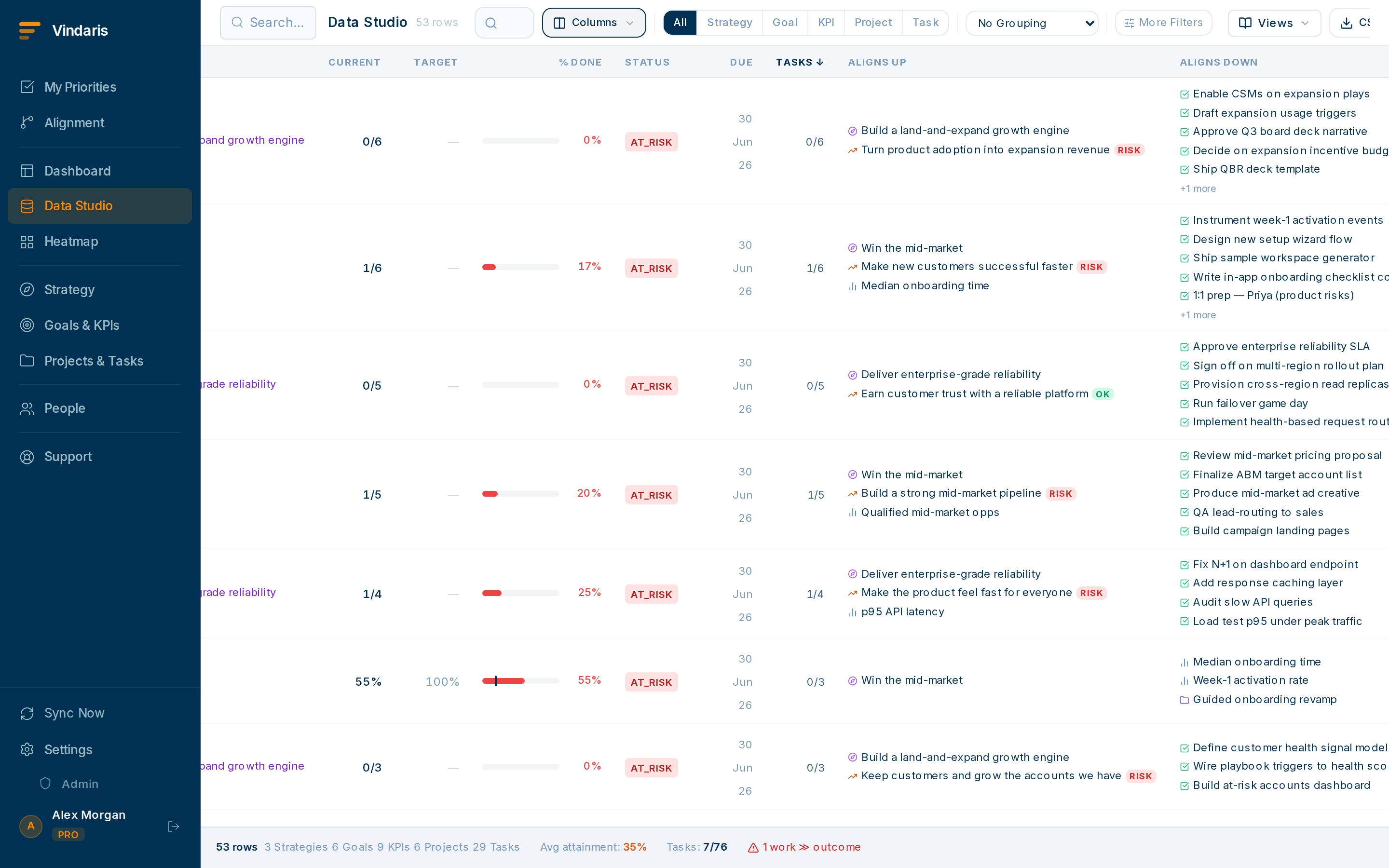
Status-grouped and filtered to recent movement. - Add an "updated this week" filter so the meeting focuses on change, not the whole backlog.You'll talk about what moved and what didn't, not re-read everything.
- Put a Blocked block at the top.Unblocking is the highest-value thing a team meeting does; put it where you can't skip it.
- Include assignee and linked-goal columns.So every item has a clear owner and an obvious reason to exist.
- Save it as "Weekly team sync" and open it live in the meeting.Drive the agenda straight off the view; update statuses as you go so the record is current the moment you leave.
An agenda doc is a second copy of reality that immediately drifts. A saved view is reality. Running the meeting off live data means decisions, status changes and new tasks land in the system in real time. There's no "someone update the tracker after" step to forget.
In the last few minutes, create any new tasks straight from the view and assign them. They'll show up in each person's My Priorities on Monday, closing the loop from meeting to action automatically.
When teams reach for this
A Data Studio view is a saved cut of your goals, KPIs, projects and tasks with the filters, columns and grouping you set. Save the one your meeting needs and it reopens in a click each week, current every time, so the same view answers where you are and what is next without rebuilding it.
Who it helps
Vindaris fits the team lead or manager who runs a recurring team meeting, the Chief of Staff who sets the operating cadence, and the project owner who reports into it. It suits scale-ups and mid-market companies, roughly 30 to 500 people and multi-team, where several teams meet on a weekly rhythm and each meeting needs a current picture.
Why it helps
At that size the weekly meeting runs on an agenda doc someone updates by hand, which is stale by the time the meeting starts and drifts from the actual work. A saved view holds the current state of the team's goals, blockers and next actions, so the meeting opens on live data and the time goes to decisions instead of status reading.
In practice
- Run the meeting off one standing view. Build the view your agenda needs once, with team goals, in-flight projects, blockers and what is due, then pin it so every meeting opens on the same current picture. The saved view updates itself between meetings, so no one spends Sunday night refreshing a doc.ExampleA design team lead pins a view grouped by project showing status, owner and next action. Every Monday standup opens it live, and the stale agenda doc goes away.
- Lead with blockers so the meeting acts on them. Filter a block of the view to blocked and off-track items so the meeting starts where it is needed, and the team clears blockers while everyone who can unblock them is in the room. The rest of the view is there for context when a question comes up.ExampleThe view's top block lists three blocked tasks with owners. In the meeting two get reassigned and one gets a decision, instead of surfacing a week later.
- End on next actions that are already tracked. Because the view is built on real tasks, the next actions you agree on are edits to the work itself, so they are not notes in a separate doc no one revisits. Assign and date them in the view and they show up in each person's priorities that afternoon.ExampleAt the close, the lead turns three agreed actions into dated tasks in the view, and they appear in each owner's My Priorities before the day ends.
Vindaris maps your strategy, goals and KPIs down to every project and task, and the Work Graph flags execution risk wherever effort has drifted from the goal, with task-level context down to the Slack thread.
Put this into practice
Vindaris keeps strategy, goals, projects and tasks in one place, and the Work Graph flags execution risk before it costs you. Start free, no credit card.
Sign Up for Free