AI OKR software that analyzes your work activity to flag the OKRs heading off target.
Vindaris maps every Objective and Key Result down to the tasks delivering them in Jira, Slack, HubSpot and Asana, then its AI analyzes the work activity across them: work that stalled, effort going into work no Objective asked for, and Key Results with nothing under them. The AI drafts your check-ins and board summaries, and flags the Key Results that cannot reach their target while there is still quarter left to act.
Down to the individual task and the Slack thread around it, so the AI summary reflects what the team actually delivered.





What is AI OKR software?
AI OKR software uses AI to help teams set, track and review Objectives and Key Results. The useful question is what the AI works from. Vindaris points its AI at the work activity behind each Key Result, so its summaries and risk flags come from delivery, and the grading at the end reflects what the quarter actually produced.
What can AI do for OKRs?
AI can draft a check-in from the week's work and flag a Key Result that cannot reach its target at the current pace. In Vindaris the AI works from the task-level activity behind each Key Result in Jira, Slack, HubSpot and Asana, so its drafts and flags name specific work.
What is an AI OKR coach?
An AI OKR coach reviews your Objectives and Key Results and suggests improvements, like tightening a vague Key Result or adding a missing measure. Vindaris grades OKR quality and points to the Key Results with no measurable target, so the coaching is grounded in your own OKRs.
Can AI track OKRs automatically?
Yes. When Vindaris derives each Key Result from the tasks delivering it, AI tracking runs on its own: the number moves as the work does, and the AI flags the Key Results falling behind, week by week. This is set out in the strategy execution gap whitepaper.
Are AI OKR summaries reliable?
AI is only as reliable as what it works from. Vindaris grounds every AI summary and alert in the task-level work activity behind each Key Result, so the output names the specific work and the teams behind a gap.
 Click thru live demo
Pre-built workspace. No signup.
Click thru live demo
Pre-built workspace. No signup.
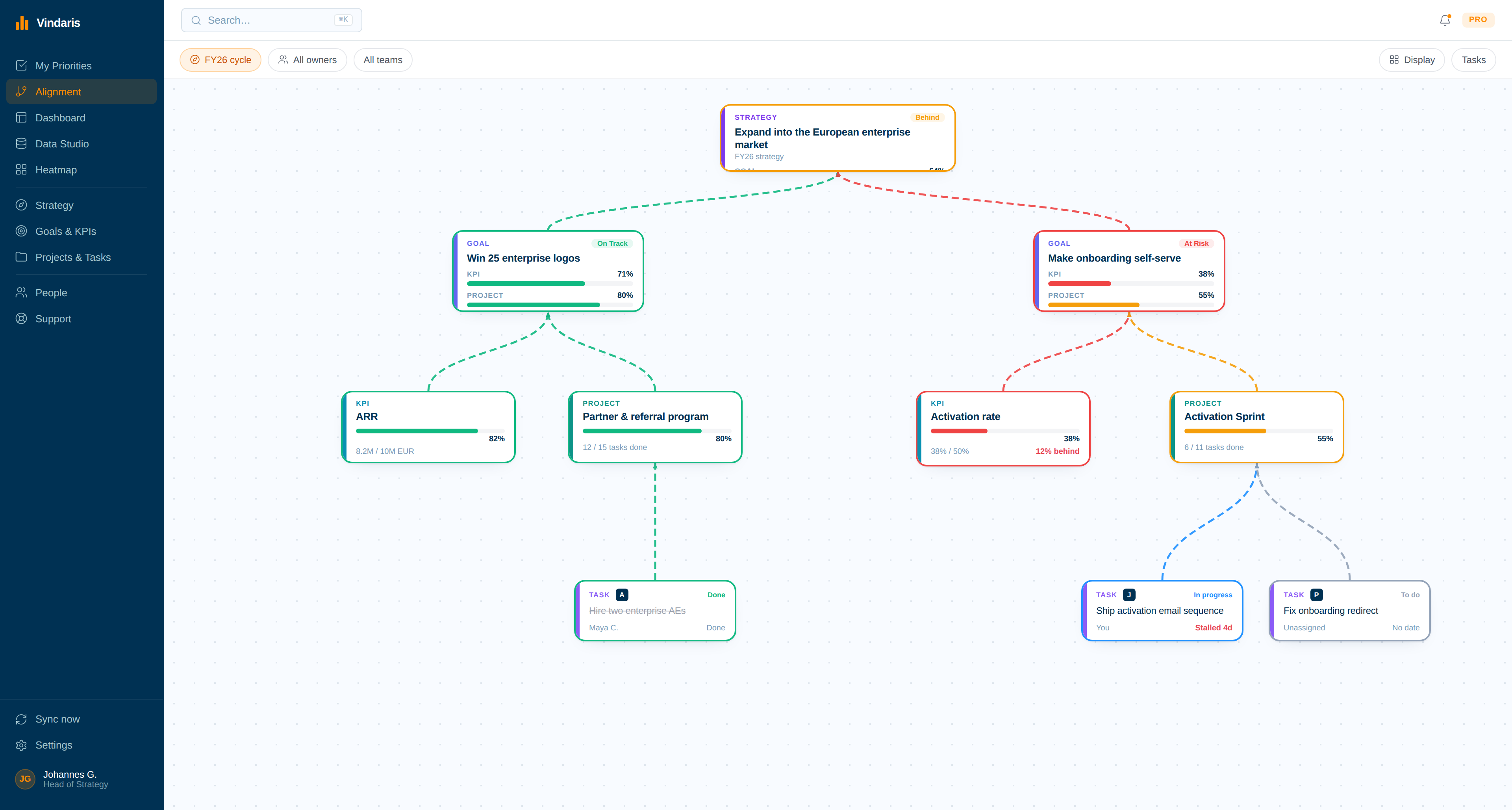
The whole cascade on one board: Objectives at the top, Key Results beneath them, and the projects and synced tasks doing the delivering. Click through the live workspace, no signup.
Grade the OKRs you already wrote.
OKRs rarely fail at the quarterly grading. They fail in the weeks between, when nobody notices the work behind a Key Result has gone quiet.
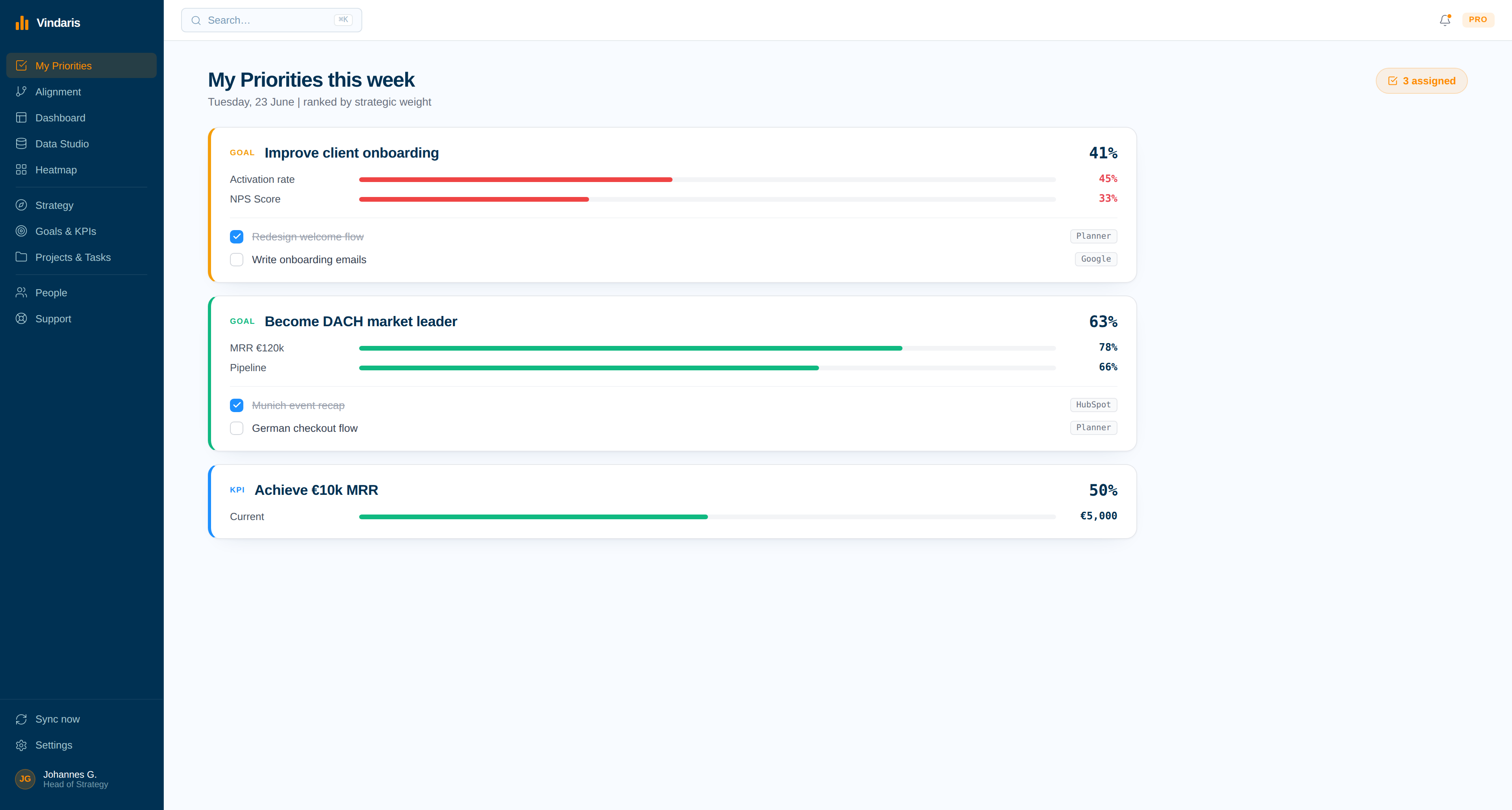
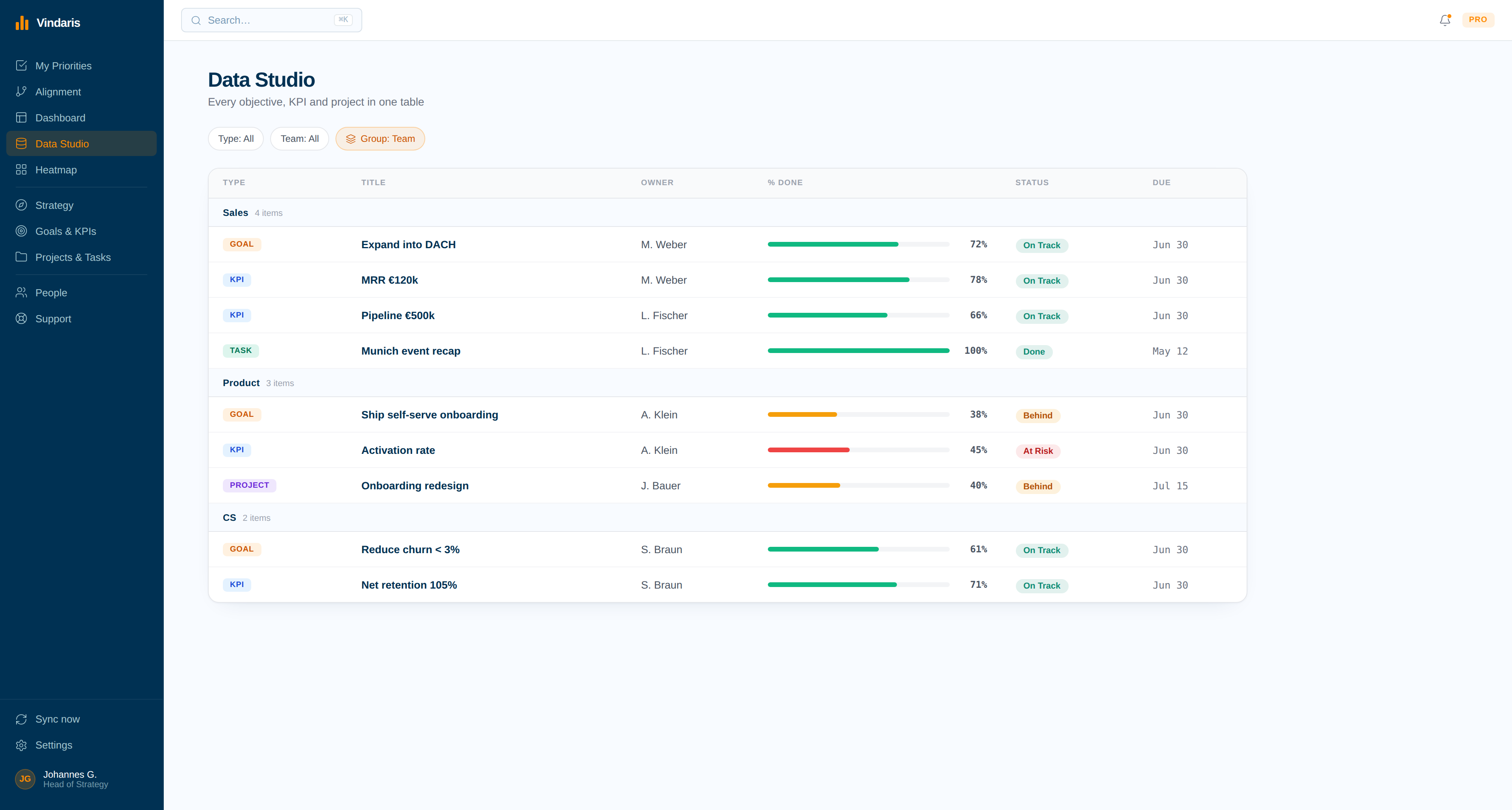
One connected system, from the Objective down to a single task.
Objectives and the work delivering them do not live in separate tools that someone reconciles every Friday. In Vindaris they share one model, so a closed ticket moves the Key Result above it without anyone touching the Key Result.
Objectives and work in one graph
Objectives, Key Results, projects and tasks connect on an open canvas with no enforced goal syntax. Cascade from company level to a single contributor, or keep it flat.
One name against each Key Result
Shared Key Results are where OKR programs quietly fail: when three people own a number, nobody answers for it. Vindaris enforces one owner and tracks contributors separately, so accountability survives the quarter.
Work stays where it lives
Connect HubSpot, Jira, Planner, Asana and Google Tasks, then hang them under a Key Result. Sync runs both directions, so engineering keeps Jira and the Objective still knows what closed.
Define your Objectives and Key Results
Write your OKRs in the strategy narrative or build them directly on the Alignment Canvas. Cascade from company level down to teams and individuals. The structure is yours to define.
- No enforced hierarchy. One Key Result can serve two Objectives.
- Rename every level to match the language your company already uses.
Connect the tools your Key Results are delivered in
Plug in HubSpot, Microsoft Planner, Google Tasks, Asana or Jira. The tasks that move a Key Result arrive with their owners attached, so the OKR knows who is behind it as well as how far along it is.
- A task closed in Jira closes in Vindaris, and back again.
- Every synced task keeps a tag pointing at its source tool, so a Key Result can always be audited back.
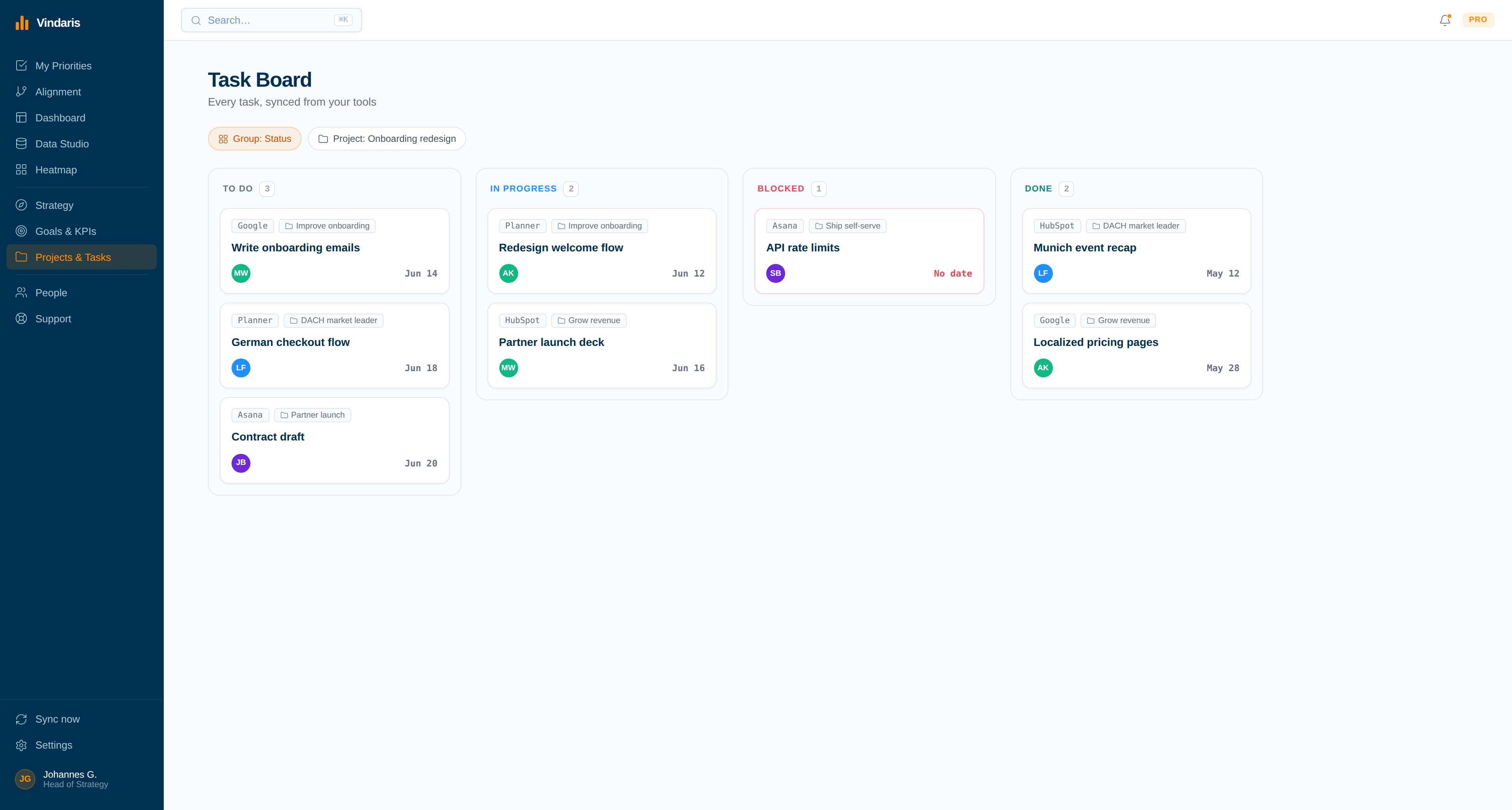
Map tasks to Key Results
Vindaris suggests which tasks and projects connect to each Key Result based on labels, owners and structure. Confirm the mapping, adjust what it got wrong, and every contributor gets a ranked list of what actually moves their numbers.
- Suggestions come from the work, not from a naming convention.
- Everyone sees their own slice ranked by what it affects upstream.
Get alerted when Key Results are at risk
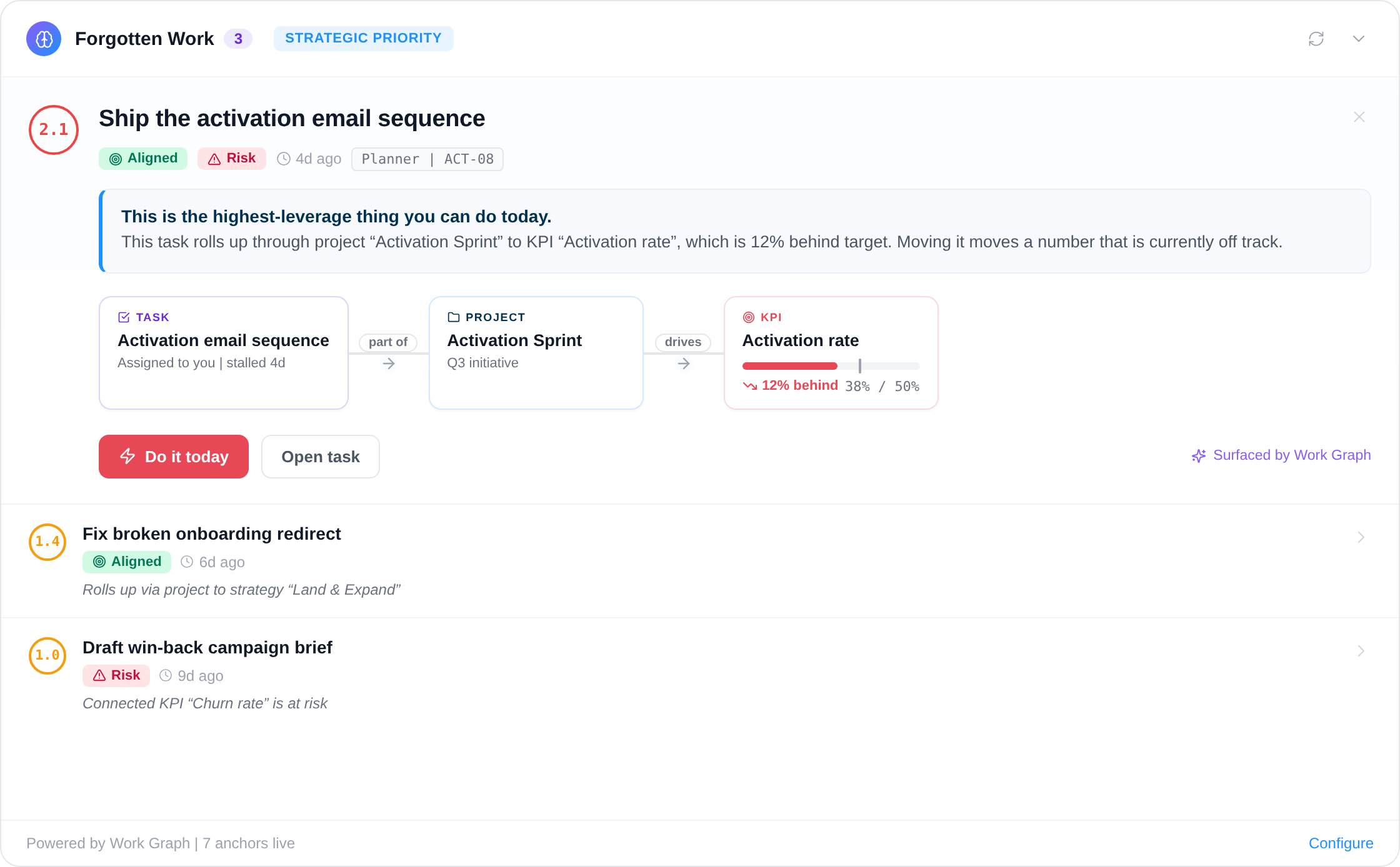
The Work Graph continuously evaluates task progress behind each Key Result. When work stalls or pace falls off, the owner is notified with the blocking work named, weeks before a check-in would have caught it.
- Alerts for OKRs, each with the blocking work named.
- Scheduled AI summaries land in Slack, Teams or email.
OKR management from drafting through grading.
Run Vindaris as OKR tracking software for a single team or as OKR management software for a whole organisation. The cycle is the same either way: draft, cascade, track through the quarter, and grade at the end against what the work actually produced.
Draft the quarter, then cascade it or keep it flat
Write Objectives and Key Results on the canvas with no enforced syntax, then cascade from company level down to teams and individuals, or leave the structure flat. One Key Result can serve two Objectives, and every level can be renamed to the language your company already uses.
How to track OKRs without maintaining a second system
Each Key Result is derived from the tasks delivering it, so tracking happens as a by-product of the work. This is the practical answer to how to track OKRs at any size, from a five-person team to a program with hundreds of Key Results.
Grade against the work, not against memory
At the end of the cycle the score reflects what the work produced, with the history of how it got there still attached. Score your drafts before the quarter starts with the free OKR Quality Grader, or run a cycle in the Excel OKR tracker first if you would rather try the shape before adopting an OKR platform.
OKRs alongside the frameworks the rest of the company runs
One workspace can hold OKRs for the product organisation and EOS Rocks for the leadership team, next to KPIs and SMART goals. That matters the moment one part of the company stops running OKRs, which is when a single-framework tool becomes a migration.
Write the quarter in plain language, get a cascade.
Describe the Objectives you just set the way you would say them out loud. Mention an Objective, Key Result, project or task with @ and Vindaris maps it onto the Alignment Canvas.
Risk alerts, in OKR terms.
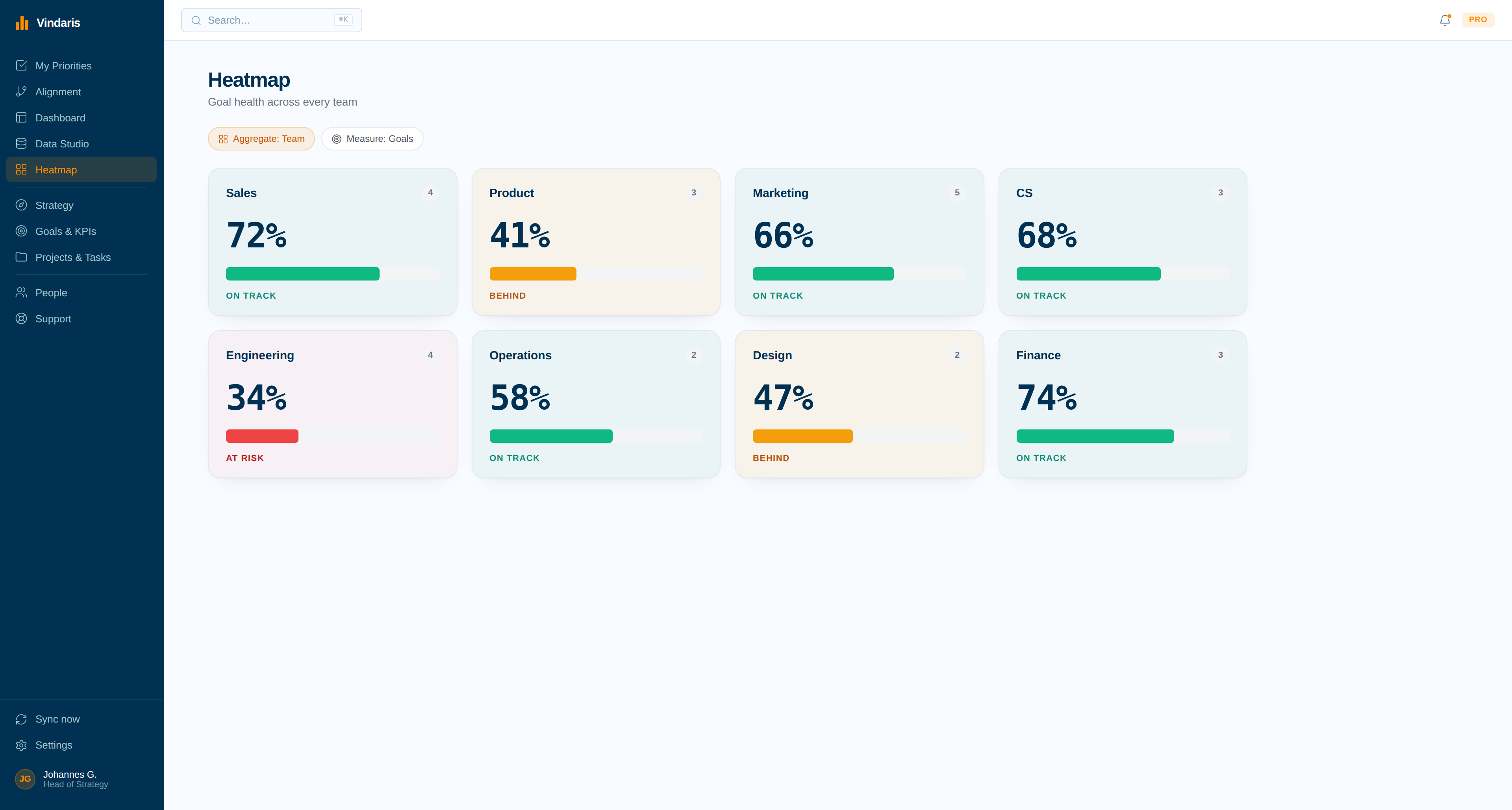
The Work Graph traces the links between each Key Result and the tasks delivering it. These are the ones that fire most often on an OKR program.
Deterministic and AI-driven alerts that flag slipping work and misaligned focus.
Your framework, your language, your data in Europe.
Vindaris adapts to the OKR practice you already run, including the parts most tools argue with: shared Key Results, mid-quarter changes, and teams that score differently from each other.
Runs OKRs without locking you into them
Vindaris ships without a prescribed methodology, so Objectives and Key Results keep their names and their relationships. One workspace can hold OKRs for the product organization alongside EOS Rocks for the leadership team, which matters the moment one part of the company stops running OKRs.
Free forever, including two integrations.
Free covers a full OKR program: full Objectives, Key Results, KPIs, tasks and projects for up to 5 people. Pay when you add people, integrations or AI summaries.
Best for individual contributors, small teams or startups. No credit card required.
- All views: Canvas, My Priorities, Heatmap, Data Studio and Task Board
- Two integrations of your choice
- Up to four additional members
- Five ad-hoc AI risk summaries per month
Best for teams, small agencies, or departmental and team management.
- Everything in Free
- All integrations, unlimited sync
- Unlimited AI risk summaries and alignment suggestions
- Up to ten users in one organization
Best for multiple teams, exec teams, Chiefs of Staff or full-org deployments.
- Everything in Connect
- Unlimited users in one organization
- Direct human support, 24h response
- Human-led onboarding
Grade the OKRs you already wrote.
Real Excel and PowerPoint files, plus browser tools that run without an account. Useful whether you adopt Vindaris or keep running OKRs in a spreadsheet.
Common questions, answered
What is AI OKR software?
AI OKR software uses AI to help teams set, track and review Objectives and Key Results. Vindaris points its AI at the work activity behind each Key Result, mapping the tasks and projects delivering it and analyzing that activity, so you always know whether a Key Result is on pace.
What should an OKR dashboard show?
An OKR dashboard should show each Key Result's current pace, its owner, and whether that pace can still reach the target by the deadline. Vindaris analyzes the work activity behind each Key Result and flags the ones that cannot reach their target in time, so the dashboard points at the few that need attention.
Can Vindaris track OKRs and KPIs together?
Yes. Vindaris supports OKRs, KPIs, Balanced Scorecard, OGSM, and other frameworks in one platform. You can run KPIs alongside OKRs and see how both roll up to the same work.
How is Vindaris different from other OKR tools?
Most OKR tools track goals in isolation. Vindaris maps goals to traceable work, so tasks, projects and deliverables live in the same system. It is free forever for goal and strategy management, hosted in Germany, and GDPR compliant.
What is the best OKR software for a small team?
The right OKR software for a small team is one that does not need an administrator. Vindaris is free for up to five people with two integrations, sets up in an afternoon, and connects Key Results to the tasks already running in your tools so nobody has to maintain a second system. For a comparison of the wider market, our independent review of the best OKR software covers eleven platforms.
Is Vindaris free OKR software?
Yes, free forever for up to five people, including the full canvas and two integrations, with no credit card. Startups typically run their first several quarters entirely on the free plan. Paid plans start when you add more people, more integrations or unlimited AI summaries.
How do you track OKRs without weekly check-ins?
Link each Key Result to the tasks and projects delivering it, and Vindaris derives its progress from the work closing. Check-ins still have value for context and decisions, but the number no longer depends on them, so a skipped week does not leave a stale dashboard behind.
Does Vindaris sync with Jira and Asana?
Yes, in both directions. Vindaris syncs with Jira, Asana, HubSpot, Microsoft Planner, Google Tasks, Microsoft To Do, Slack and Teams. A ticket closed in Jira moves the Key Result above it in Vindaris, and a comment written in Vindaris reaches the owner inside the tool they already use. No team has to migrate.
Why do OKRs fail after the first quarter?
Usually because the Objectives and the work sit in separate tools between plannings. The quarter opens with a good set of OKRs, the work happens somewhere else, and by week three nobody can say which task moves which Key Result. The grading at the end then measures what people remember. Deriving each Key Result from the tasks that moved it is what keeps the second quarter from being a relaunch.
Know which Key Results will miss while there is still quarter left.
Connect your first tool in 90 seconds. Free forever for OKR management.
Start tracking OKRs freeNo credit card | No migration | No minimum contract
