Give your AI agents a live Work Graph to act on.
Connect Claude, ChatGPT, or Claude Code to Vindaris over MCP. Your agents read where execution risk is building, draft the check-in or summary, and open the goal or task that answers it, all inside the permissions you set.
What an AI agent actually does on Vindaris.
An agent does not open a dashboard. It connects once, then reads, drafts, and acts over MCP whenever you ask. Here is each moment of that loop.
A live Work Graph your agents can read and act on.
Most AI agents are blind to how execution is actually going, so they produce confident output that changes nothing. Vindaris gives an agent a connected read of the work and the permission to act on it, so it reasons from current reality instead of a snapshot pasted into the prompt.
Turn on AI Tools and connect Claude, ChatGPT, or Claude Code. The agent queries and acts in Vindaris over MCP without leaving the assistant you already use.
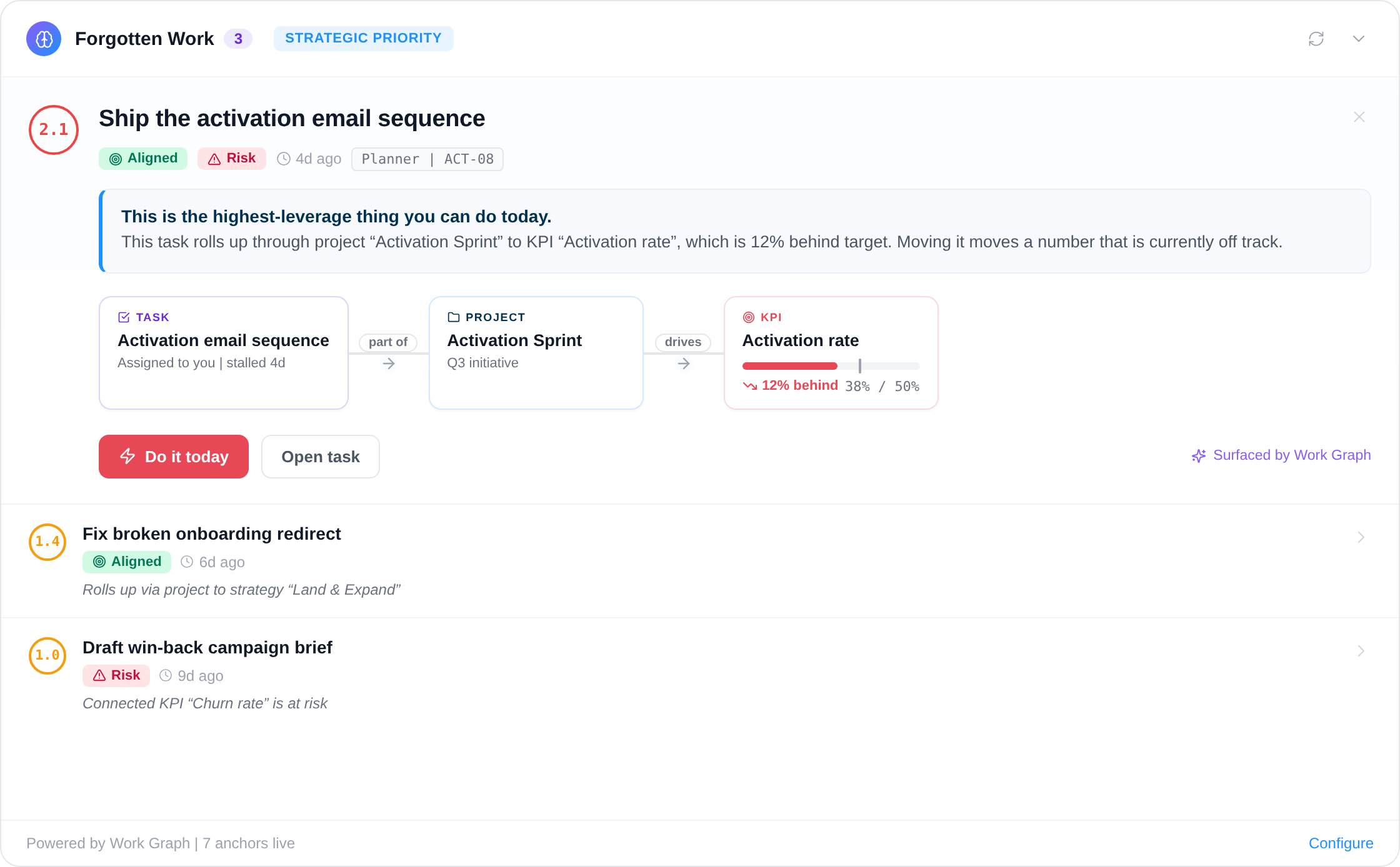
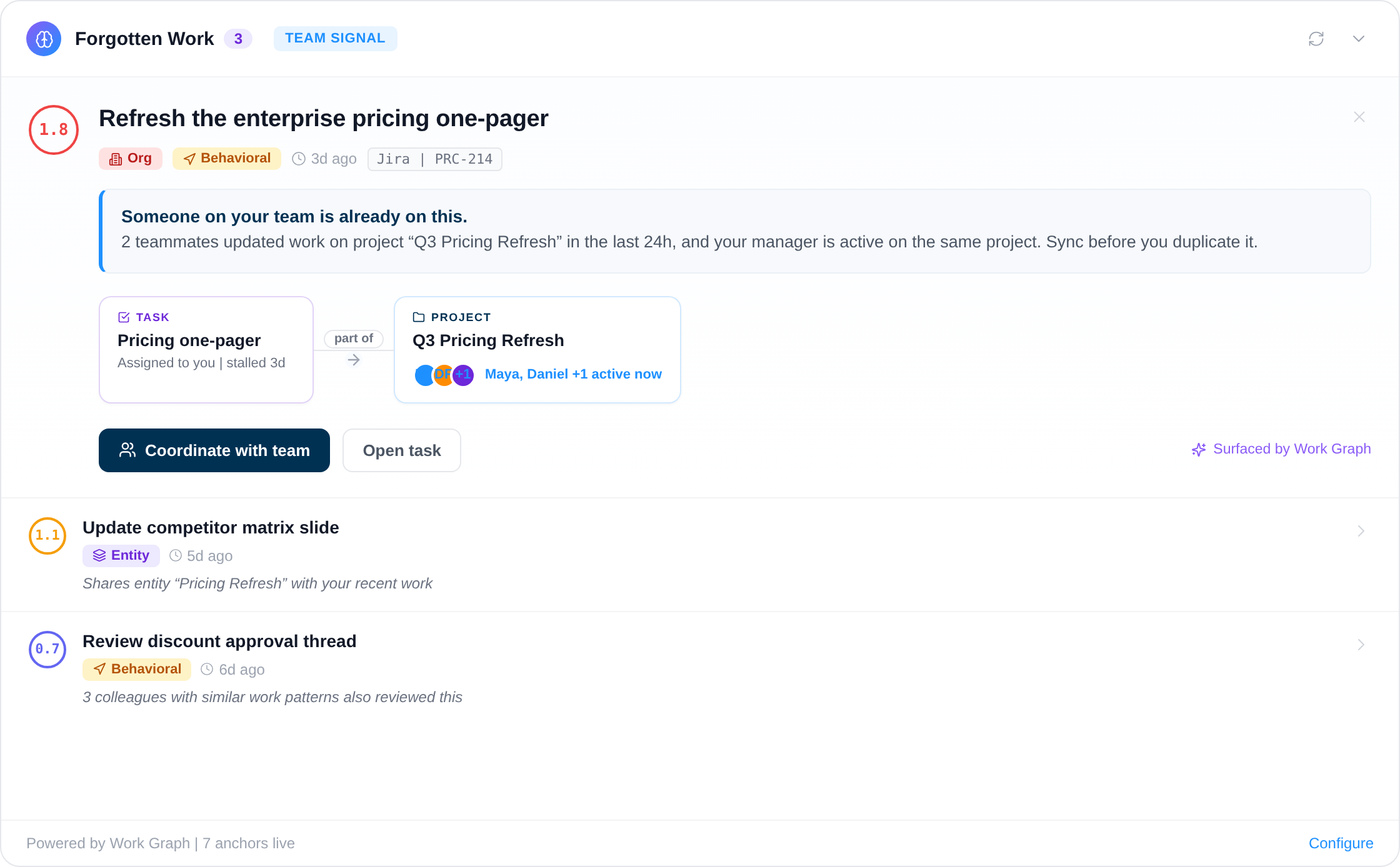
The agent pulls Work Graph alerts and sees where effort has stalled or come loose from a goal, so it reasons about current execution risk, not a status report typed last week.
Ask the agent where an initiative stands and it writes the AI summary from work activity, with the risks already surfaced, ready for you to review instead of draft.
The agent opens a new goal, defines a KPI, spins up a project, or files the follow-up task straight in the workspace, so a decision becomes action in one step.
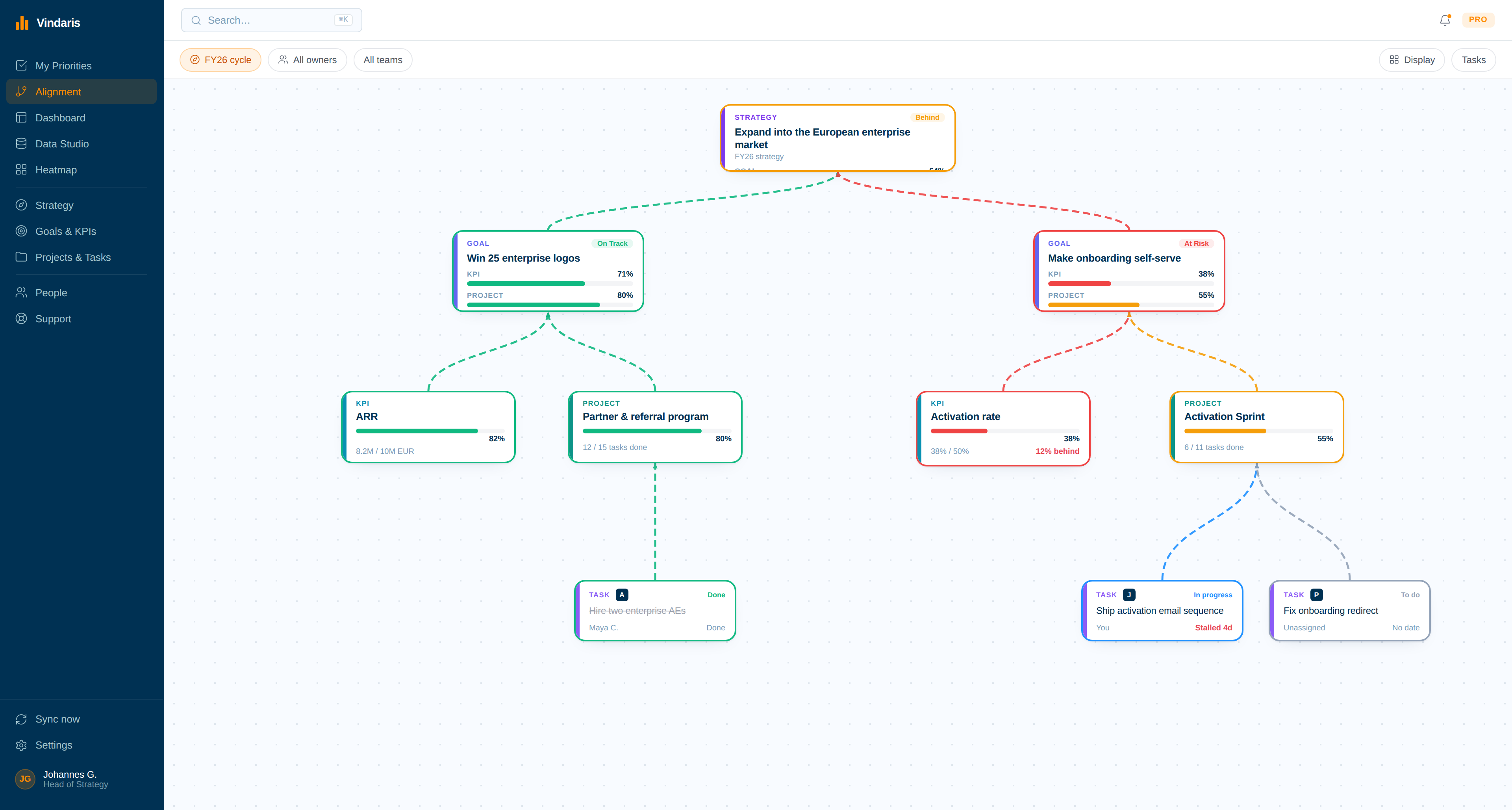
The agent sets the alignment between an item and the objective it belongs under and leaves a comment with its reasoning, keeping the map current as the plan moves.
Every agent acts inside fine-grained permissions. You decide what it can read, what it can change, and what still waits on a person to approve.
Connect, read, draft, act, approve.
An agent does not keep office hours. This is the loop it runs whenever you hand it a question about the strategy, from the first connection to the action a human signs off.
Turn on AI Tools and link the agent
An admin connects Claude, ChatGPT, or Claude Code over MCP. The agent now has a scoped link into the live workspace, with its permissions set before it touches anything.
Pull the current execution risk
The agent reads the Work Graph alerts and the work activity behind the goals in question, so its answer starts from where effort has actually stalled or drifted.
Generate the check-in or summary
Instead of you writing the update, the agent produces the AI summary from that signal, with the risks and what moved already called out.
Open the goal, KPI, or task
When the read calls for action, the agent creates the work directly in Vindaris and aligns it to the objective it serves, so a decision becomes action in one step.
You sign off what enters the plan
The change surfaces for a person to approve. The agent did the gathering and the drafting. You keep the decision on what changes the plan.
An agent is only as good as what it can see and change.
An AI agent with no connection to the work is guessing. It can write a tidy OKR or a confident summary, but it has no read on whether the work behind a goal has moved, and no way to act when it has not. The output sounds right and changes nothing, so a person still goes and gathers the real state by hand before any of it is useful.
Vindaris gives the agent both halves. Over MCP it reads the Work Graph, where execution risk is derived from work activity, and it acts in the same place: opening goals, defining KPIs, filing tasks, and drafting the summary from real signal. Fine-grained permissions keep every action inside the boundary you set, and the ones that change the plan wait for a person to approve. The agent does the gathering and the drafting. You keep the judgment.
What your agent reads before it acts.
Over MCP, the agent pulls the same Work Graph alerts your team sees. Each one carries the reason attached, so the agent reasons from where execution risk is actually building and drafts the response you review, rather than guessing from the prompt alone.
Point your agent at one URL.
Vindaris runs a Model Context Protocol server. An admin turns on AI Tools and sets what an agent may read and change, then any MCP client signs in over OAuth and starts working.
https://app.vindaris.com/api/mcp
OpenAPI https://app.vindaris.com/api/ai/openapi
- ClaudeAdd Vindaris as a connector, paste the URL, and approve access in your browser.
- Claude CodeCreate a personal token in settings, then add Vindaris as an MCP server in your terminal.
- ChatGPT and CodexUse the same server URL. OAuth handles the sign-in.
Mint the token under Settings, AI Tools. Claude Desktop and ChatGPT skip the token: add the server URL and sign in over OAuth.
Authentication is OAuth 2.0, so no API key is pasted into the model. Access is bounded per workspace: an admin sets each resource to off, read, or read and write, and toggles individual tools, so an agent can be kept read-only or allowed to act. Full steps are in Connecting an AI assistant over MCP.
What an agent can do over MCP.
Every action is a named tool. Read is separate from write, so the permissions you grant decide exactly how far an agent can go.
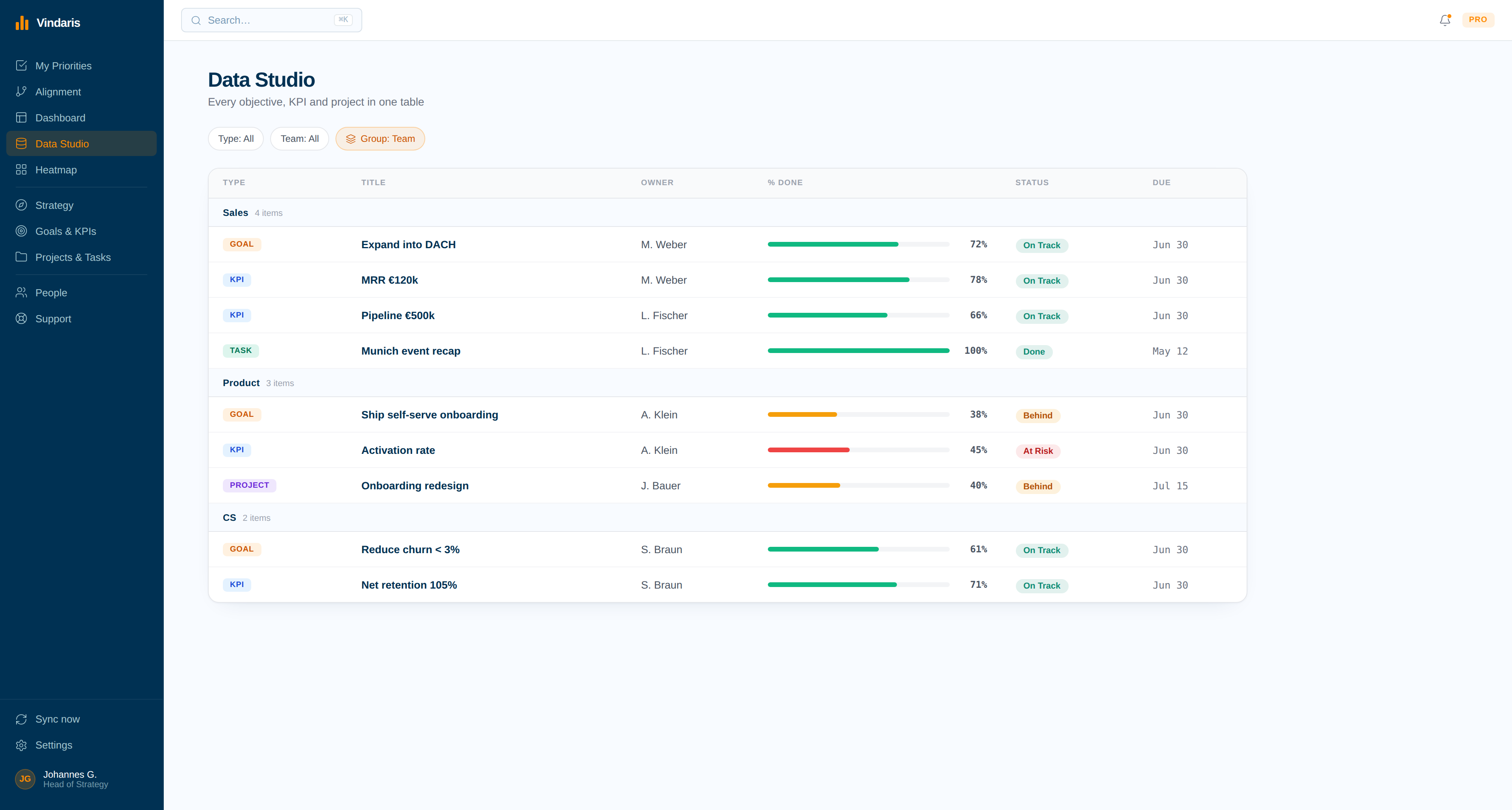
List and open any strategy, goal, KPI, project, or task with its status, owner, and alignment.
Open or change a goal, KPI, project, strategy, or task, including recording a new KPI measurement.
Pull the prioritized risk list, covering at-risk goals, stale tasks, pace warnings, and alignment gaps, or a full structured read of the workspace.
Align a task to a goal or a goal to a strategy, remove an edge, or post a comment on a task that syncs back to Jira, Slack, or Asana.
Convert meeting notes, an email, or any text into tasks, goals, or projects, aligned to the right objective.
Send an update reminder to the owner of an overdue item, or subscribe a Data Studio, dashboard, or heatmap view to risk alerts.
What it looks like in practice.
An illustrative exchange over MCP. The agent reads the risk, drafts the update, and opens the follow-up, then stops for a person.
Where is the European expansion strategy slipping, and draft the weekly update.
The expansion is on track except self-serve onboarding, where the Activation rate sits at 38% of target and two tasks have not moved in nine days. I drafted the weekly update and opened a follow-up task to unblock it. Both are waiting for your approval.
Example only. The tool names and the human-approval step are real; the data is illustrative.
Free forever, including two integrations
Start free with full goal and strategy management. Add two integrations to sync tasks. Pay only when you add more than 4 people, need more integrations, or more AI summaries.
Best for individual contributors, small teams or startups. No credit card required.
- All features (incl. Alignment Canvas, My Priorities, Heatmap, Data Studio & Task Board)
- Set up 2 integrations of your choice
- Invite up to 4 additional members
- 5 ad-hoc AI risk summaries per month
Best for teams, small agencies, or departmental and team management.
- All in Free
- All integrations, unlimited sync
- Unlimited AI risk summaries & alignment suggestions
- Up to 10 users within one organization
Best for multiple teams, exec teams, or full-org deployments.
- All in Connect
- Unlimited users within one organization
- Direct human support email, 24h response time
- Human-led onboarding support
Set your agents up on Vindaris
The skills that draft the plan, and the two settings that decide how an agent connects and what it may change.
More on the platform your agents act on.
The product surfaces an agent reads and writes through, explained for a human.
AI check-ins and risk alerts for OKRs, with status read from work activity, so a goal that is quietly slipping surfaces before the quarter turns.
Run the whole strategy on a live Work Graph that reads execution risk from work activity and flags a stall weeks before a milestone is missed.
See whether every goal is pacing to target, read from the work activity behind it, so a goal that is green but quietly slipping surfaces before the quarter turns.
Common questions, answered
How do AI agents connect to Vindaris?
What can an AI agent actually do inside Vindaris?
What is the difference between Agent Skills and the MCP connection?
Can I control what an AI agent is allowed to change?
Give your agents something real to act on.
Connect an assistant and your first tool in minutes. Free forever for goal management.
Connect an agent to VindarisNo credit card | No migration | No minimum contract
