Getting started with Vindaris
The five-minute tour: how strategy, goals, projects and tasks connect, and where to click first.
Good fit if you have just signed up and want to see how the pieces fit before you invite anyone.
Vindaris exists to make one thing visible: how the work your team does every day connects to the outcomes leadership cares about. Most tools show you either the strategy (slide decks) or the work (task lists) but never the line between them. Vindaris is that line.
The four building blocks
Everything in Vindaris is one of four things, arranged from the most strategic to the most concrete:
Read these top to bottom: each layer gives the one below it its reason to exist.
- StrategyThe durable direction, your themes or pillars (e.g. "Win the mid-market", "Become the reliability leader"). Strategies rarely change quarter to quarter.
- Goals & Key ResultsThe measurable outcomes that prove a strategy is working this period (e.g. "Cut onboarding time to under 7 days"). Key Results are the numbers that move.
- ProjectsThe named initiatives that deliver a goal (a container for related work with an owner and a target date).
- TasksThe individual to-dos. A task linked up the chain is a task whose strategic purpose is never in doubt.
Because the alternative is guessing. When a task is linked to a project that delivers a goal that proves a strategy, anyone, from the assignee to the CEO, can answer "why am I doing this?" without a meeting. That single chain is what powers the Alignment view, the dashboards, and the AI briefings.
Your first few minutes
The first time you sign in, a short setup runs on the Strategy page.
- Tell Vindaris what to call you and pick a goal framework.The framework sets the words the app uses for each layer (for example OKRs, or your own custom labels). One "Continue" saves both.
- Choose how you want to start.Book an onboarding call, take the guided tour, open the Help Center, or skip. You can start the guided tour again later from any item in the Getting Started checklist.
- Pick a plan, or continue on Free.You can change plans later in Admin → Billing, so Free is a fine place to begin.
A checklist in the sidebar walks you through writing a strategy, mapping it on the Alignment canvas, creating a goal, a KPI, a project and a task, connecting an integration, saving a Data Studio view, and reviewing the Work Graph. A goal, KPI, project or task ticks off once you create it yourself, so the checklist reflects real setup rather than a demo.
Find your way around
- Open the left sidebar.It is your map. The main destinations are My Priorities, Goals, Projects, Alignment, Dashboard, Data Studio, Timeline, Heatmap and People.
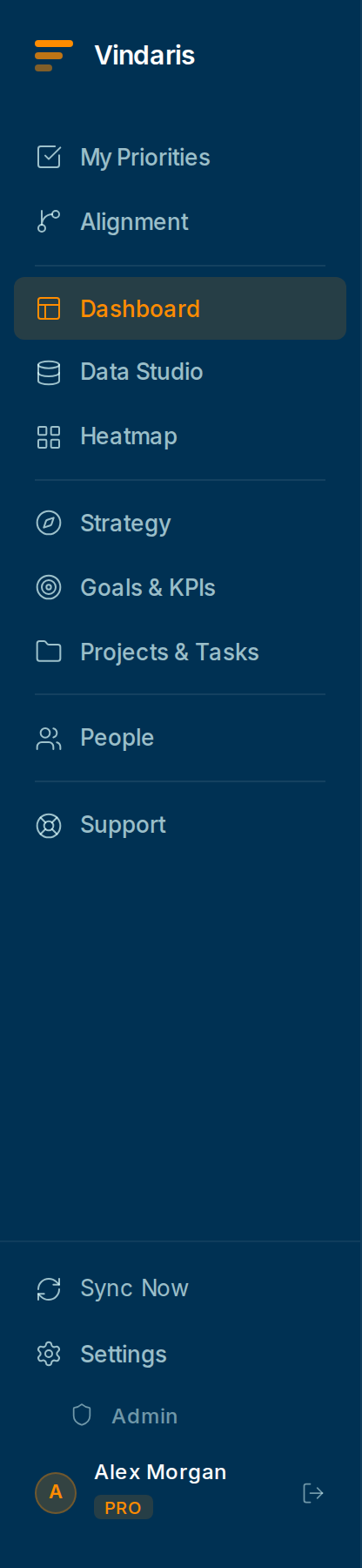
The left sidebar is your map of the product. - Start at My Priorities.This is your personal home: the tasks assigned to you, ordered by urgency. You will live here day to day.
- Use global search in the sidebar any time you know the name of a goal, project, person or task.The search box sits at the top of the sidebar (Ctrl+K opens it from anywhere) and searches everything you can see across the workspace, ranked by relevance and recency.
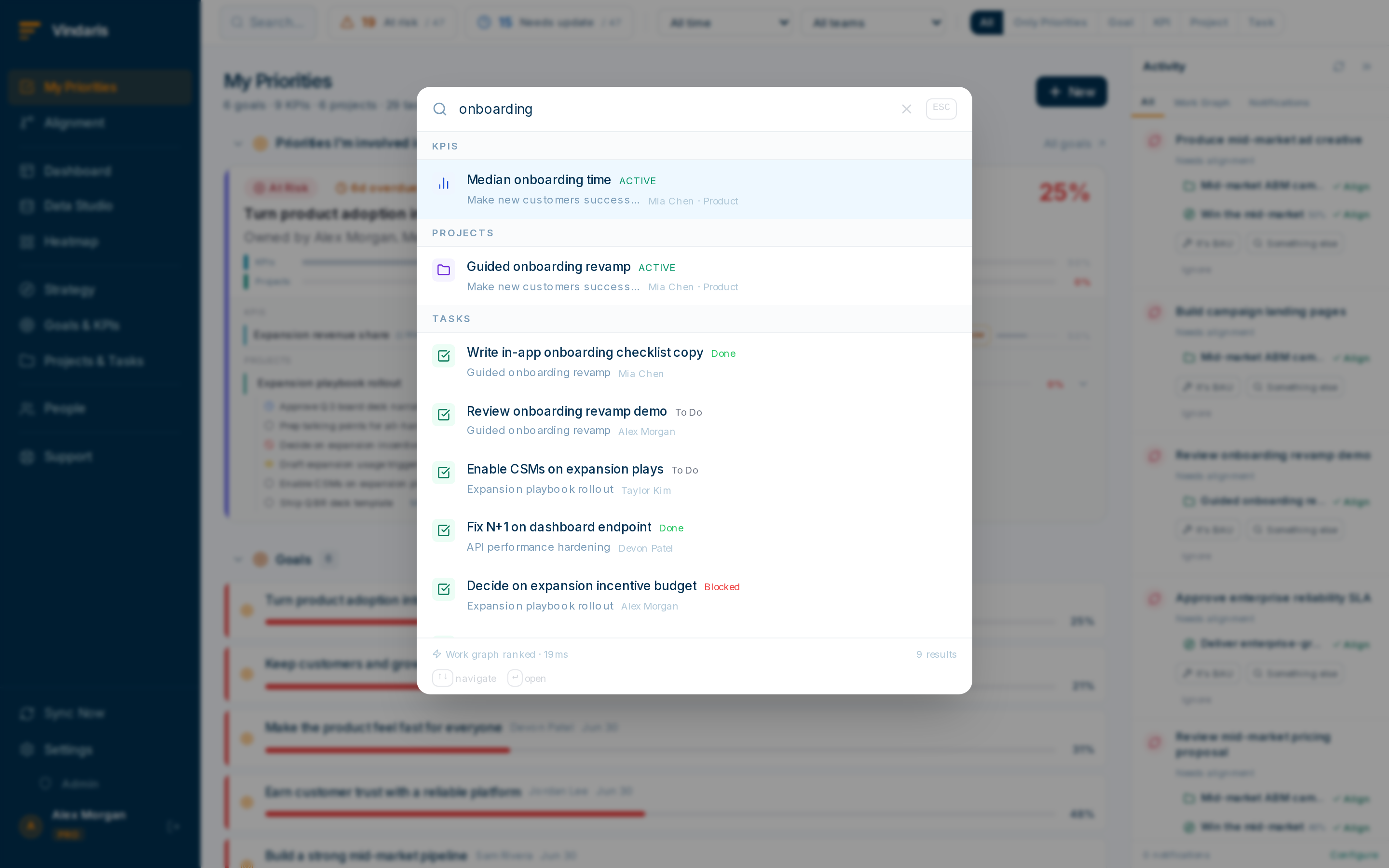
Search lives in the sidebar and spans the whole workspace.
You do not need a full strategy tree on day one. Create one goal you care about this quarter, link a couple of real tasks to it, and watch the Alignment view light up. Expand from there.
Ready to bring your team in? Continue with "Your first week: setting up the workspace".
When teams reach for this
Vindaris is built in four layers: a strategy sets the direction, goals make it measurable, projects carry the work, and tasks are the day-to-day. Each task links up to the goal it serves, which is what lets the Work Graph later flag work that no longer supports a priority.
Who it helps
Vindaris fits the founder, Chief of Staff or ops lead setting the tool up for the first time, and the early team members finding their way around. It suits scale-ups and mid-market companies, roughly 30 to 500 people, where several teams will share one map of the work.
Why it helps
At that size the hard part is not any single screen but seeing how strategy, goals, projects and tasks connect, because that structure is what later flags where effort has drifted. Getting the shape right in the first five minutes keeps the workspace legible as teams and goals multiply.
In practice
- See how the four building blocks connect. The tour walks strategy down to goals, projects and tasks, so you understand why each task links to a goal before you create anything. That link is what turns a to-do list into a map the Work Graph can measure against.ExampleA new founder follows the tour and creates one strategy, one goal and two tasks under it, so the first thing they see is progress rolling up rather than a flat list.
- Start from the top of the map. A short setup runs on the Strategy page the first time you sign in, so you begin from the direction and let goals, projects and tasks slot in beneath it. The structure comes first and the work hangs off it.ExampleA Chief of Staff spends the first two minutes naming the company's one strategy, then adds the quarter's goals beneath it, and the workspace already has a spine.
- Build a little, then grow it. The Getting Started checklist tracks what you have set up, so you can create one strategy and one goal now and add the rest as the work arrives. A workspace that grows with the team stays accurate, because nothing sits there unused.ExampleAn ops lead sets up a single goal in week one, invites two teammates, and expands to the full goal set only once people are logging work against it.
Vindaris maps your strategy, goals and KPIs down to every project and task, and the Work Graph flags execution risk wherever effort has drifted from the goal, with task-level context down to the Slack thread.
Put this into practice
Vindaris keeps strategy, goals, projects and tasks in one place, and the Work Graph flags execution risk before it costs you. Start free, no credit card.
Sign Up for Free