Staying ahead with risk alerts
Subscribe a dashboard, heatmap or saved view to risk alerts and get notified on change, then manage them in Settings.
Good fit if you do not want to discover a goal went red by opening a dashboard; you want to be told the moment it changes.
Dashboards are pull: you have to go and look. Risk alerts are push: subscribe to a view and Vindaris tells you when its risk picture changes, so a goal going red reaches you instead of waiting for your next check-in.
- On a Dashboard, Heatmap, Data Studio view, Projects view or the Alignment canvas, subscribe to its risk alerts.Use the bell control where risk data is shown. The subscription is tied to that specific view or widget.
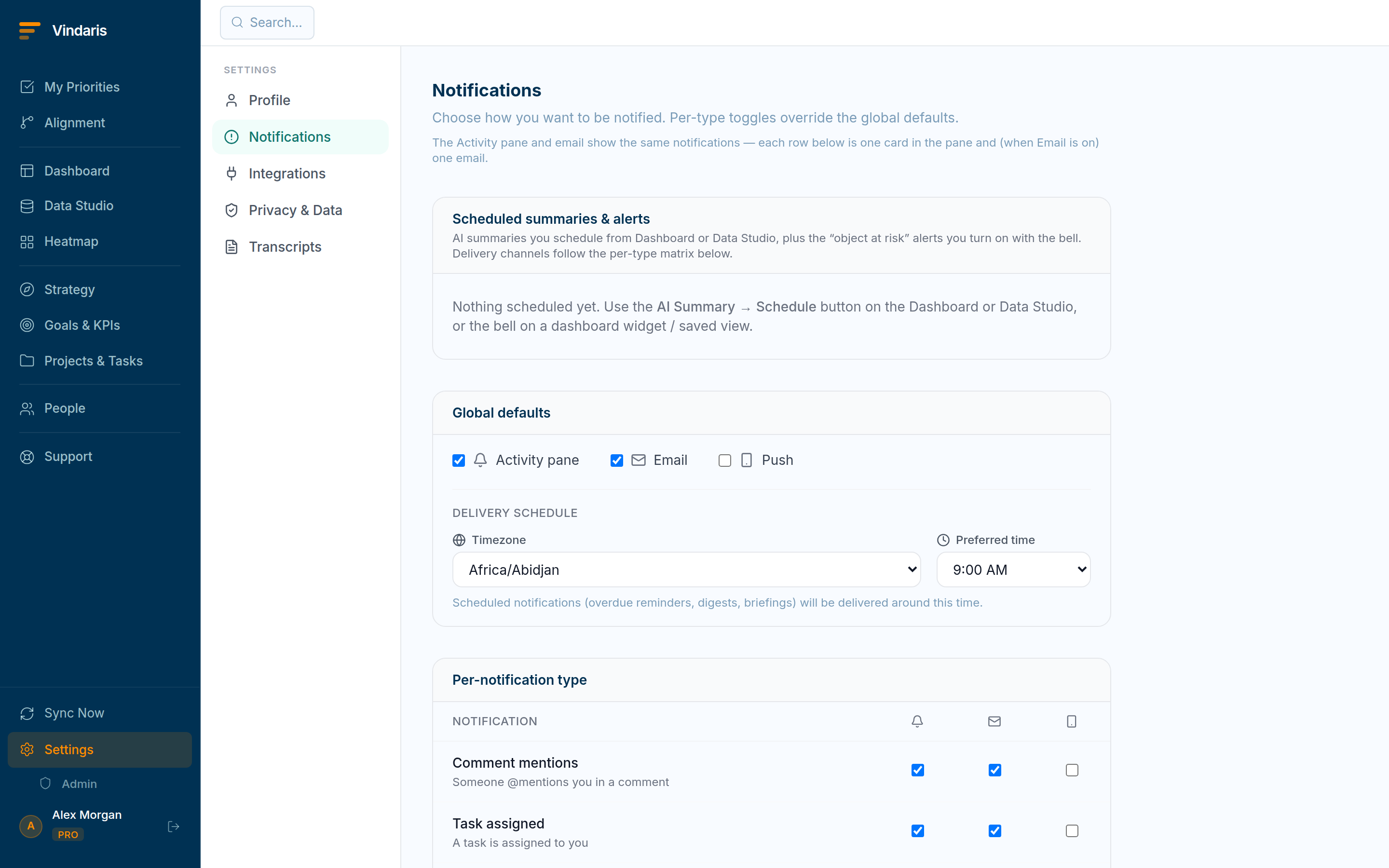
Risk subscriptions, managed alongside scheduled summaries. - Receive alerts "on change".Unlike scheduled summaries, risk alerts are event-driven: you hear about a status change when it happens, not on a cadence.
- Manage subscriptions in Settings → Notifications under "Scheduled summaries & alerts".Each risk alert shows its scope (the view or widget and page) and an unsubscribe control.
Subscribing to a curated view ("my team's goals", "the board portfolio") means you are alerted about exactly the slice you are responsible for, and nothing else. Per-goal alerts either flood you or miss the thing you forgot to subscribe to; a view stays correct as goals come and go inside it.
In Settings → Notifications you can route risk alerts to the Activity pane, Email and/or browser Push per the notification-type matrix. Put the ones you must not miss on Push so they reach your phone.
When teams reach for this
You subscribe a dashboard, heatmap or saved view to risk alerts, and Vindaris notifies you when something in it newly turns at-risk. You manage the subscriptions in Settings and choose the channel, so the alerts match how you work.
Who it helps
Vindaris fits the Chief of Staff, COO and team leads who own outcomes, and anyone accountable for a goal that must not slip quietly. It suits scale-ups and mid-market companies, roughly 30 to 500 people and multi-team, where no one can watch every dashboard.
Why it helps
At that size a goal can go red days before anyone opens the dashboard that would show it. Subscribing a view to risk alerts pushes a notification the moment something enters the at-risk set, so the problem reaches you instead of waiting to be found.
In practice
- Be told the moment something slips. A subscribed view notifies you when a goal or KPI newly enters the at-risk set, so you hear about the slip on the day it happens. You act on the change instead of discovering it at the next review.ExampleA goal tips to at-risk on Tuesday, and the Chief of Staff gets a Slack alert naming it, rather than finding it at Friday's review.
- Subscribe a view, not every goal. Subscribing a whole dashboard or saved view means you watch a curated set rather than drowning in an alert per goal. The subscription matches the slice you actually care about, so the alerts stay signal.ExampleA lead subscribes the team risk view, so alerts cover their team's goals and nothing from the rest of the org.
- Choose the channel that reaches you. You pick whether alerts arrive in-app, by email or in Slack, so the warning lands where you will see it. The alert reaches you on the channel you already watch rather than one you have to check.ExampleA COO routes risk alerts to a Slack DM, so the warning sits with the rest of the day's messages instead of in an inbox.
Vindaris maps your strategy, goals and KPIs down to every project and task, and the Work Graph flags execution risk wherever effort has drifted from the goal, with task-level context down to the Slack thread.
Put this into practice
Vindaris keeps strategy, goals, projects and tasks in one place, and the Work Graph flags execution risk before it costs you. Start free, no credit card.
Sign Up for Free