 ClickUp
ClickUp lists, connected to the objectives above them.
Vindaris syncs open tasks from a list you pick, or from the entire ClickUp workspace, and keeps status, priority, and comments attached. Everything stays in ClickUp for the people doing the work. The goal view is built from what they do there.
Free forever | Two integrations included | Your team keeps working in ClickUp
Open work only, with the discussion that comes with it.
ClickUp workspaces get large fast. Vindaris deliberately pulls the open surface rather than the archive, so the Work Graph reasons about work in flight instead of thousands of closed rows.
Scope the connection to a single list when one initiative matters, to a team, or across every team the account can reach when goals cut across the workspace.
Closed tasks and subtasks are excluded from the pull, which keeps the graph focused on the work that can still change a goal's outcome.
ClickUp priorities and statuses come across and map to Vindaris states, with reverse mappings so completing work in Vindaris writes back the status your list actually uses.
Comment threads are flattened from ClickUp's block format into readable text, so the reasoning on a stuck task is available to the Work Graph and to your review.
Rename, reschedule, or close on either side and the other follows. There is no second list for anyone to maintain.
Vindaris writes a short reference into the task description naming the goal it serves, so context travels with the work in ClickUp.
One OAuth grant, one scoping choice, then it runs.
Nothing is installed inside ClickUp and no data is migrated. Vindaris reads through the API and writes back only what you complete or edit in Vindaris.
Connect from the integrations screen. Tokens are stored encrypted per organization and scoped to the account that authorized them.
Pick a list, a team, or leave it workspace-wide. Narrow scopes keep the sync tight when only one squad drives the objective.
Vindaris suggests goal mappings from list, owner, and naming patterns. Approve what fits and leave the rest unmapped.
Progress is derived from task movement. When the tasks behind an objective stop moving relative to the target, the goal is flagged.
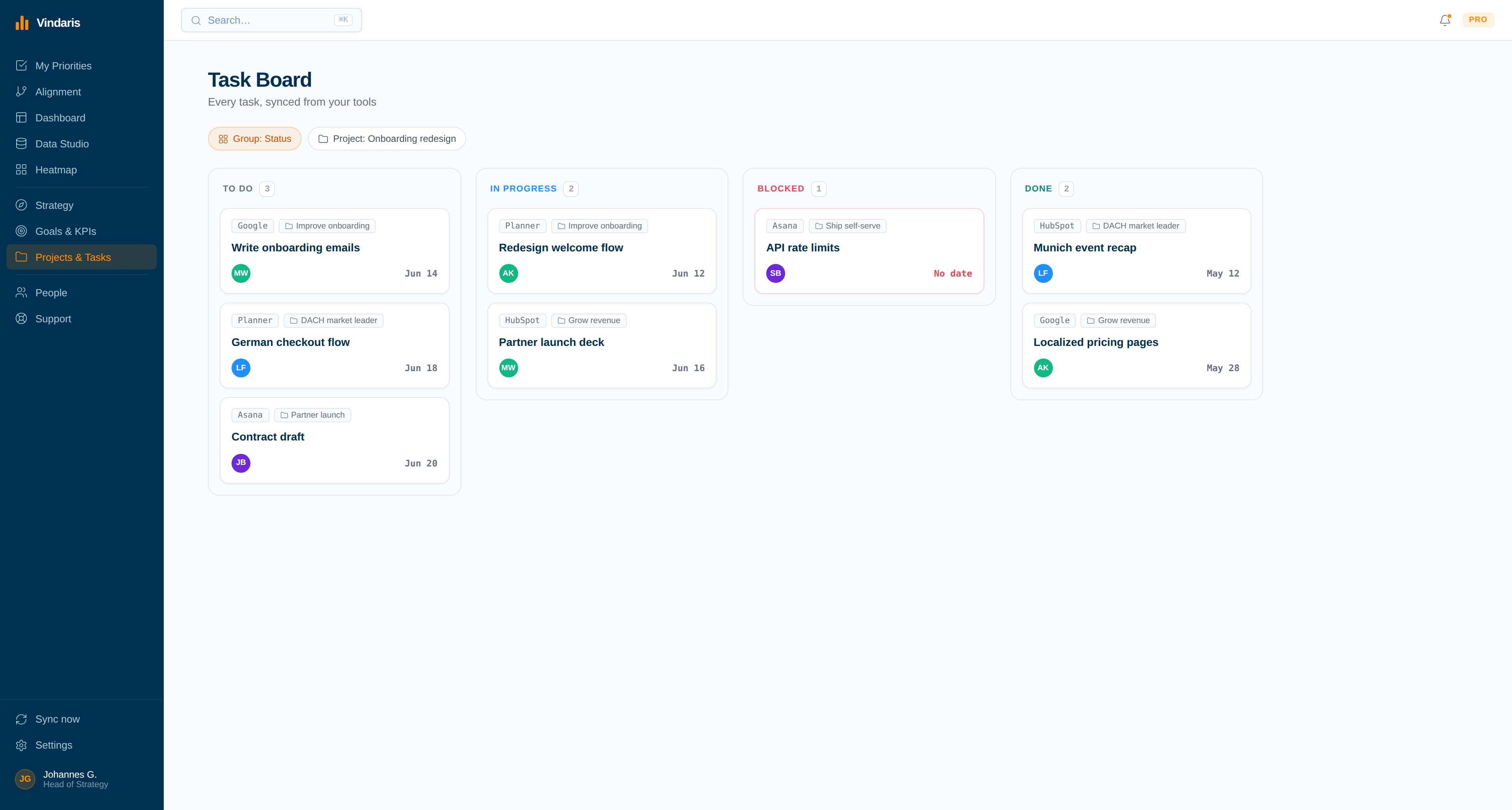
ClickUp tasks grouped by the goal they serve.
Each synced task keeps a ClickUp source tag and sits under its objective, so the split between goal work and everything else stops being guesswork.
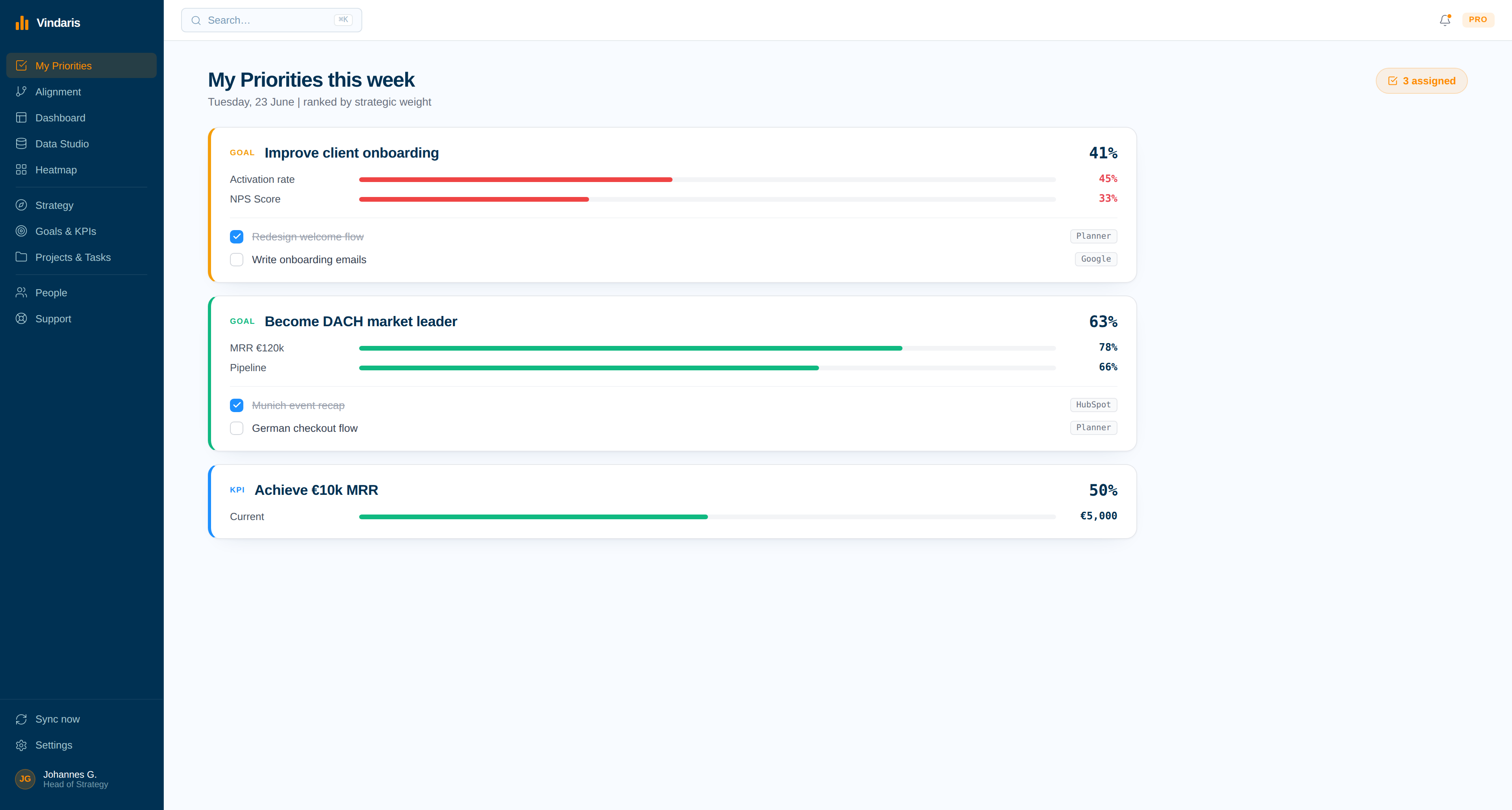
What each person owes the quarter this week.
Owners see the ClickUp work tied to their goals in one list, ranked by the strategic weight of what it feeds rather than by whichever list they opened last.
ClickUp can hold everything. That is exactly the problem at goal level.
A flexible workspace absorbs every kind of work, which is why ClickUp usually ends up holding the strategic initiative and the office move in the same set of lists. Once that happens, a list view says nothing about whether the quarter is on track, and anyone who wants to know has to reconstruct it by hand from several lists.
Vindaris keeps the goal layer separate and connects it downward. Tasks stay in ClickUp, the objective lives in Vindaris, and the link between them is what produces progress. When a team's ClickUp activity is high but almost none of it maps to a goal, that shows up as an alignment finding rather than as a suspicion someone raises after the number is missed.
Where to go next
ClickUp and Vindaris, answered
Can I sync one ClickUp list instead of the whole workspace?
Yes. A connection can be scoped to a single list, to a team, or left open across every team the authorized account can reach. Narrow scopes are the usual choice when one squad owns the objective.
Are closed ClickUp tasks imported?
No. The sync pulls open tasks and skips closed items and subtasks, which keeps the Work Graph focused on work that can still change a goal's outcome rather than on years of archive.
Do ClickUp comments sync?
Yes. Comment threads are flattened from ClickUp's block format into readable text and used as context on the task, so the reasoning behind a stalled item is available in reviews and to risk detection.
What happens when I complete a task in Vindaris?
Vindaris writes the status your list actually uses back to ClickUp, following the reverse mapping on the connection. Your custom statuses are respected rather than replaced with a generic done state.
Turn ClickUp activity into a picture of the quarter.
Connect ClickUp in a couple of minutes. Free forever for goal management, two integrations included.
Connect ClickUp freeNo credit card | No migration | Nobody leaves ClickUp
