 Gmail
Gmail
Label an email, and the commitment inside it becomes tracked work.
Client requests, supplier deadlines, and half the promises a company makes arrive by email and stay there. Vindaris turns the ones you label into tasks mapped to a goal, then clears the label when the work is done.
Free forever | Two integrations included | Your team keeps working in Gmail
Your existing labels are the interface.
There is no new inbox habit to learn. You already triage mail with labels, so Vindaris uses the labels you pick as the signal for what deserves to become tracked work.
Choose which of your existing Gmail labels feed Vindaris. Mail without those labels is never pulled in.
Each labelled message becomes a task carrying the subject, the sender name and address parsed from the header, and a link back to the thread.
Those tasks connect to the objective they serve, so email-driven commitments count toward the same progress as everything else.
Finishing the task in Vindaris removes the label from the message, which keeps the inbox and the plan agreeing with each other.
The thread can be archived at the same time, so completing work in Vindaris actually clears your inbox rather than adding to it.
Thread activity is available as context on the task, so a commitment that is being renegotiated by email is visible as such.
Connect the account, choose the labels, map the goals.
The connection is user-level. Nobody needs to hand over a shared mailbox or ask an administrator for delegated access.
Connect the account from the integrations screen. Tokens are encrypted and refreshed automatically.
Select which labels feed Vindaris. Many teams use an existing follow-up or commitments label rather than creating a new one.
Confirm which objective each email-born task supports, so client promises are visible next to planned work.
Complete the task and the label comes off. The inbox and the goal stay in agreement without a second pass.
Email commitments sitting next to planned work.
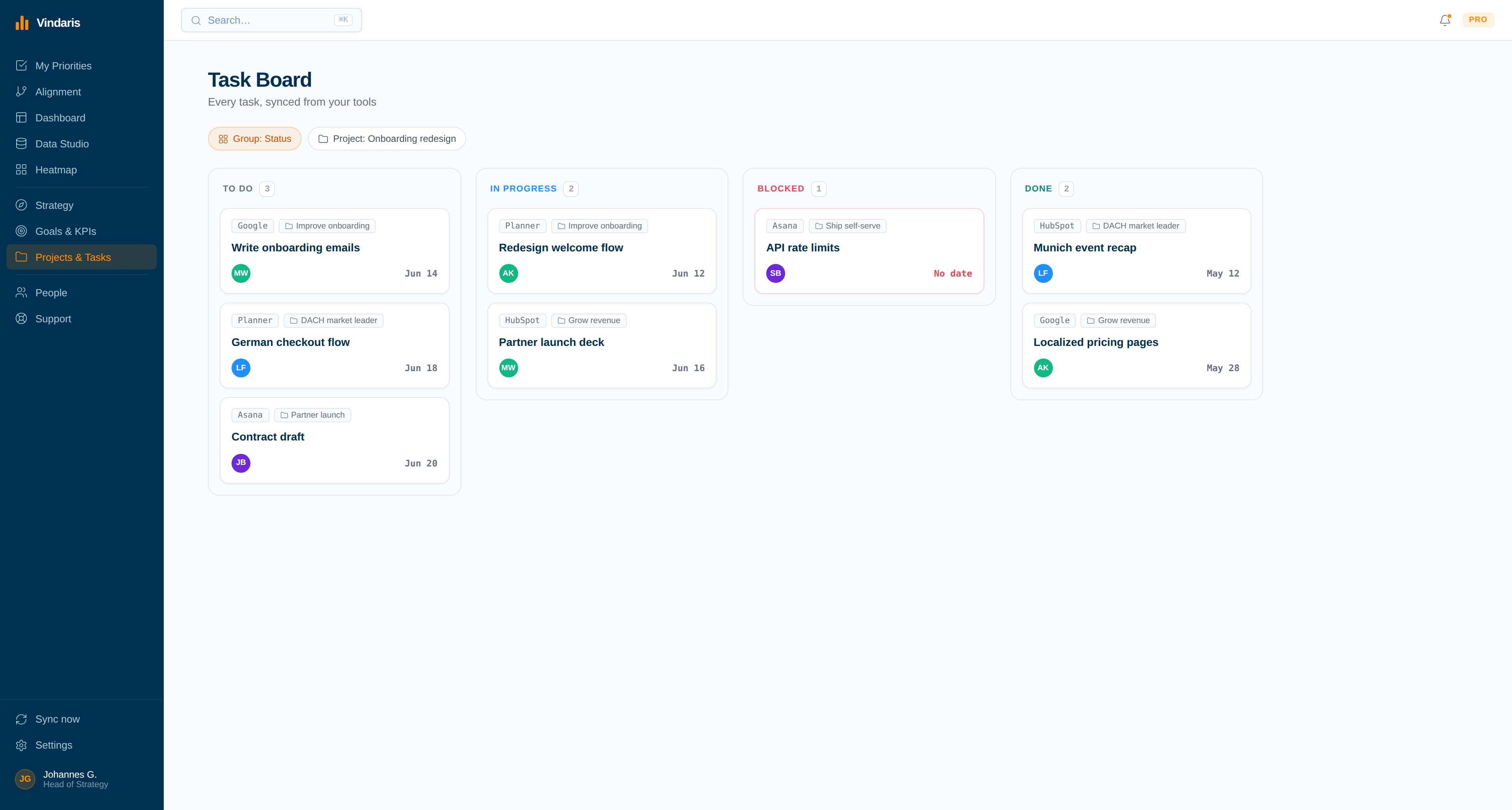
A labelled email arrives with a Gmail source tag under the objective it affects, which makes unplanned client work visible instead of invisible overhead.
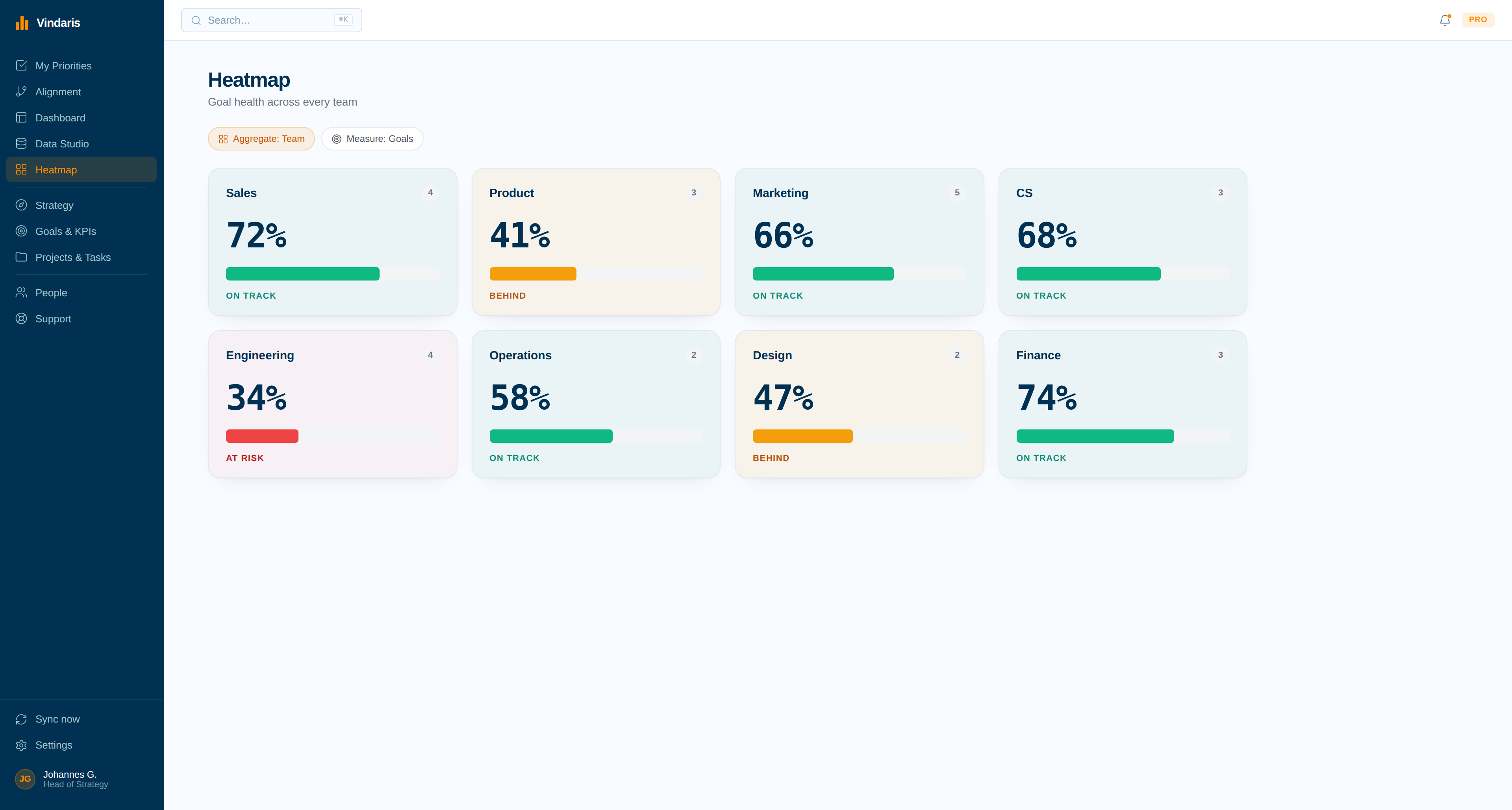
How much of the quarter is reactive.
When a large share of a team's tracked work arrives by email rather than from the plan, the heatmap shows it, which is usually the first honest measure of interrupt load.
The commitments that break a quarter are usually the ones nobody planned.
A customer asks for something in an email. Someone says yes. It never enters any planning tool, so it consumes two engineering weeks that were allocated to an objective, and the objective slips for reasons that look mysterious on the dashboard.
Labelling that email into Vindaris makes the trade visible at the moment it happens rather than at the review. The work counts, it has an owner, and it either maps to a goal or shows up as effort spent outside the plan. Both answers are useful. The one thing that helps nobody is the promise living only in a thread.
Where to go next
Gmail and Vindaris, answered
Does Vindaris read my whole mailbox?
No. Only messages carrying the labels you select are pulled in. Unlabelled mail is never read, and you can change the selected labels at any time.
Do I need to create a new Gmail label?
Not necessarily. Most teams point Vindaris at a label they already use for follow-ups. If you prefer a dedicated one, the integration falls back to a single named label.
What happens to the email when I finish the task?
Vindaris removes the selected label from the message and can archive the thread at the same time, so completing work in Vindaris also clears your inbox instead of leaving a duplicate to triage.
Can email work be reported separately from planned work?
Yes. Tasks created from Gmail carry a source tag, which makes it straightforward to show how much of a team's quarter arrived by email rather than from the plan.
Get the promises out of the inbox and into the plan.
Connect Gmail in a couple of minutes. Free forever for goal management, two integrations included.
Connect Gmail freeNo credit card | No migration | Nobody leaves Gmail
