 Microsoft To Do
Personal task lists that count toward the company objective.
Most individual commitments never reach a strategy tool because nobody wants to type their day into two places. Vindaris syncs a To Do list two ways, so the work someone actually plans in the morning is the work leadership sees rolled up.
Free forever | Two integrations included | Your team keeps working in Microsoft To Do
The list someone actually uses, connected upward.
To Do is where personal accountability lives in a Microsoft shop. Vindaris treats that list as a real work source rather than something too small to matter, because a stalled personal commitment is often the first visible sign of a goal in trouble.
Choose the To Do list that holds work relevant to a goal. Personal errands can stay in another list and never touch Vindaris.
Tick it off in To Do and the goal updates. Complete it in Vindaris and To Do reflects it, so the morning list stays authoritative.
Due dates and task notes sync across, including a watermark naming the goal, so the reason for a task travels with it.
Reverse mappings decide what Vindaris writes back on completion, which keeps the connection predictable for people who live in the list.
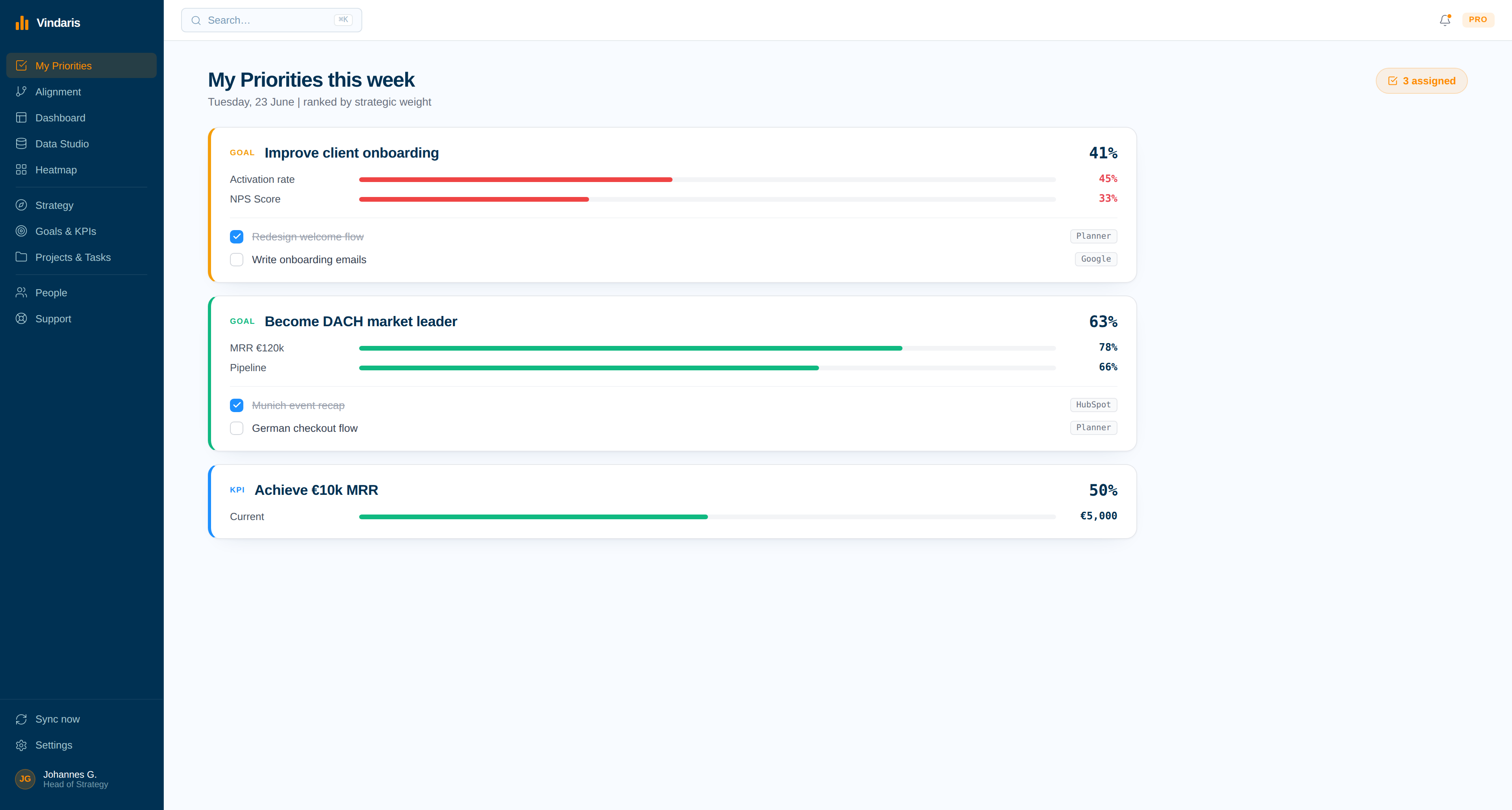
Synced tasks appear in each person's priority view ranked by the strategic weight of the goal behind them, not by whichever list was opened last.
The To Do connection uses a separate consent from the Excel integration, so the two never overwrite each other's tokens.
Sign in, choose the list, map the work.
This is the lightest connection Vindaris offers. It fits people who plan their day in To Do and should not be asked to plan it twice.
Authorize the To Do scope. Tokens are stored encrypted and refreshed on their own schedule.
Pick the list that carries goal-relevant commitments. Everything else stays private and unsynced.
Confirm which tasks serve which objective. Unmapped tasks remain visible as effort that is not pointed at a goal.
Progress and pace on the objective are derived from those completions, with no separate weekly update required.
One ranked list per person, drawn from their own tools.
To Do items arrive alongside work from every other connected tool and get ordered by what the goals need this week, so the individual view is useful rather than duplicated.
The commitment that quietly went stale.
A personal task that has sat untouched while its goal's deadline approaches is exactly the signal the Work Graph exists to raise, early and without blame.
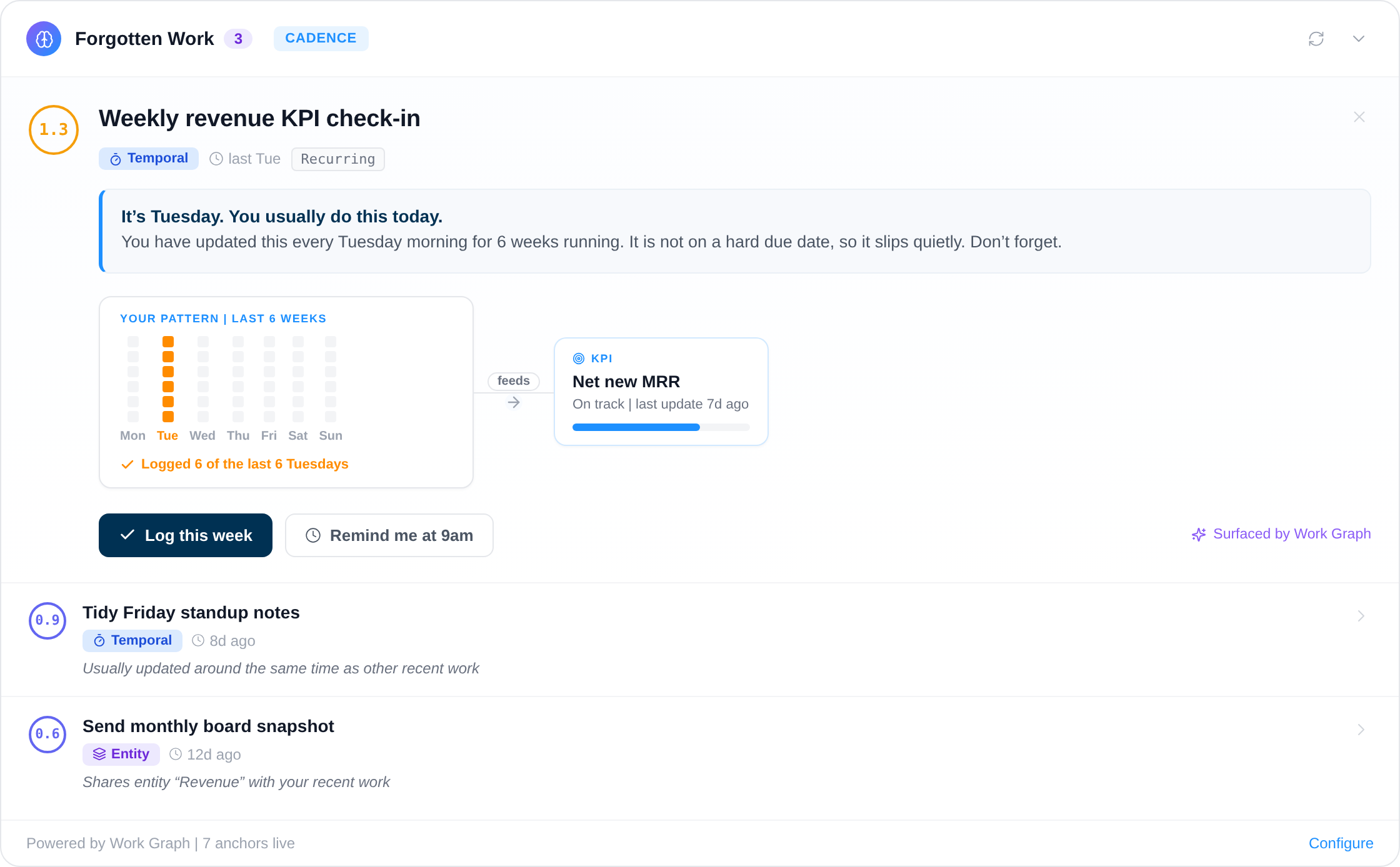
The smallest unit of execution is one person's list.
Strategy tools tend to stop at the team level because individual work is considered noise. In practice, the first evidence that an objective will be missed is usually one person's list, where the task that unblocks everything has been carried forward for three weeks without comment.
Vindaris reads that layer. A To Do list connects to the goals its owner supports, progress rolls up from real completions, and the Work Graph weighs pace against the target date. Nobody has to file a status update, and nobody has to keep a second copy of their day in a strategy tool they open once a month.
Where to go next
Microsoft To Do and Vindaris, answered
Will my personal tasks be visible to my company?
Only the list you connect is read. Keep private items in a different To Do list and Vindaris never sees them. Within the connected list, synced tasks follow your organization's normal visibility rules.
Does it conflict with the Excel integration?
No. The To Do connection uses its own Microsoft consent and its own stored tokens, so connecting Excel later never overwrites it and neither connection interferes with the other.
What happens if I complete a task in Vindaris?
The linked To Do task is marked complete through the Microsoft Graph API, using the reverse mapping on the connection. The list beside your day stays accurate whichever tool you closed the task in.
Is one person's task list really useful at strategy level?
It is often the earliest signal. An objective usually slips because a specific commitment has sat untouched for weeks, and that is visible on a personal list long before it shows on a team dashboard.
Let the daily list feed the quarterly goal.
Connect Microsoft To Do in a couple of minutes. Free forever for goal management, two integrations included.
Connect To Do freeNo credit card | No migration | Nobody leaves Microsoft To Do
