 Notion
Your Notion database, mapped to goals without rebuilding it.
Notion has no fixed task schema, so Vindaris does not pretend it does. You point at a database, tell it which of your properties mean status, priority, due date, and description, and the sync works with the structure your team already invented.
Free forever | Two integrations included | Your team keeps working in Notion
Property mapping instead of assumptions.
The reason most Notion integrations feel broken is that they assume a schema. Vindaris asks you which property names to use, then reads and writes only those, which means an existing team database works untouched.
Pick which properties carry status, priority, due date, and description during setup. Nothing in your database has to be renamed or restructured to fit a template.
Each connection is scoped to a single database, so a projects database and a personal tasks database stay separate rather than merging into one undifferentiated pile.
Comments on a page sync as context, and notes written in Vindaris post back as Notion comments, so the discussion does not fork across two tools.
Completing linked work in Vindaris sets your status property to the value your database uses, using the reverse mapping you configure.
Separately from task sync, a number property on a single page can feed a KPI directly, which suits teams whose metric already lives in a Notion table.
The integration runs on Notion's data source API, so databases with multiple sources behave correctly rather than silently syncing one of them.
Share the database, map four properties, confirm the goals.
Notion permissions are explicit. Vindaris only ever sees the pages you share with the integration during the OAuth step.
Connect through Notion OAuth and select the pages or databases the integration may access. Everything else in the workspace stays invisible to Vindaris.
Choose which database holds the work. Vindaris reads its available properties and shows them for mapping.
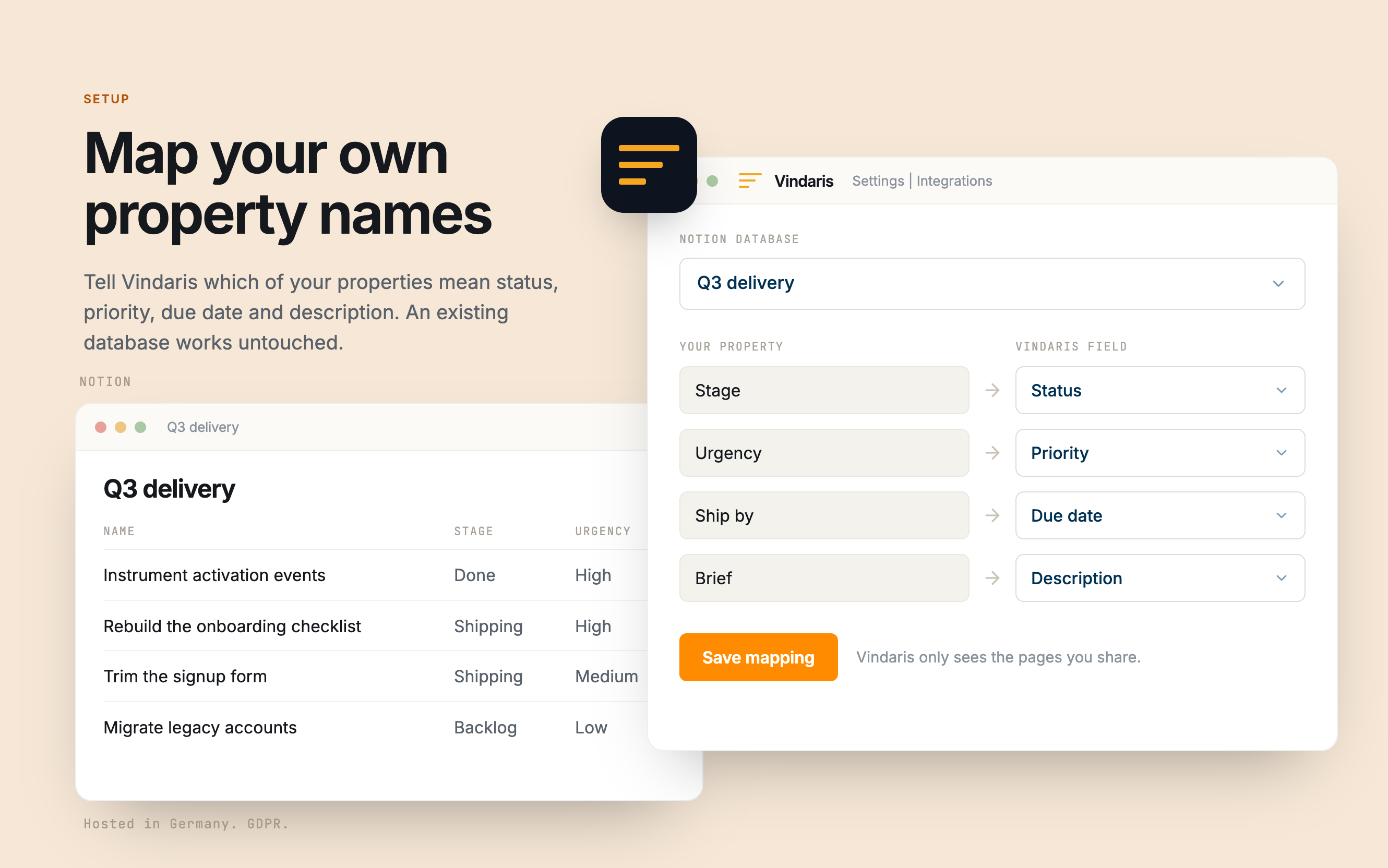
Tell Vindaris which property is status, priority, due date, and description. This is the step that makes an existing team database work without edits.
Approve the suggested mapping between pages and objectives, then let progress derive itself from page status as the team works.
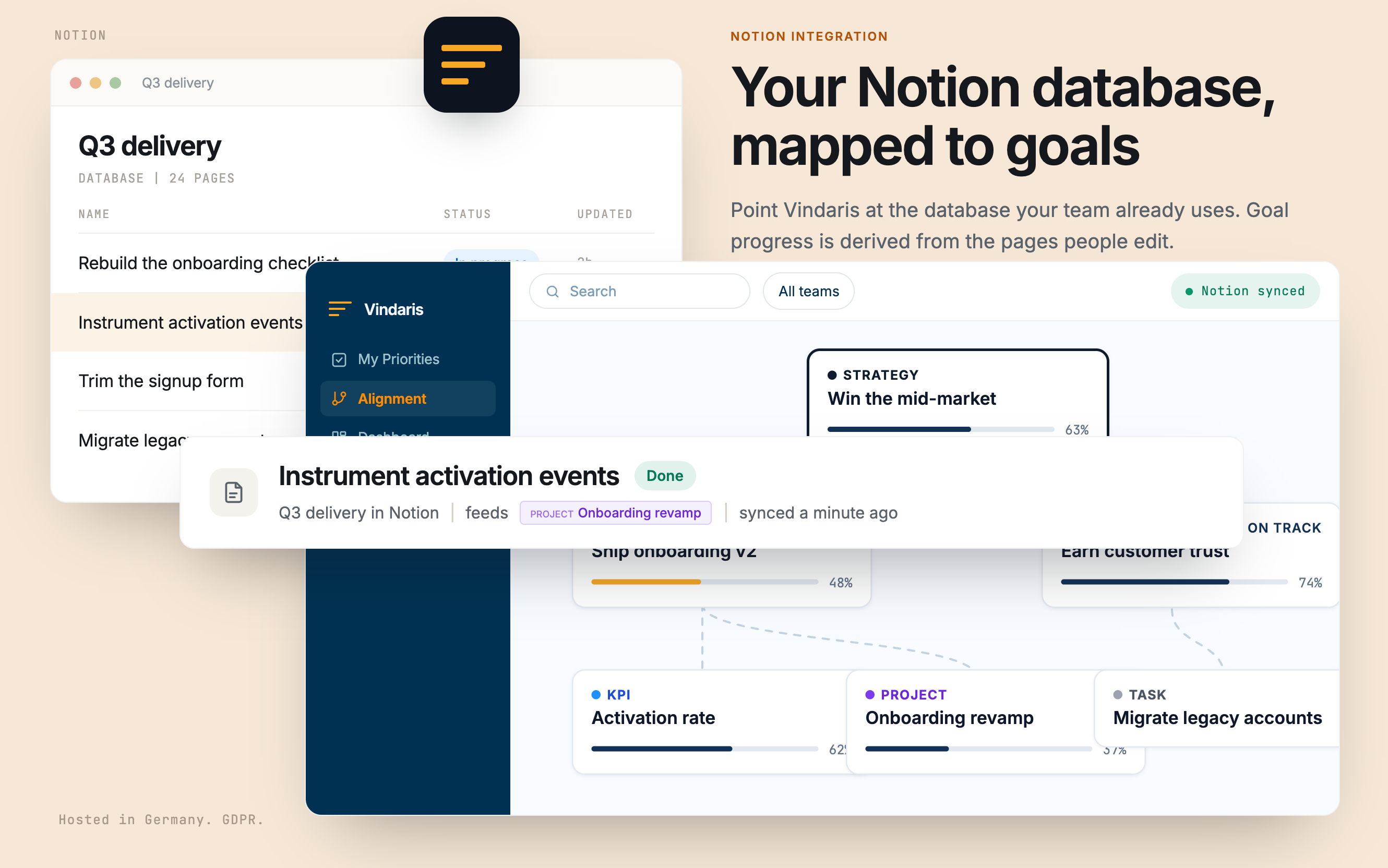
Your Notion database, mapped to goals.
Point Vindaris at the database your team already uses. Goal progress is derived from the pages people edit, so it no longer depends on someone maintaining a rollup formula.
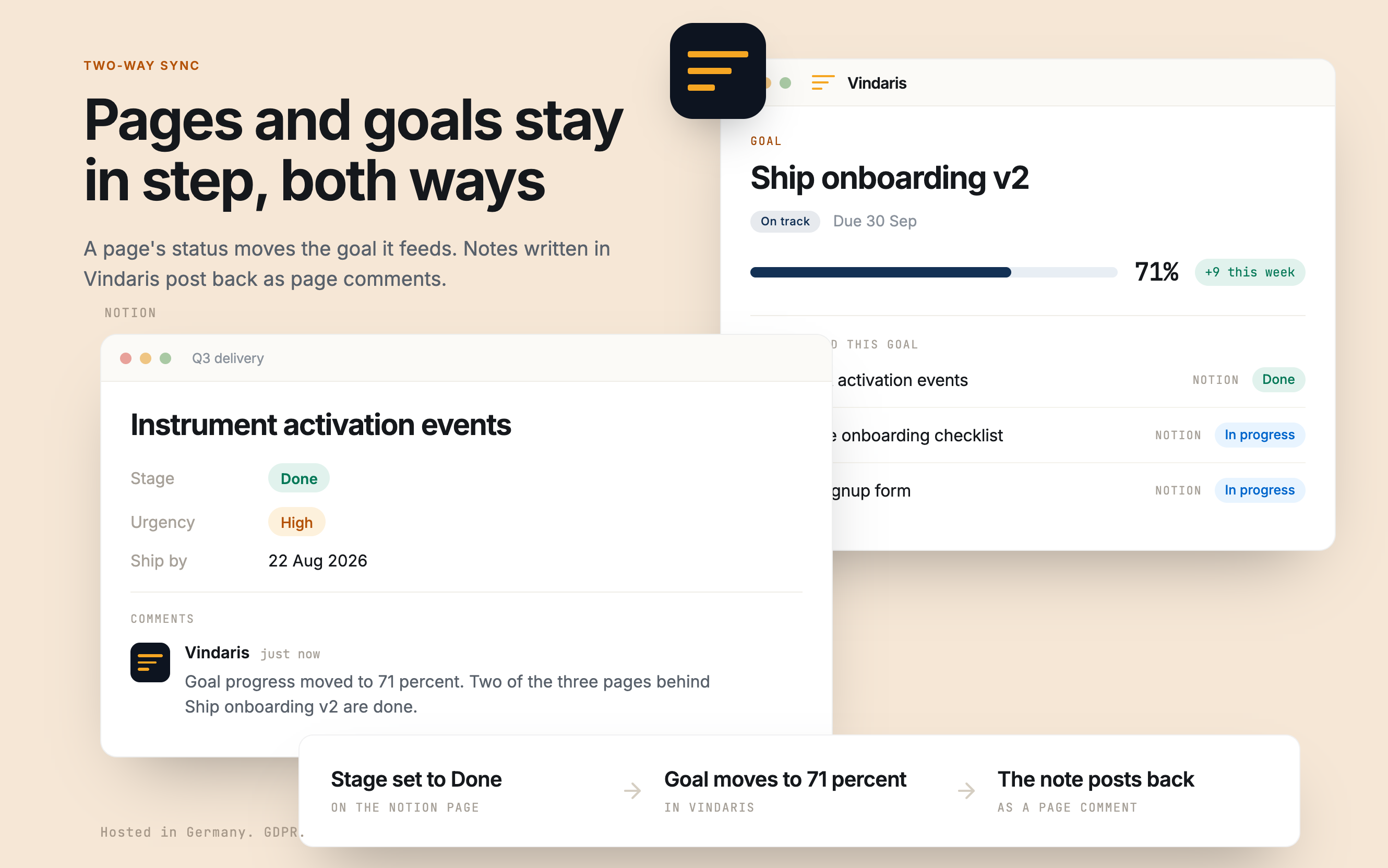
Pages and goals stay in step, both ways.
A page's status moves the goal it feeds. Notes written in Vindaris post back as page comments, so the record stays where each person is already reading it.
Map your own property names.
Tell Vindaris which of your properties mean status, priority, due date and description. An existing database works untouched, and Vindaris only sees the pages you share.
Notion will hold your OKRs. It will not tell you they are slipping.
Every Notion OKR setup starts well. Someone builds a beautiful database, adds rollups and a progress bar, and for about six weeks it reflects reality. Then updating the table becomes a chore nobody owns, the formulas keep producing numbers anyway, and the dashboard stays green because a green formula does not need input to look confident.
Vindaris does not ask you to leave Notion. It reads the pages your team edits as part of doing the work, derives goal progress from those page states, and applies pace analysis against the target. If the underlying pages stop moving, the goal turns amber. The number stops depending on whoever remembered to update the table on Friday.
Where to go next
Notion and Vindaris, answered
Do I have to restructure my Notion database?
No. During setup you tell Vindaris which of your existing properties carry status, priority, due date, and description. The integration reads and writes only those, so a database your team already uses works untouched.
How much of my Notion workspace can Vindaris see?
Only what you share during the OAuth step. Notion permissions are explicit per page and database, so anything you do not select stays invisible to the integration.
Can a Notion property feed a KPI?
Yes, and it is separate from task sync. A number property on a single page can be bound to a KPI, which suits teams whose metric is already maintained in a Notion table.
Does it support databases with multiple sources?
Yes. The integration runs on Notion's current data source API rather than the older single-database endpoint, so multi-source databases sync correctly instead of silently returning one source.
Keep the workspace. Lose the manual rollup.
Connect Notion in a couple of minutes. Free forever for goal management, two integrations included.
Connect Notion freeNo credit card | No migration | Nobody leaves Notion
