 Slack
Slack
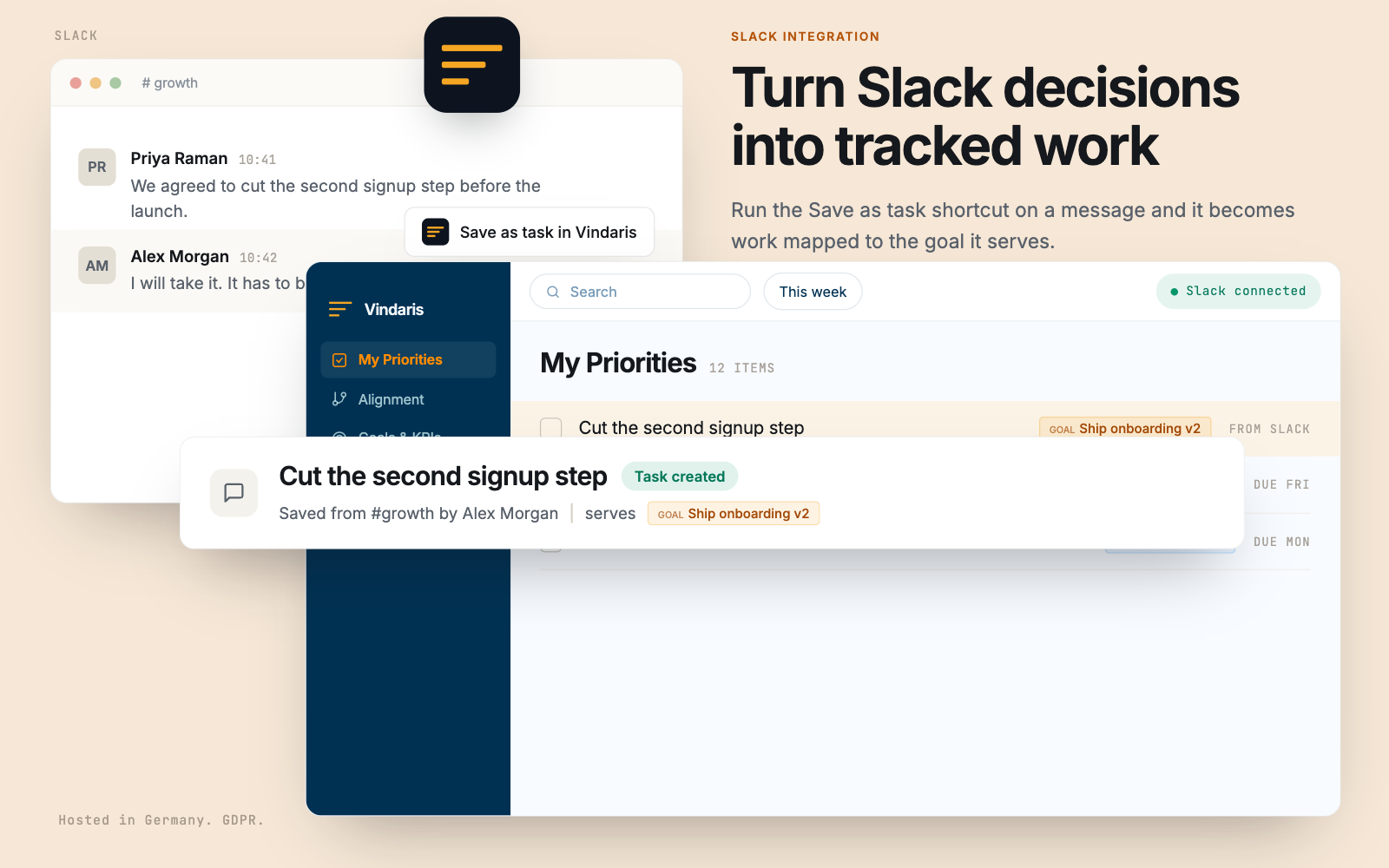
The thread where the decision was made, attached to the goal it changed.
Most tools sync a percentage out of a project tracker. Vindaris reads the conversation too. Save a message for later and it becomes tracked work. Bind a channel to a goal and the discussion around that goal becomes context the Work Graph can use.
Free forever | Two integrations included | Your team keeps working in Slack
Capture, context, and alerts, from the tool nobody has to be persuaded to open.
Slack is where commitments are made and then lost. Vindaris treats it as three things at once: an inbox for work, a source of context on the work, and the channel where a risk finding actually gets read.
Save a message for later in Slack and Vindaris creates a task from it in real time through the Events API, so a commitment made in a thread stops depending on memory.
Use the Vindaris message shortcut on any message to turn it into tracked work, with a confirmation posted back to whoever triggered it.
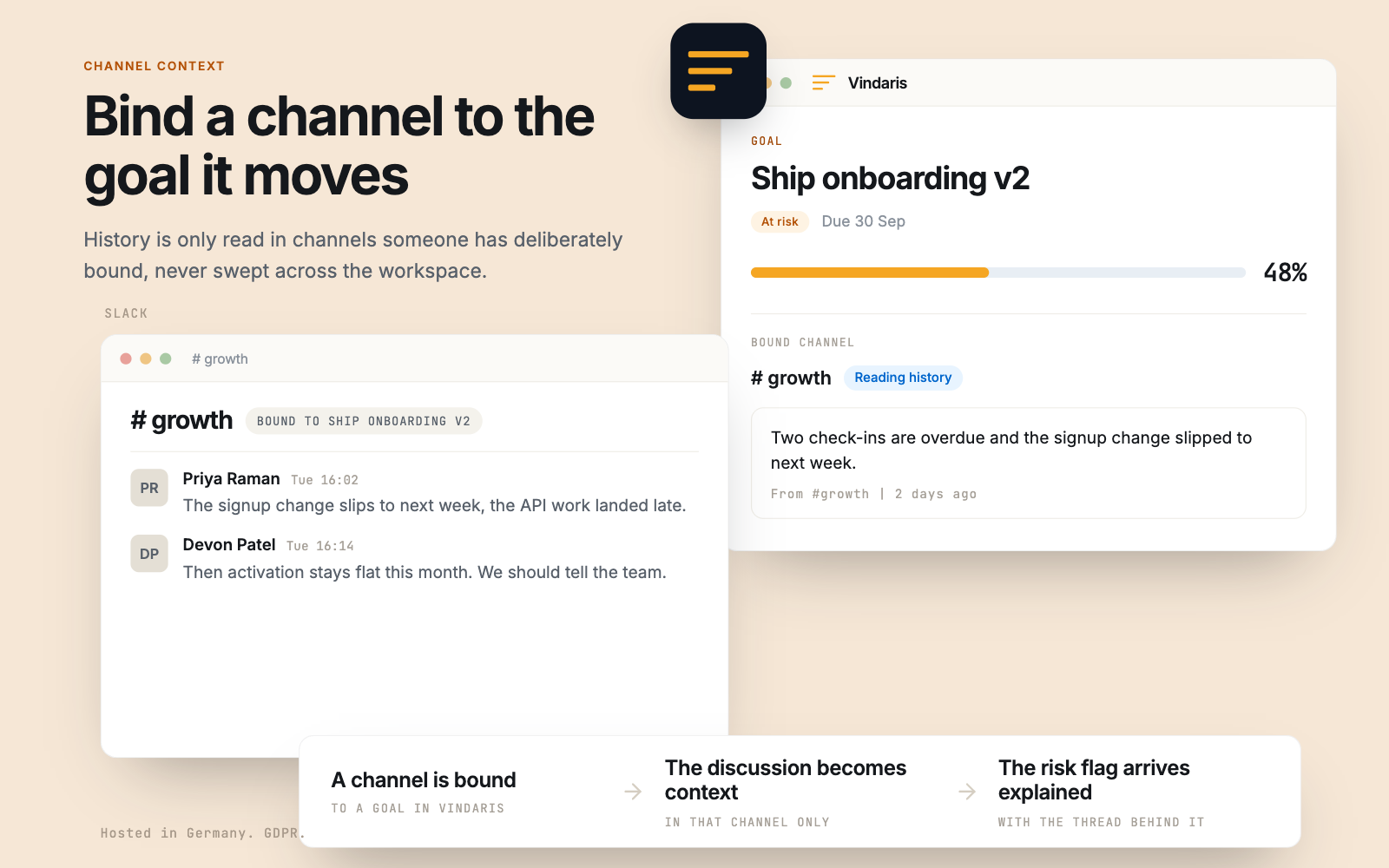
Bind a channel to a strategy, goal, KPI, project, or task. Conversation in that channel becomes context attached to that part of the graph.
That conversation is what makes task-level risk detection specific. Not just that a task stalled, but that the thread around it has been arguing about a dependency for two weeks.
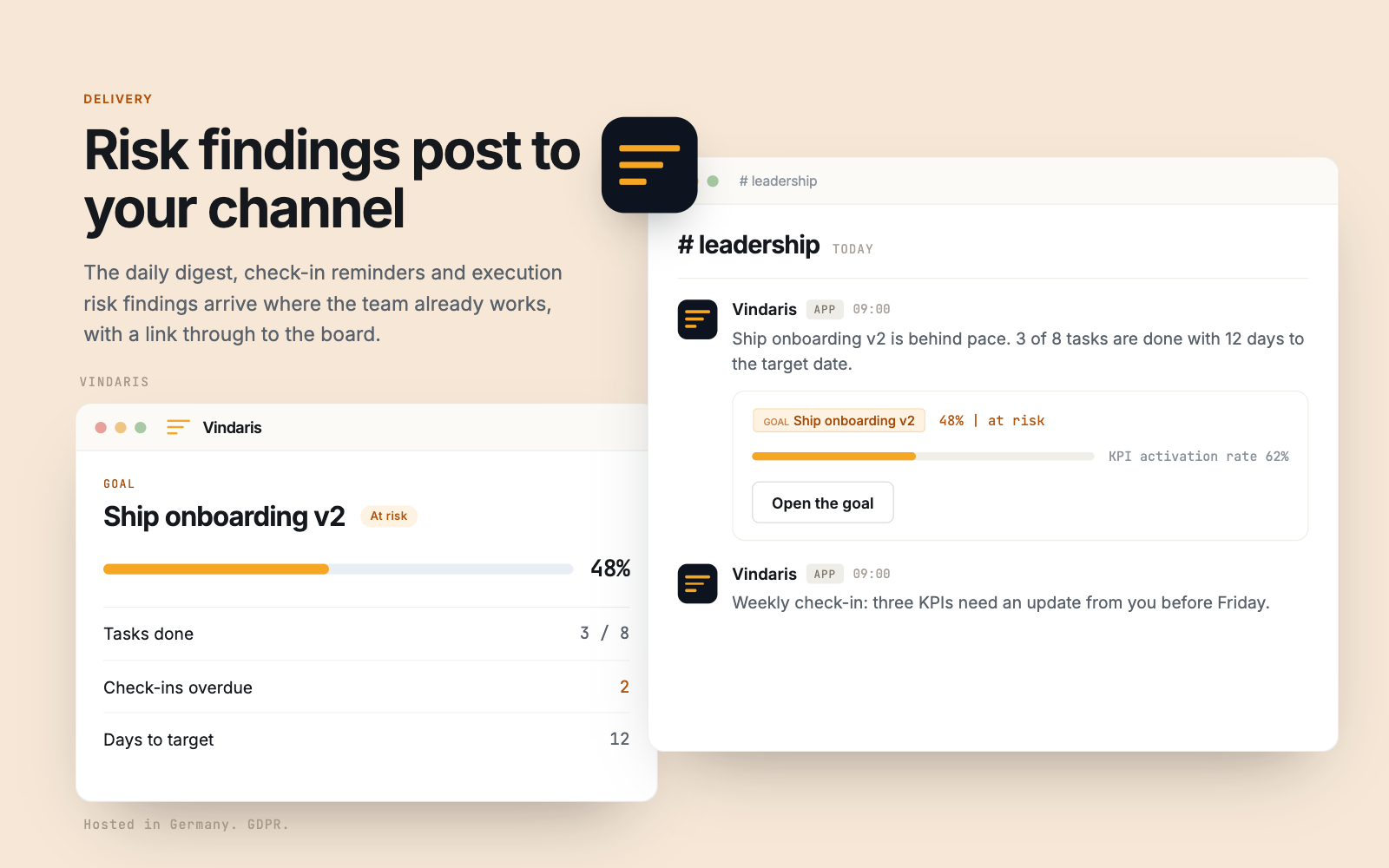
Goal changes, check-in reminders, and Work Graph findings are delivered into Slack instead of an email digest nobody expands.
Completing the work in Vindaris updates the originating Slack item, so the loop closes visibly for the person who raised it.
Install the app, bind a channel, choose what gets announced.
Slack is usually the first integration teams connect, because it needs no project structure and starts producing value the same day.
Install through OAuth. Every inbound event is verified against Slack's signing secret before Vindaris acts on it.
Save a message for later, or run the message shortcut, and the item appears in Vindaris ready to be mapped to a goal.
Attach the channels where a goal, KPI, or project is actually discussed. This is what gives the Work Graph its conversational context.
Decide which goal events and risk findings post to which channel, so the warning reaches the people who can act on it.
The decision in the thread becomes tracked work.
Run the save as task shortcut on the message where the commitment was made. It arrives in Vindaris carrying who saved it, the channel it came from, and the goal it serves.
Bind a channel to the goal it moves.
History is only read in channels someone has deliberately bound, never swept across the workspace. The discussion in that channel becomes context the Work Graph can reason about.
Risk findings post to your channel.
The daily digest, check-in reminders and execution risk findings arrive where the team already works, with a link through to the board.
Strategy quietly changes in Slack, and no plan ever hears about it.
A team decides in a thread on Tuesday to drop half a project scope. Everyone in the channel agrees, the work shifts, and the plan in the strategy tool keeps describing the version that was abandoned. Nobody lied. The record simply lives in a place the plan cannot read.
This is the difference Vindaris is built around. Because bound channels feed the Work Graph, the divergence between what the plan says and what the team is discussing becomes detectable rather than anecdotal. It is also why the risk alerts land in Slack: a finding delivered into the room where the decision was made has a chance of changing it.
Where to go next
Slack and Vindaris, answered
How do I turn a Slack message into a task?
Two ways. Save the message for later and Vindaris creates a task from it through the Events API, or run the Vindaris message shortcut on any message. Both post a confirmation back to you in Slack.
What does binding a channel to a goal do?
It attaches that channel's conversation to a specific strategy, goal, KPI, project, or task as context. That context is what lets the Work Graph explain why something is at risk rather than only that it is.
Does Vindaris read every channel in my workspace?
No. Only channels you explicitly bind are used for context, and inbound events are verified against Slack's signing secret before Vindaris acts on them.
Can risk alerts be posted to Slack?
Yes. Goal changes, check-in reminders, and Work Graph findings can each be routed to a chosen channel, which is usually where a warning actually gets acted on.
Read the conversation your plan is missing.
Connect Slack in a couple of minutes. Free forever for goal management, two integrations included.
Connect Slack freeNo credit card | No migration | Nobody leaves Slack
