A dashboard for your mid-week risk check
Build a focused risk dashboard that shows only what's off-track, so problems find you before you go looking for them.
Good fit if you are the person who has to catch a problem mid-week, before it reaches the Friday review.
A risk dashboard answers one question: what is slipping? By filtering to only off-track items, you get a board that is blank on a good week and loud on a bad one, exactly the signal-to-noise ratio you want for a mid-week check.
Build it
- Open Data Studio and start a new view on the Goals data type.
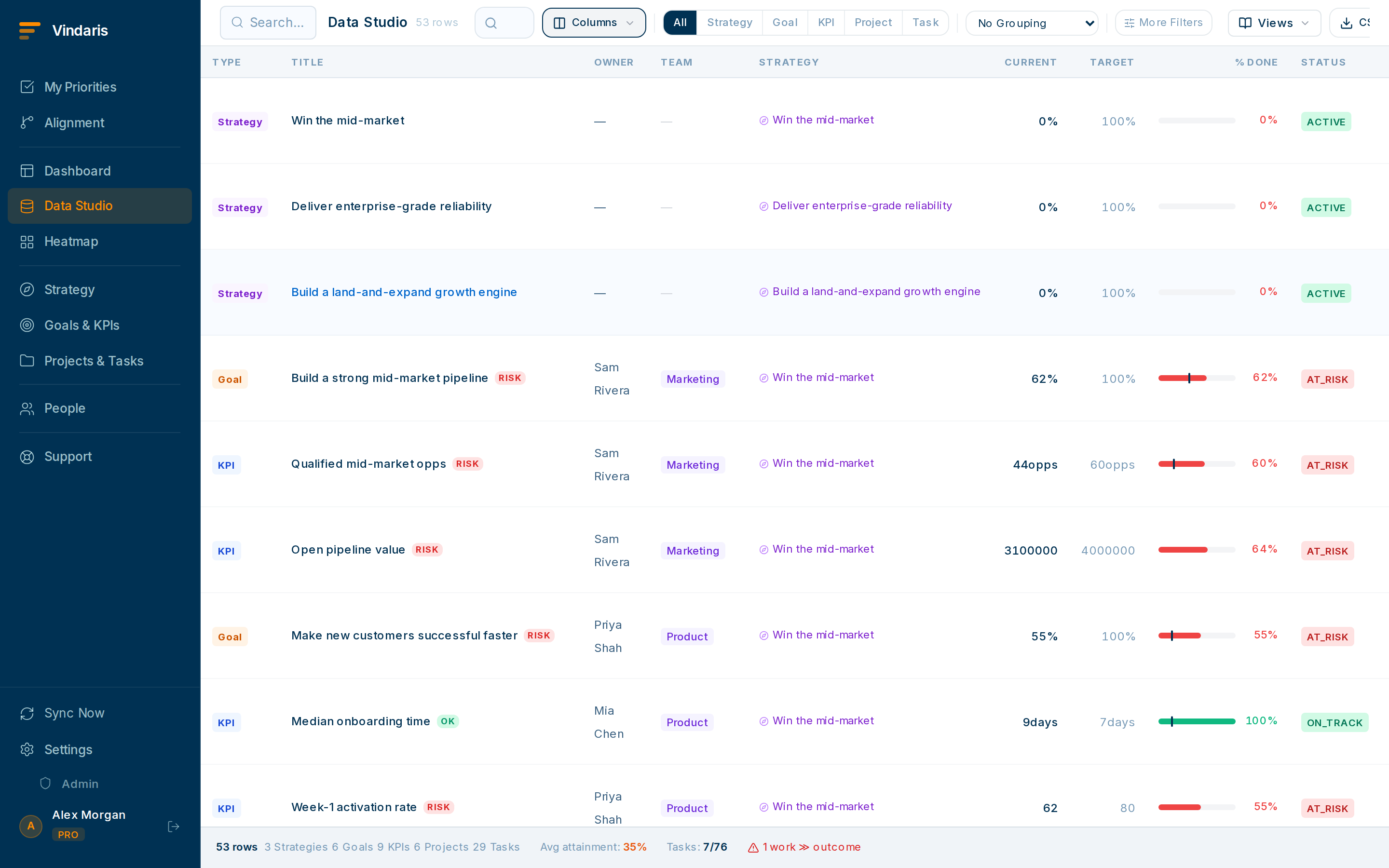
Start from Goals, then filter down to risk. - Add a filter: Health is At-risk or Off-track.This drops every healthy goal out of view in one move.
- Add a second filter for overdue or due-this-week, and include the owner column.Now each row tells you what's slipping, who owns it, and how soon it bites.
- Add a second block for Tasks filtered to Blocked.Blocked tasks are leading indicators: they turn green goals red if ignored.
- Click "Save view", name it "Mid-week risk check", and pin it.Saved views appear in the left sidebar of Data Studio for one-click access every Wednesday.
Attention is the scarce resource. A dashboard that shows all 200 goals trains you to ignore it. A dashboard that is empty until something is wrong earns a glance every time, because a non-empty one always means "act now".
Pair the saved view with a risk-alert subscription so Vindaris notifies you (in-app or Slack) when something newly enters the at-risk set. You may not even need to open the dashboard.
When teams reach for this
A risk dashboard is a saved Data Studio view filtered to the goals, KPIs and tasks that are off their pace. The Work Graph measures each goal against the rate it needs to hit its target and flags the ones falling behind, so the board fills itself with what is slipping.
Who it helps
Vindaris fits the Chief of Staff and the COO who own the operating cadence across several teams, and the CEO or founder who keeps getting surprised when a green quarter misses the number. It is built for scale-ups and mid-market companies, roughly 30 to 500 people and multi-team, where the goals in flight are past what one person can scan each week.
Why it helps
Once there are more than a handful of teams, reading everything every week stops working, so problems reach the review before they reach you. A risk dashboard inverts that. The board stays blank on a good week and names the slipping goal and the task blocking it on a bad one, so a mid-week check takes a minute and the problem finds you in time to act.
In practice
- Catch execution risk before the review. The Work Graph measures pace against each goal and flags the KPIs that cannot be reached at the current rate, so the miss shows weeks before a month-end review would surface it. You act on the problem while it is still forming.ExampleA KPI for "support tickets resolved within 24 hours" is pacing to land at 78 percent against a 90 percent target. It appears on the Wednesday board in week two, leaving three weeks to add capacity.
- Surface stalled or forgotten work. The view filters to work that has gone quiet, lost its owner, or run past its due date, so the task that slipped two weeks ago shows up now. Blocked tasks sit here too, because a blocked task is the leading indicator that turns a green goal red.ExampleA migration task with no activity for 12 days and no owner since a teammate left appears on the board, and the COO reassigns it before it drags the quarter's platform goal.
- Let the dashboard find you. Pair the saved view with a risk-alert subscription and Vindaris pushes a message to Slack, Teams or email the moment something new enters the at-risk set, so on a calm week you may not open the board at all. A quiet board is itself the signal that nothing needs you.ExampleOn Monday afternoon a goal tips from on-track to at-risk when its key result flatlines. The Chief of Staff gets a Slack note naming the goal and its owner, and handles it without waiting for Wednesday.
Vindaris maps your strategy, goals and KPIs down to every project and task, and the Work Graph flags execution risk wherever effort has drifted from the goal, with task-level context down to the Slack thread.
Put this into practice
Vindaris keeps strategy, goals, projects and tasks in one place, and the Work Graph flags execution risk before it costs you. Start free, no credit card.
Sign Up for Free