A dashboard to show a team's work and focus
Build a team view that reveals where effort is actually going, and whether it matches the goals that matter.
Good fit if you lead a team and want a standing picture of what everyone is working on and whether effort matches the priorities.
This dashboard answers two questions at once: what is my team working on, and is that the right thing? When effort and priority diverge, this is where you catch it.
Build it
- In Data Studio, create a Tasks view filtered to your team.Group by assignee to see each person's active load side by side.
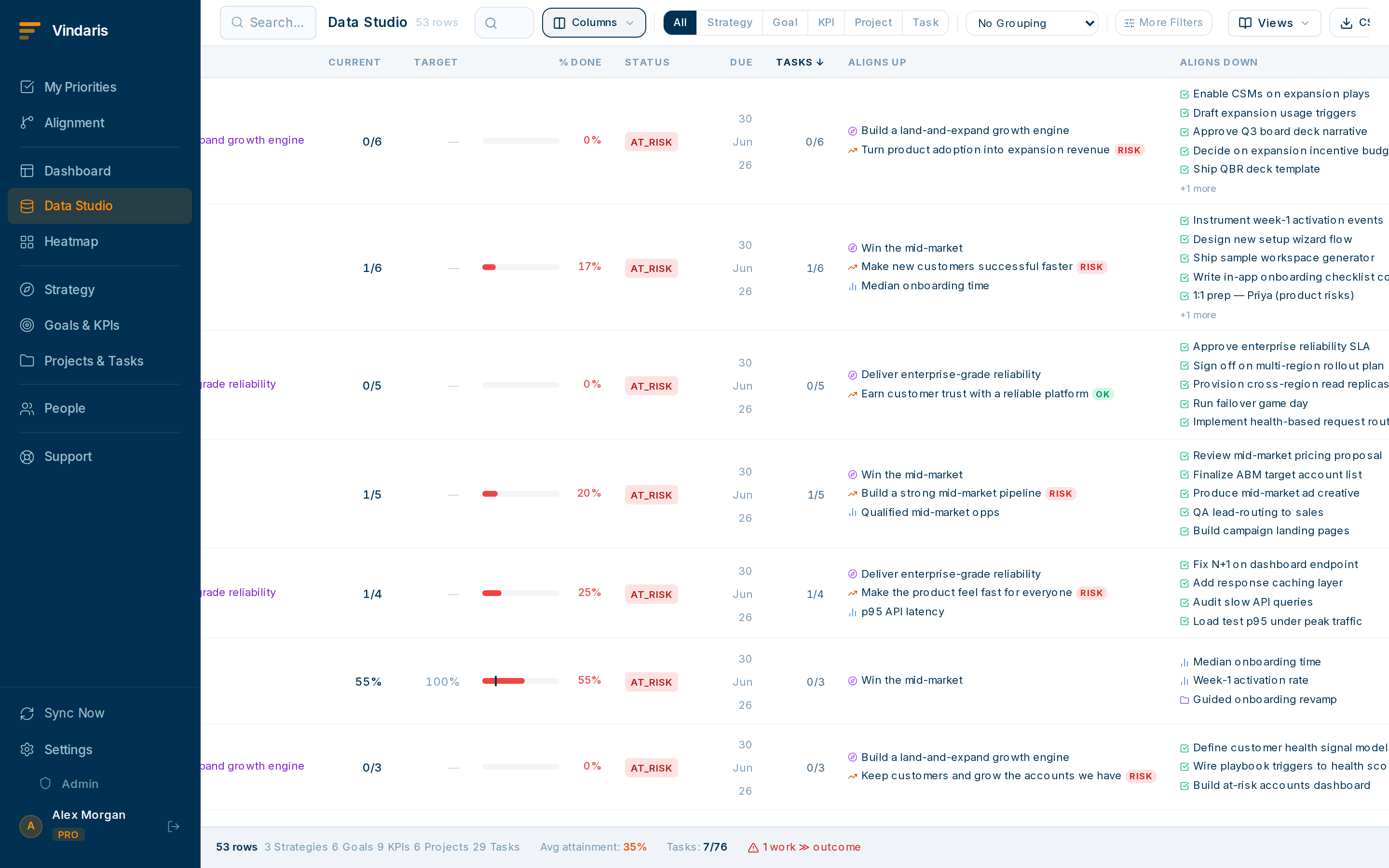
Effort by person, with the goal each task serves. - Add the linked-goal column.This is the focus check: it shows whether each person's work actually connects to a priority goal or is floating unaligned.
- Add a second block grouping tasks by goal.Now you see the inverse: which priority goals are getting real effort and which are starved.
- Save it as "Team focus" and revisit weekly.Unlinked tasks and starved goals are your two action items every week.
Unlinked tasks aren't necessarily bad, but they're invisible to the strategy story and the roll-ups. Seeing them lets you make a deliberate call: link it, deprioritise it, or accept it as keep-the-lights-on. The danger is unlinked work you didn't notice was eating the week.
If a person's task list looks light but the activity heatmap shows them busy, work is happening outside Vindaris. That's a prompt to bring it in, or to ask what's really going on.
When teams reach for this
A team-focus view is a saved view scoped to your team: everyone's active work, grouped so you can see what it serves. It flags tasks that connect to no goal, which is the Work Graph's first signal that effort has drifted from the strategy.
Who it helps
Vindaris fits the team lead, manager or COO who owns a team's output, and the Chief of Staff watching focus across teams. It suits scale-ups and mid-market companies, roughly 30 to 500 people, where a team's effort can quietly drift off the goals that matter.
Why it helps
At that size a lead can see that people are busy but not whether the work serves the priorities, so effort leaks into tasks that support no goal. A team-focus view shows where effort actually goes and flags work linked to nothing, so you can redirect it before a quarter is spent on the wrong things.
In practice
- See where the team's effort actually goes. Group the team's active work by goal so you can see which priorities are getting attention and which are starved, rather than guessing from standup. The view makes the real distribution of effort visible.ExampleA team lead sees that half the open tasks sit under a maintenance goal and the strategic goal has three, and rebalances the week.
- Flag work that serves no goal. The view surfaces tasks linked to no goal, which is usually where unplanned work hides, so you can link it or question it. Unlinked work is the leak the Work Graph is built to catch.ExampleA manager finds eight unlinked tasks eating a developer's week, traces them to an ad-hoc request, and gets the time back for the roadmap.
- Cross-check focus against the heatmap. Pair the team view with the risk heatmap to see whether the places effort is going are also the places that are slipping, so attention lands where it is needed. Two angles on the same team catch what one misses.ExampleA COO sees a team pouring effort into a green goal while an amber one next to it has no owner, and moves a person across.
Vindaris maps your strategy, goals and KPIs down to every project and task, and the Work Graph flags execution risk wherever effort has drifted from the goal, with task-level context down to the Slack thread.
Put this into practice
Vindaris keeps strategy, goals, projects and tasks in one place, and the Work Graph flags execution risk before it costs you. Start free, no credit card.
Sign Up for Free