Claude
AI assistant
Ask Claude which goals are at risk, and it answers from your Vindaris workspace.
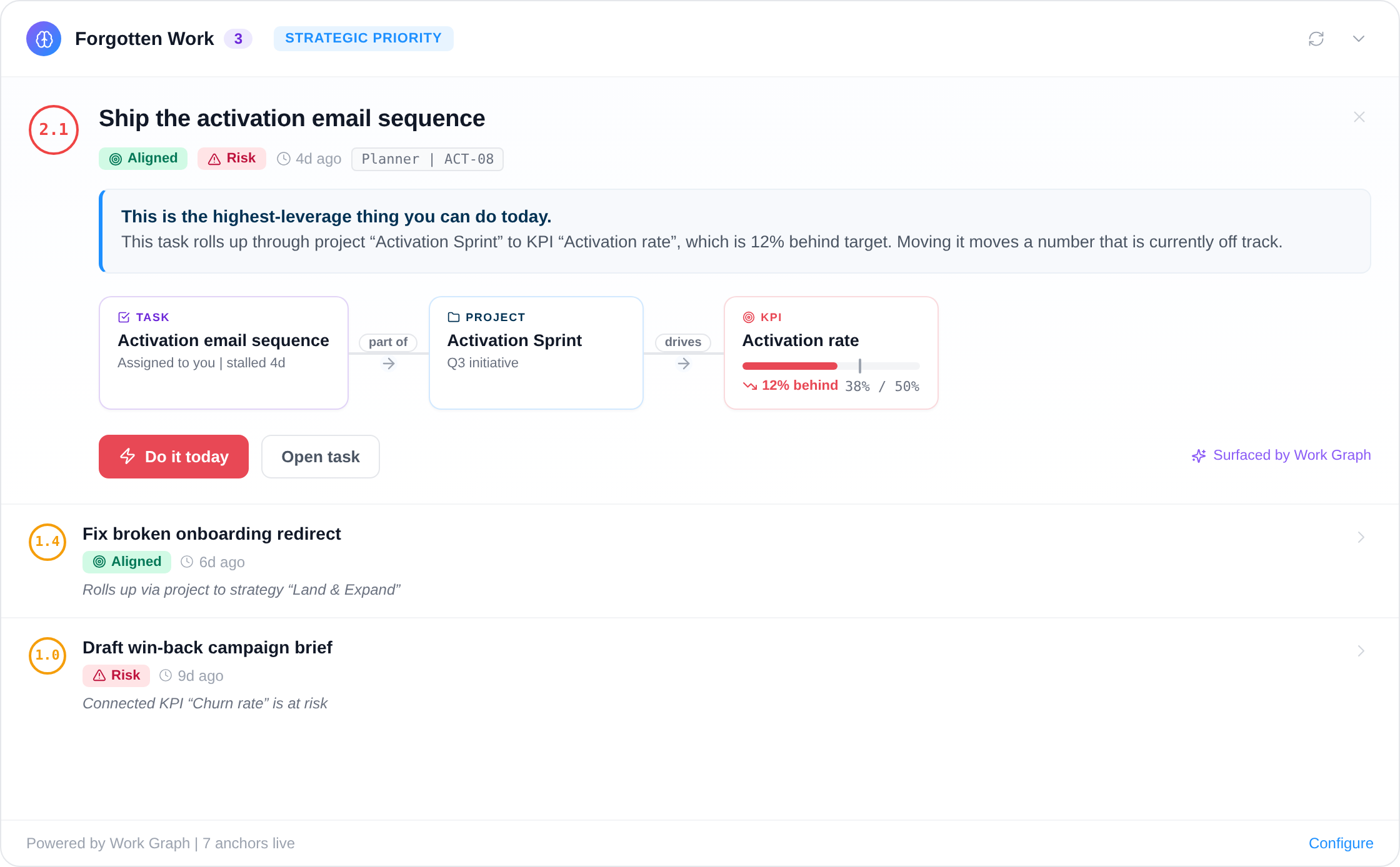
Vindaris is the AI context layer for strategy execution. It analyzes work activity across all your tools and tells employees their highest priority every day. The Vindaris connector brings that context into Claude, so Claude can read your strategies, goals, KPIs, projects and tasks, and act on them within the permissions an admin sets.
What Claude can do with Vindaris
Claude reads the plan and the risk on it, then acts where you allow it.
Vindaris is a Community connector in Claude's Connectors Directory. Once it is added, Claude answers from your live workspace instead of from whatever was pasted into the chat. Reading comes first. Writing is a separate permission.
Read the plan and how it aligns
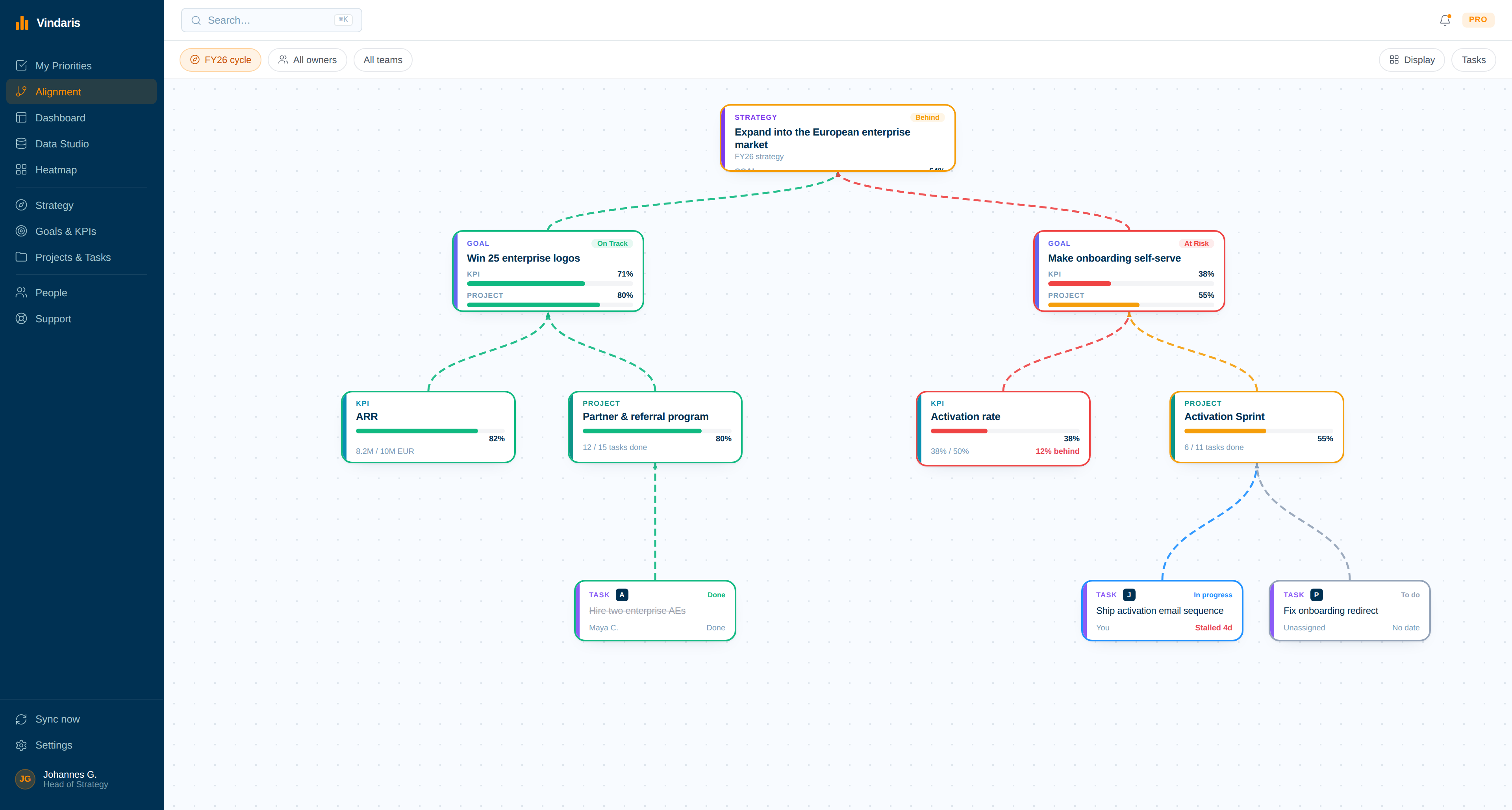
Claude can list and open strategies, goals, KPIs, projects and tasks, including how each one aligns to the level above it.
Pull Work Graph alerts
Claude gets the prioritized list of items that need attention, such as at-risk goals and stalled tasks, so its answer starts from where execution risk is building.
Generate a workspace summary
Ask for a structured summary of the workspace and use it as the base for a status update or a business review.
Create and update work
With write access, Claude creates and updates goals, KPIs, projects and tasks, records a new KPI value, and aligns work to a goal or strategy.
Turn meeting notes into tracked items
Paste the notes from a meeting and Claude turns them into tracked items in Vindaris, so Vindaris tracks what the meeting decided.
Comment and remind
Claude can post a comment that syncs to the connected tool, such as Jira or Asana, and send an update reminder to the owner of an item.
Example prompts
What to ask once Vindaris is connected.
These work as written. Swap in your own strategy name or time frame.
"Which of our goals are at risk this week, and which stalled tasks are behind them?"
Claude pulls the Work Graph alerts and reads the goals and tasks they point to.
"Summarize progress on our FY26 strategy for Monday's leadership meeting."
Claude generates a structured workspace summary and shapes it into the update.
"Create tasks from these meeting notes and align each one to the goal it supports."
This one needs write access to tasks. Claude creates the tasks and aligns each to a goal.
How the connection works
An admin turns on AI Tools, then you add the connector in Claude.
The setup has one step in Vindaris and the rest in Claude. The connector reaches the Vindaris MCP server at https://app.vindaris.com/api/mcp over Streamable HTTP.
01
Turn on AI Tools (MCP) in Vindaris
A workspace admin turns on AI Tools (MCP) in Vindaris settings and sets each resource to off, read, write, or read and write. Every resource starts at off.
03
Sign in with your Vindaris account
Sign-in is OAuth, so you approve access with your Vindaris account and no API key is pasted into Claude. Claude Code can alternatively connect with a personal token. See Connecting an AI assistant over MCP.
04
Ask Claude about your workspace
Ask in Claude on the web or on mobile, in Claude Desktop or in Claude Code. Claude sees what your Vindaris user can see.
Permissions
An admin decides what Claude can read and change.
Permissions are set per workspace. An admin turns on AI Tools (MCP) in Vindaris settings and sets each resource, meaning strategy, goal, KPI, project and task, to off, read, write, or read and write. The default is off, so Claude reads nothing until an admin allows it.
Deleting needs a separate permission and an explicit confirmation. Claude also only sees what the signed-in user can see, so the connector never widens anyone's access. For limits per person, see fine-grained permissions with groups.
Why it matters
People already ask Claude for the status update.
People already ask an assistant to write the weekly update or prepare the business review. Without workspace context, Claude works from the numbers someone remembered to paste in, and the draft is only as current as that paste.
With the connector, Claude reads the goals, the KPI values and the Work Graph alerts directly. The draft starts from what Vindaris found in work activity, and with write access the follow-up happens in the same conversation: Claude creates the task and sends its owner a reminder.