Notion holds the goals. You hold the updates.
A flexible workspace where OKRs live in a database you design and update by hand. The table is only as current as the last person who edited it. Vindaris analyzes the work activity behind each goal, so status does not wait for a manual edit.




Last reviewed August 2026
Notion is a flexible workspace where OKRs live in a database you build and update by hand. Vindaris is purpose-built strategy execution software that analyzes the work activity behind each goal, so progress reflects delivery instead of the last manual edit to a table.
The flexibility is the strength. The manual upkeep is the cost.
Notion is a genuinely good workspace. Teams build OKR databases, link them to docs, and shape the structure to fit how they plan. For documentation and light goal tracking it works well, and the price is hard to argue with.
Notion lets a team build its own OKR system: a database for objectives and linked docs for context, with rollup formulas summing progress. It is flexible and familiar, and for documentation it is hard to beat. The objectives, though, are only as accurate as the row someone last edited, which is a claim about the work rather than a reading of it.
When goal progress is a number typed into a database, it tracks how the quarter feels more than what the team shipped. An owner edits the row to a comfortable figure, while the tasks that would prove it sit in Jira, Asana, Planner, or a sprint board the Notion database never sees. The workspace is excellent for writing things down. It is a weak source of truth for whether the strategy is moving.
In Notion, a goal's status is a manual database edit. It captures what the owner typed, not what the work did. When the editing slips, and across a busy quarter it does, the database stops matching reality, and no formula can tell you when it started.
What teams consistently praised
- Flexible databases and docs in one workspace.
- Cheap, familiar, and fast to set up.
- Easy to shape OKRs to your own planning model.
- Good for documentation sitting next to goals.
Where teams hit the limit
- Goal status is whatever someone last typed into the table.
- No native connection to Jira, Asana, or the tools where work happens.
- Rollups depend on every owner editing their row on time.
- No signal when a goal quietly stops moving.
A database is not a live picture.
- Goals live in a Notion database. The work lives in the tools around it.
- Owners edit a row as a separate exercise from doing the work.
- Rollup formulas move numbers, not links between effort and outcome.
- The table shows what someone typed, which is not what happened.
- A skipped edit leaves the picture wrong with no warning.
- Progress comes from closed tasks, so there is no database row to keep editing.
- Your OKR structure becomes a live view instead of a table someone maintains.
- The Work Graph raises a problem the day a task stalls, not when someone next edits the page.
- One owner per objective, with contributors tracked separately.
- OKRs, KPIs, EOS Rocks and OGSM run side by side in one workspace.
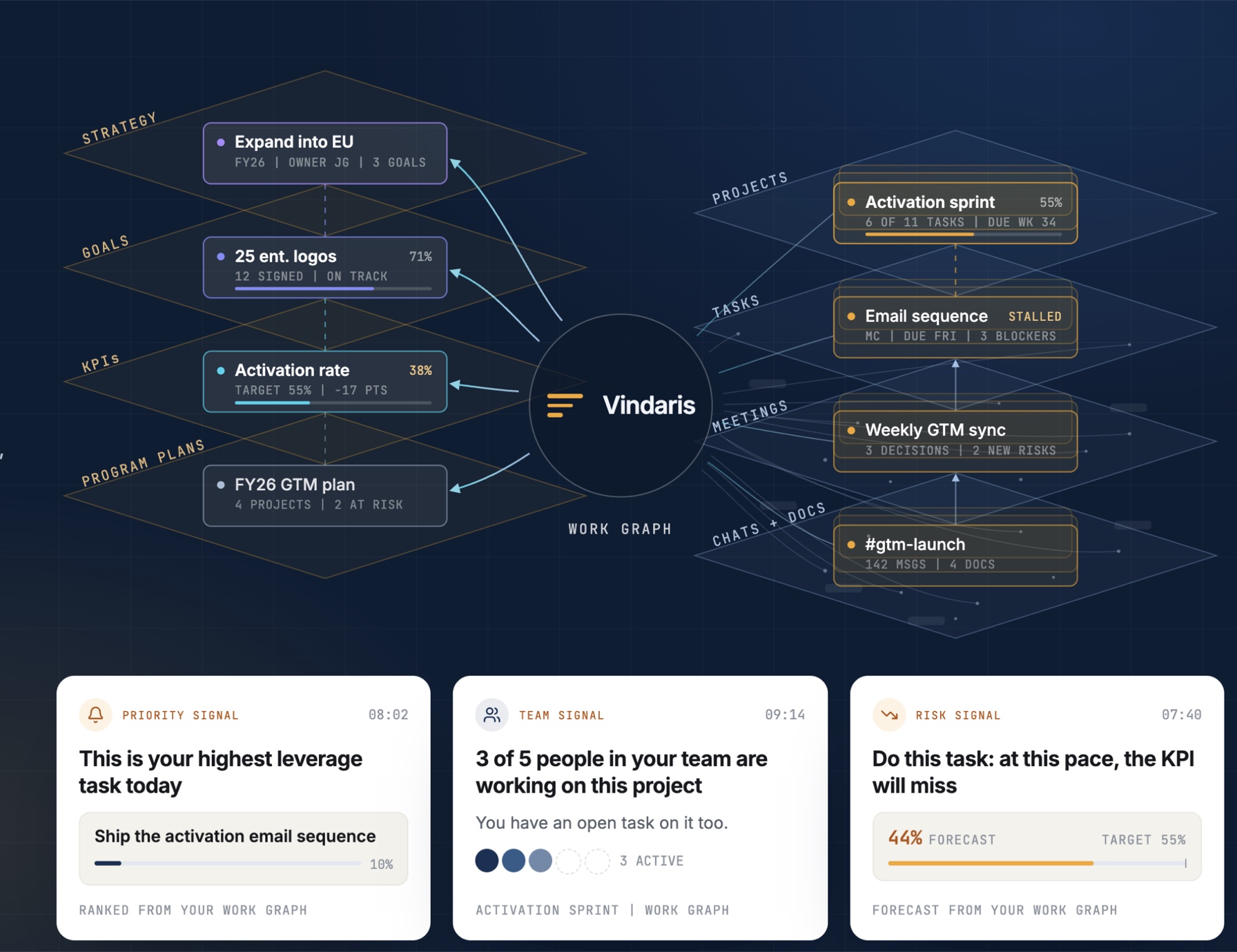
Notion stores the goal. It does not analyze the work activity behind it.
Notion's central object is the database row you design. Objectives and key results are properties you define and update by hand, which is flexible and familiar. It is a sound design for notes and planning, and a weak one for execution, because the row only knows what the last editor typed.
| Object | Notion | Vindaris |
|---|---|---|
| Central object | The database row you design | The task, and every edge running up from it to the goal |
| Progress source | A number the owner edits into the row | Derived from task state in Jira, Asana, Planner or HubSpot |
| Time resolution | Whenever someone remembers to edit | Continuous, updated as the work moves |
| Risk detection | A formula on numbers that were typed in | Flagged from pace, focus and task movement |
| What a goal knows about | Its properties and linked docs | The projects and tasks feeding it, and who is on them |
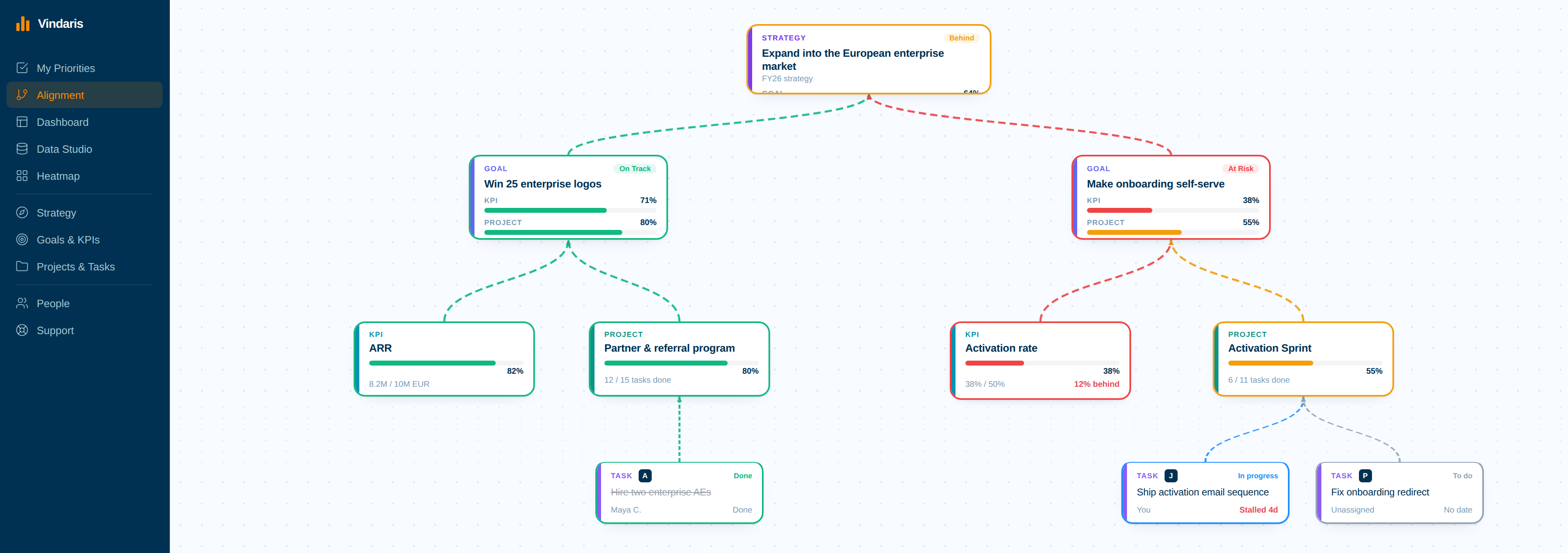
The practical difference shows in the gap between edits. A key result that stopped moving on Tuesday still reads green in Notion until someone opens the page and changes the number, and it stays green through the week if the owner edits optimistically. In Vindaris the key result inherits the state of the work under it, so the stall is visible on Tuesday and the reason is one click away.
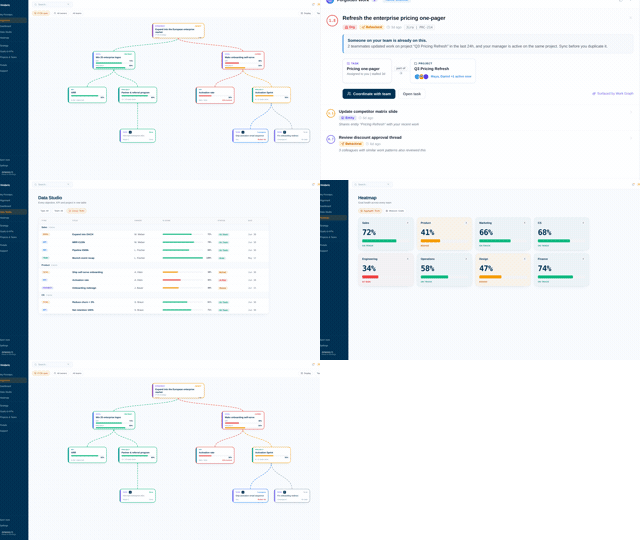
Five views that keep strategy and execution in sync.
See every goal connected to the work moving it.
Drag and drop your alignment structure. Roll up work progress, KPIs and goals without enforcing any framework syntax.
Alignment Canvas →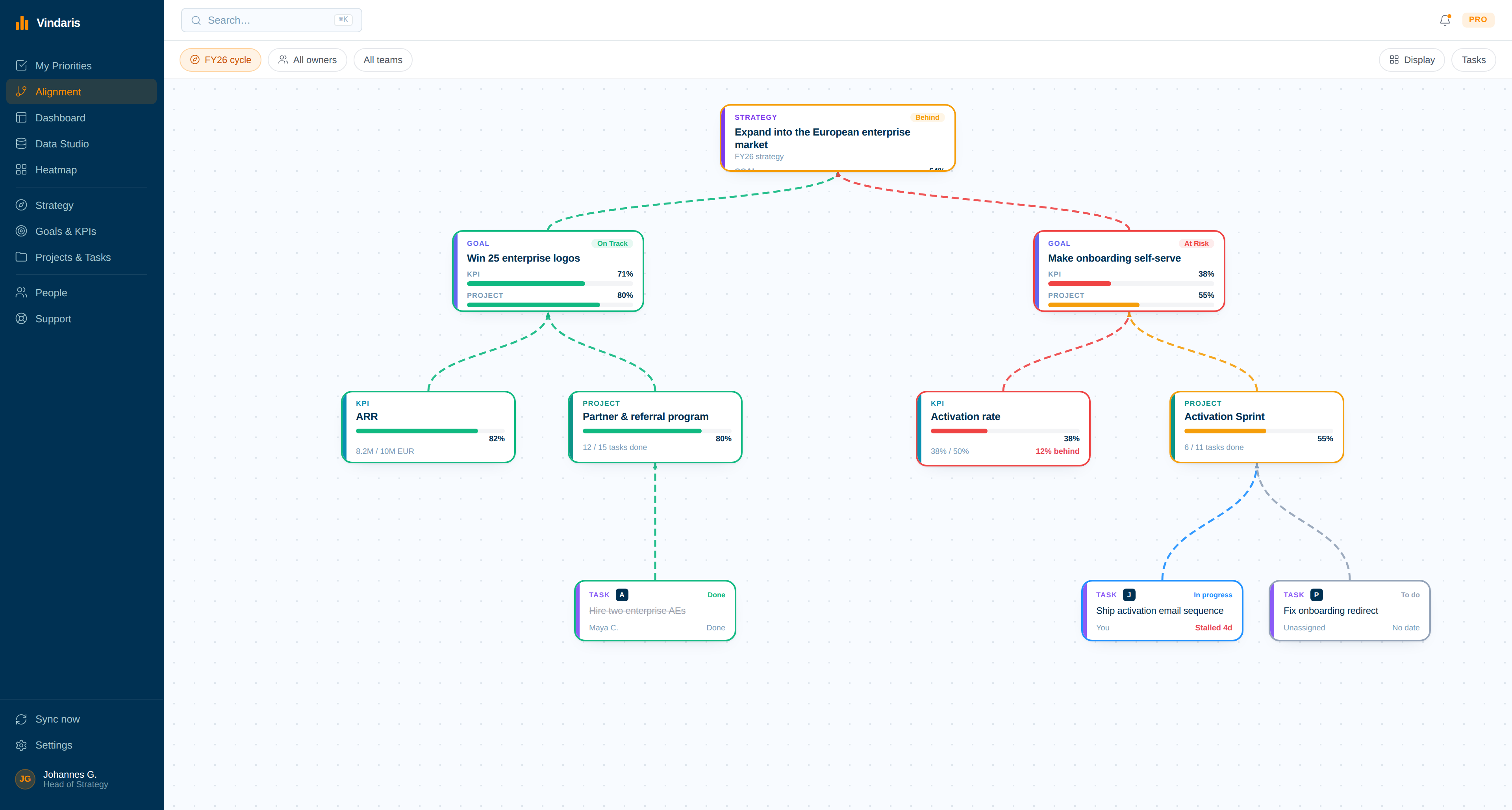
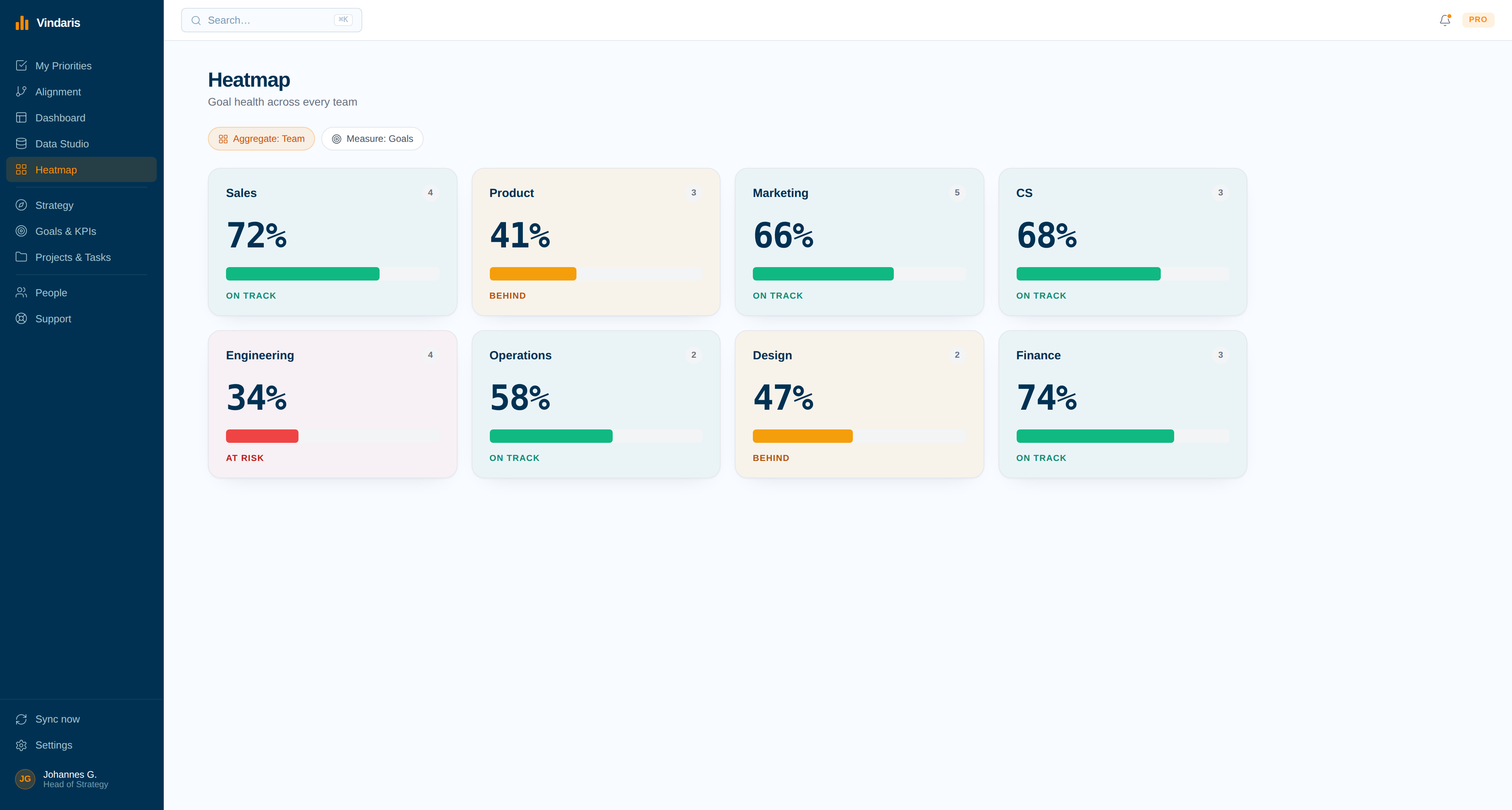
Spot risk while there is still time to fix it.
Run heatmaps across teams, goals, KPIs and projects. Save views and get notified when risk levels change, from task movement rather than a reported number.
Combine tasks and projects across your systems.
Sync HubSpot, MS Planner, Google Tasks, Asana and more into one view. Bidirectional sync keeps everything current while teams stay in their own tools.
All integrations →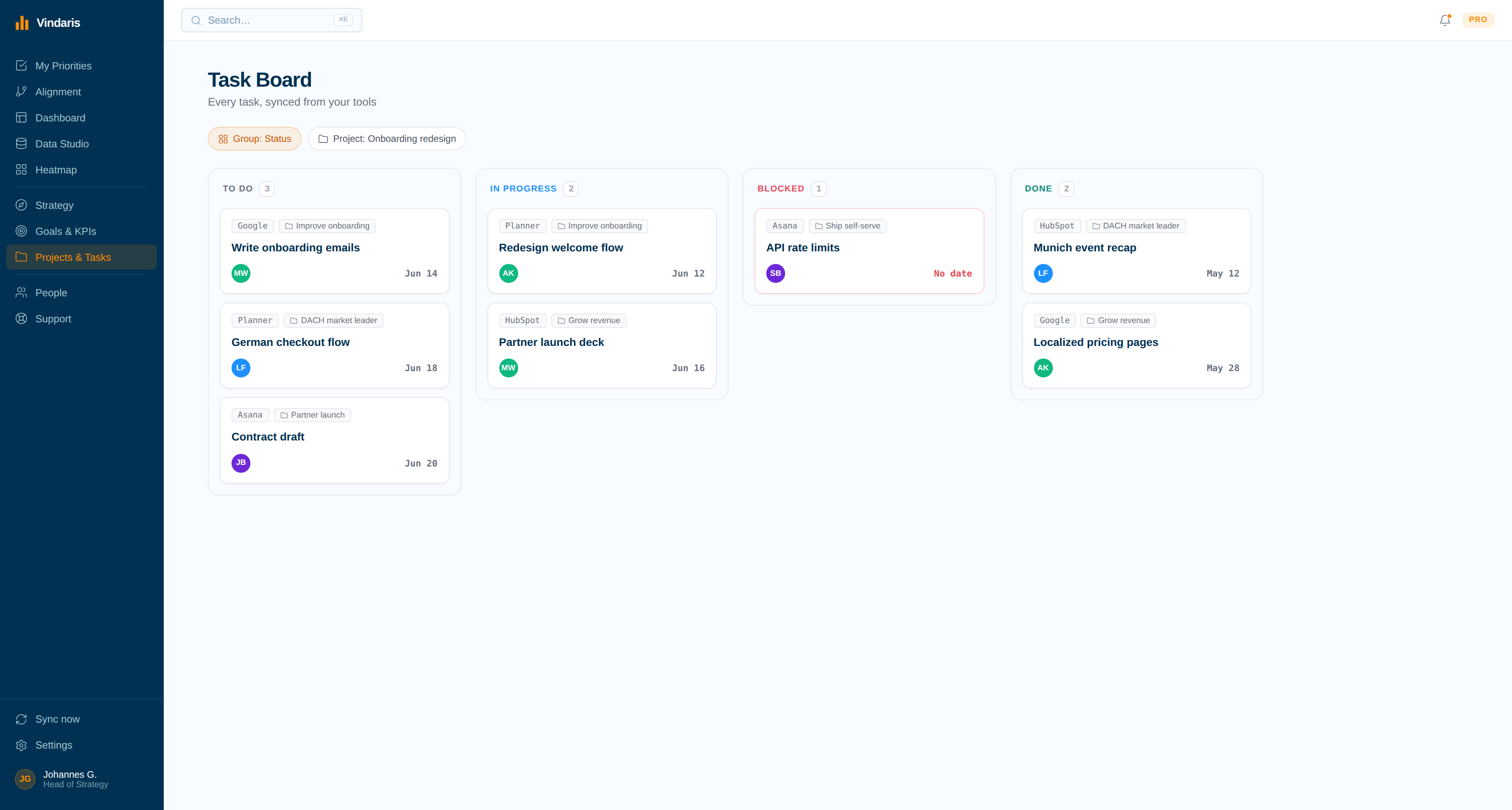
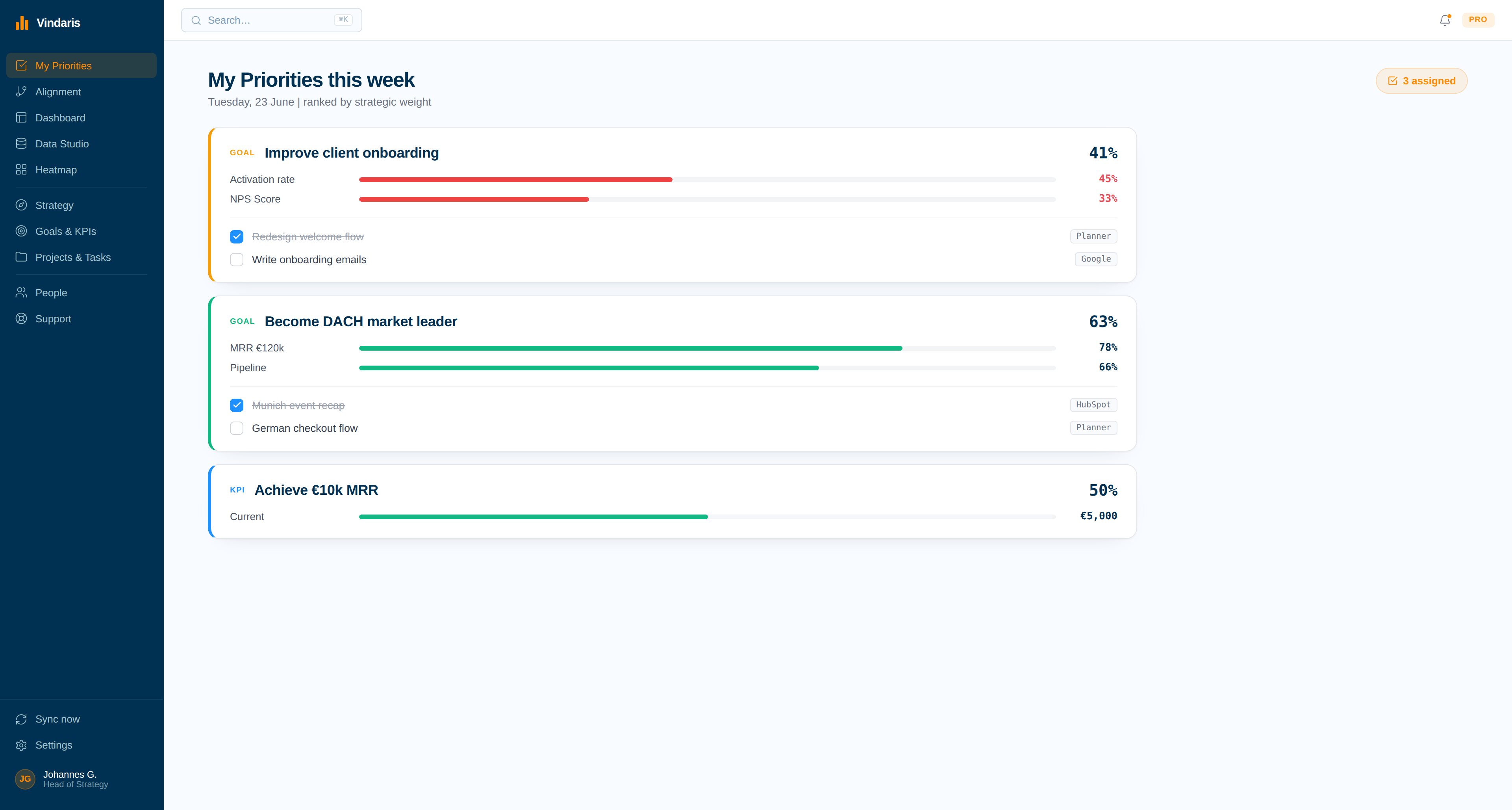
Everyone knows exactly what matters most.
A clear view of each person's goals, KPIs, projects and tasks. Start the week focused on what is due.
Run reports the way management needs them.
Rank teams, spot risks, compare KPIs to work. AI summaries push updates to Slack, Teams and email.
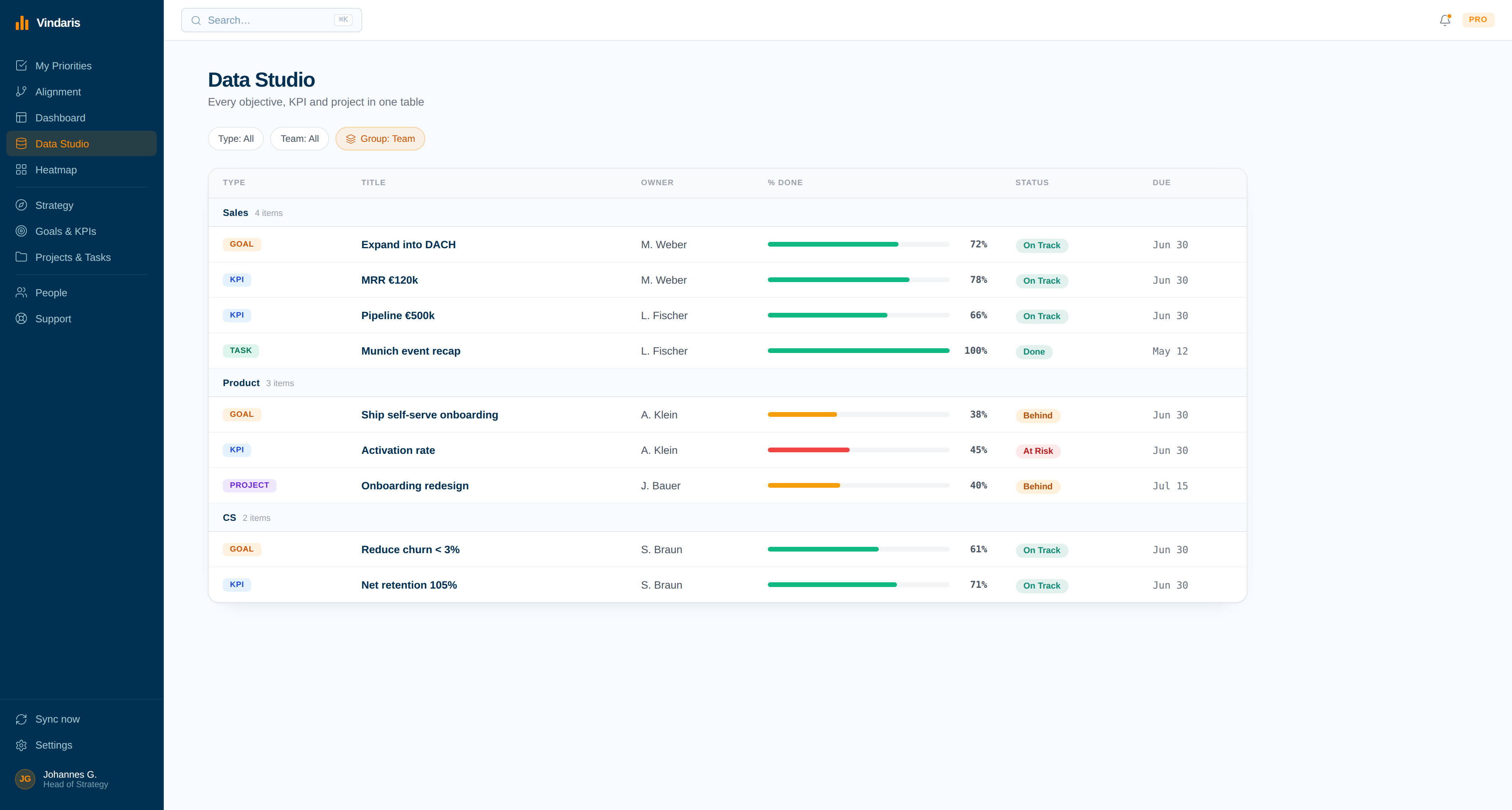
Keep the docs. Drop the manual rollups.
The objectives move over intact. What does not move is the manual editing habit, which is the point of the exercise.
Notion exports a database to CSV. Bring the file in as-is. The OKR structure you built carries over without rewriting, including the targets and current values.
Jira, Asana, Planner, HubSpot and Google sync bidirectionally, so the work your database rows have been describing starts flowing in on its own.
Vindaris proposes connections from labels, owners and project structure. Confirm them once. From that point a closed task moves the key result above it, which is what the manual edit was approximating by hand.
This is the step that pays for the migration. The rollup formulas exist because nothing else knew what happened; once progress is analyzed from the work, the table is a duplicate of data the system already has. Keep Notion for docs. Drop the upkeep.
Free forever for up to 5 people. No credit card required.
Start free Book a demo No credit card requiredVindaris vs Notion, feature by feature.
Notion wins on flexibility. This table compares what each product knows about the task-level work activity behind the goal.
| Feature | Vindaris | Notion |
|---|---|---|
| How progress is measured | Read from task-level work and Slack context in the tools your team already uses. | Typed into a database row by the owner. |
| Goal frameworks supported | Framework-agnostic: OKR, KPI, EOS Rocks, OGSM, SMART, Balanced Scorecard, or hybrid. | OKRs built from templates and custom databases. |
| Connection to work activity | Native work layer with bidirectional sync to HubSpot, Planner, Google, Jira, Asana. | No native work layer; tasks live in the tools around the goal. |
| Risk detection | Automatic execution-risk flags from task movement, focus and pace against plan. | Depends on someone editing the row and reading the rollup. |
| Status reporting | Live views and AI risk summaries pushed to Slack, Teams, and email. | Database views, boards, and linked docs. |
| Capacity and bandwidth | Built-in bandwidth and capacity planning. | Not covered. |
| Ownership model | Single-owner accountability enforced structurally. | A person assigned in a database property. |
| Free plan | Free forever, including 2 integrations and up to 5 people. | Generous free and low-cost plans; the cost is manual upkeep, not licensing. |
| Best fit | Teams that want goal status analyzed from work activity, not maintained in a table. | Teams that want a flexible workspace and will maintain the OKR database by hand. |
The category as a whole is compared in the best strategy execution software guide, and the argument underneath it is set out in the strategy execution gap whitepaper.
Flexible free plans, or a free tier that analyzes the work activity.
Notion prices per user with generous free and low-cost plans, and the real cost is the manual upkeep rather than the license. The comparison worth making is what each seat gets you, because one is paying for a place to maintain status and the other for a system that analyzes it.
| Plan | Notion | Vindaris |
|---|---|---|
| Free tier | Free and low-cost plans cover the workspace; the upkeep is yours to carry. | Free forever. Up to 5 people, 2 integrations, all core features. |
| Entry paid plan | Per-user monthly pricing, published, with the rate stepping up by plan. | Connect, EUR 10 per user per month. All integrations, unlimited sync. |
| Upper plan | Higher tiers add admin and security controls. | Pro, EUR 20 per user per month. Unlimited users in one organization. |
| Published pricing | Yes, generous free plans, with the OKR database built and maintained by hand. | Yes, on the website. No quote required to evaluate. |
| Minimum commitment | Monthly or annual per-seat billing. | None. No seat minimum, no annual term, no setup fee. |
Vindaris is free forever for up to 5 people with 2 integrations and all core features, Work Graph included, so a small team can run a full quarter on real data before paying. Paid plans are EUR 10 and EUR 20 per user per month, published, with no minimums.
Best for individual contributors, small teams or startups. No credit card required.
- All features (incl. Alignment Canvas, My Priorities, Heatmap, Data Studio & Task Board)
- Set up 2 integrations of your choice
- Invite up to 4 additional members
- 5 ad-hoc AI risk summaries per month
Best for teams, small agencies, or departmental and team management.
- All in Free
- All integrations, unlimited sync
- Unlimited AI risk summaries & alignment suggestions - ad-hoc and scheduled
- Up to 10 users within one organization
Best for multiple teams, exec teams, Chiefs of Staff, departmental leadership or full-org deployments.
- All in Connect
- Unlimited users within one organization
- Direct human support email, 24h response time
- Human-led onboarding support
Common questions, answered
What is the difference between Notion and Vindaris?
Can Notion track OKRs properly?
Is there a free Notion alternative for OKRs?
Can I migrate from Notion to Vindaris?
Free resources for this topic
A template you can download, a playbook to run, and the thinking behind both. No email required.
Or start with the full picture: strategy execution software that connects your plan to the work delivering it.
Building your own OKR database is a choice. Maintaining it by hand is optional.
Free forever for up to 5 people. No credit card required.